Important:
The Expenses feature allows management to track operational expenses, including those chargeable to the Operator or Landlord. These expenses are then reflected in the reporting, providing clear insights into financial allocations and helping with budgeting and cost management.
Create Expenses
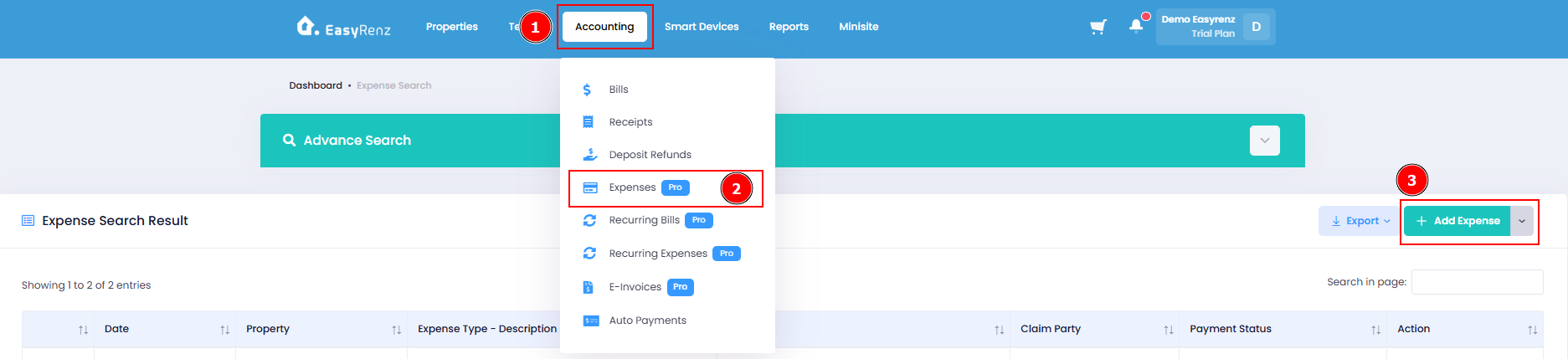
Step 1 : Accounting section > Select Expenses > Add Expense
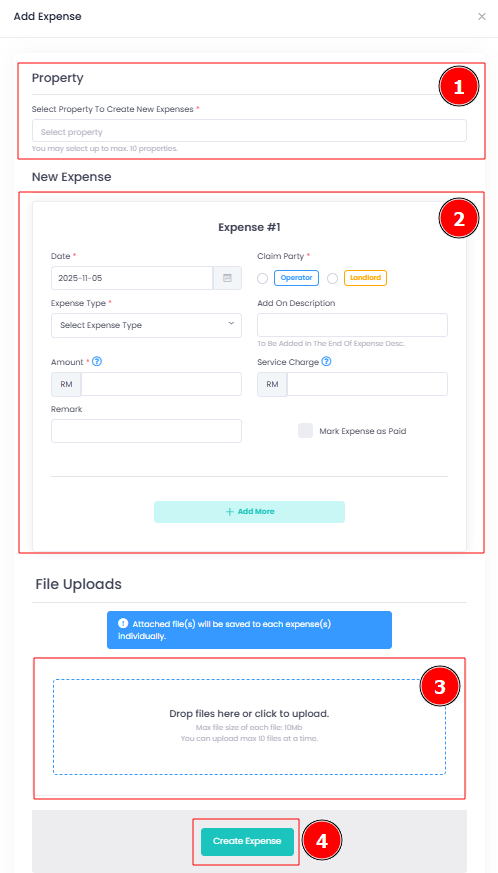
Step 2 : Select the properties (You may select more than one property) to add this expenses, then fill up the expenses details. You may attach any supporting documents (like invoice or receipts) if necessary, then click Create Expense.
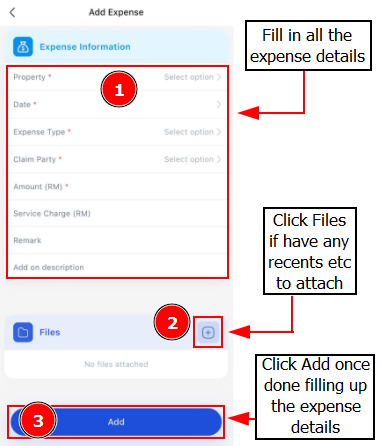
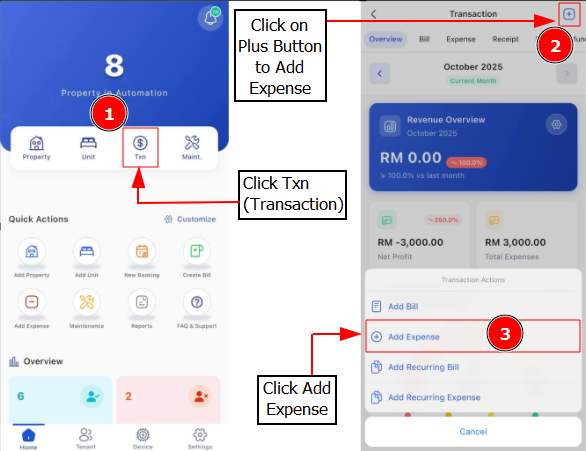
[Mobile Version] Create Expenses
Step 1: Go to Transaction > tap Payment Tab
Step 2: Fill in the details > Add Files > Add