
Important:
You can only record an expenses as Paid for expenses that's chargeable to Operator.
[Web Version Only] Record Expenses As Paid
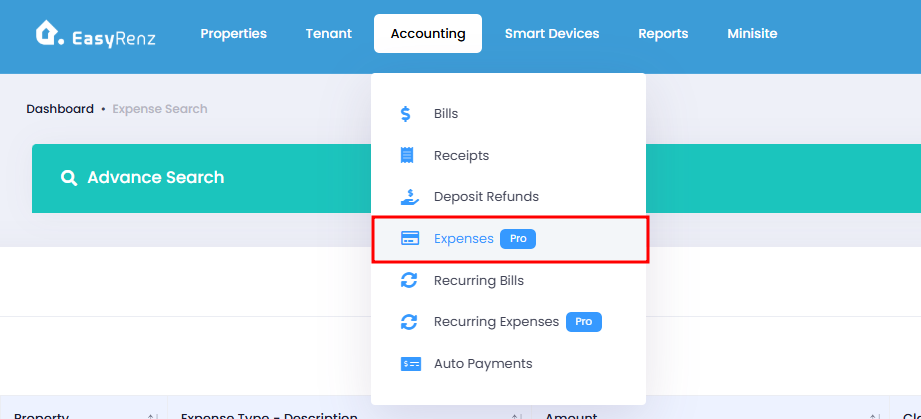
Step 1 : Accounting section > Select Expenses
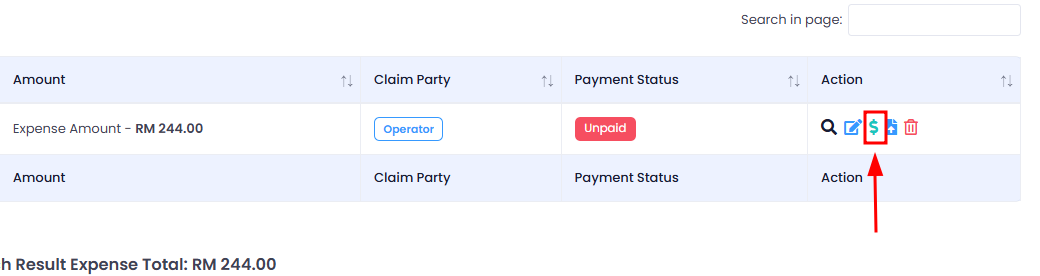
Step 2 : Look for the expense you would like to record as paid, click on Record Expense Payment
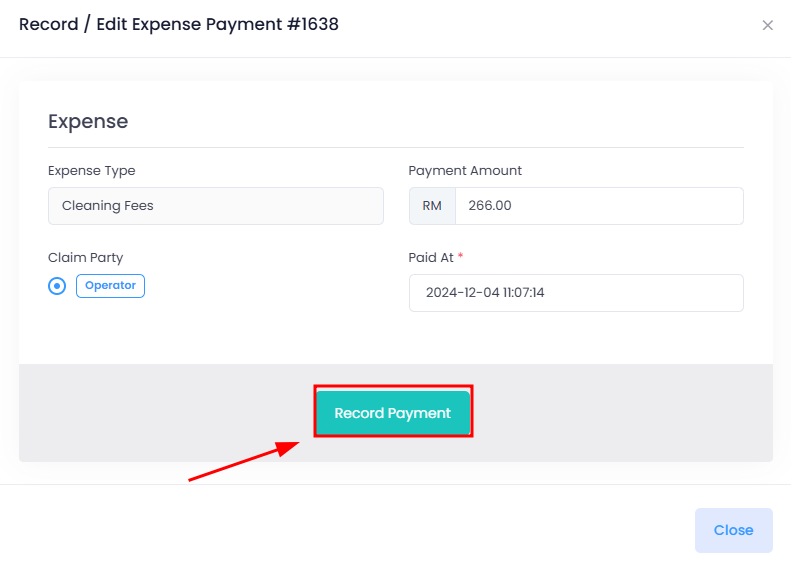
Step 3 : Update the paid at if necessary, then click Record Payment
Bulk Record Expenses as Paid
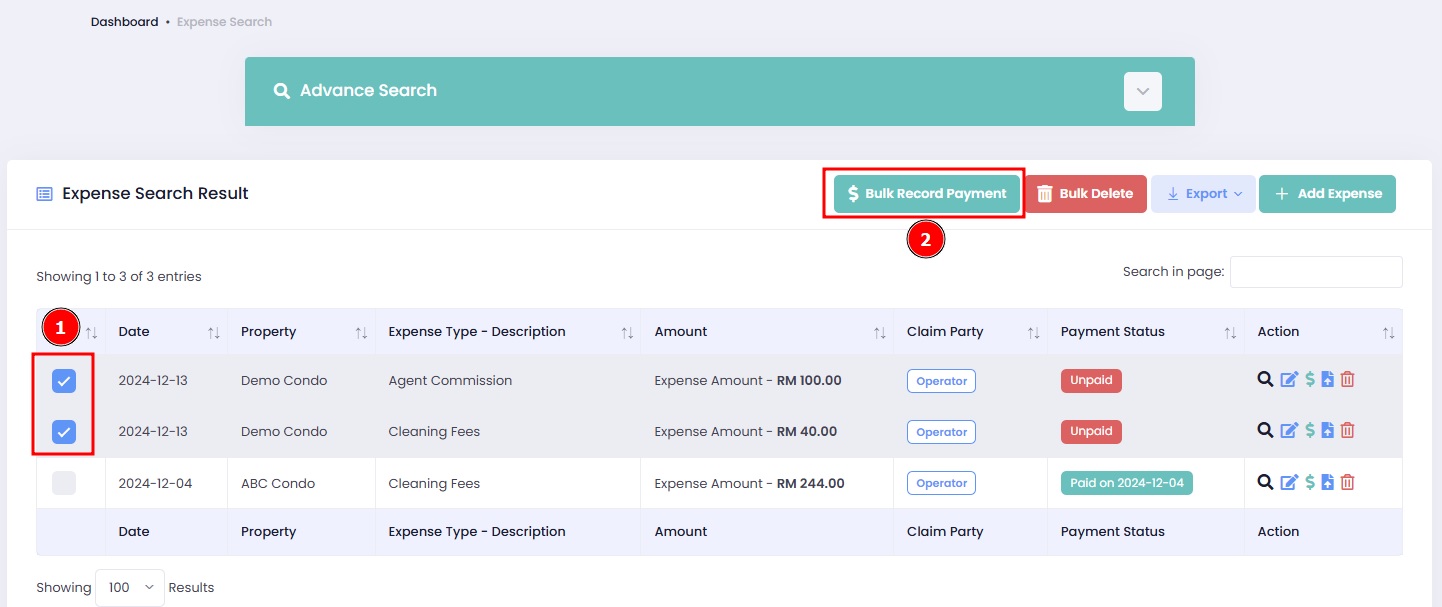
Step 1: Select the bills that you would like to record as Paid on the first column.
Step 2: Click on the "Bulk Record Payment"
Step 3: Update the pay at time if necessary, click "Record Payment"
Important:
If you bulk record a paid expense, the "Paid At" date will be updated to reflect the latest payment date across all previously recorded expenses in your selection.