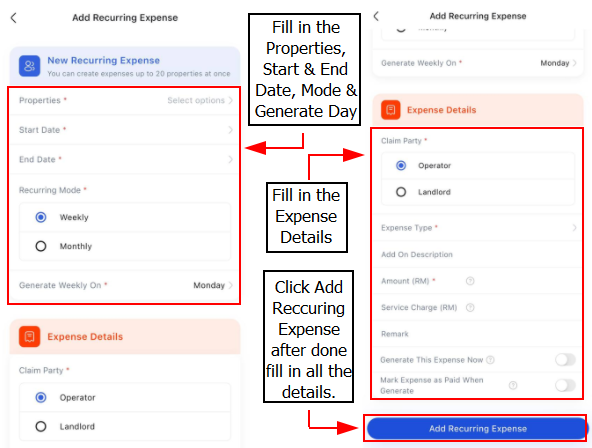
You can use the recurring expense feature to automatically generate expense records on a weekly or monthly basis.
This is particularly useful for regular charges like internet fees, cleaning fees, and management fees (for serviced apartments or condominiums), ensuring that these expenses are consistently create on the recurring period without manual input each time.
[Web Version] Create Recurring Expense
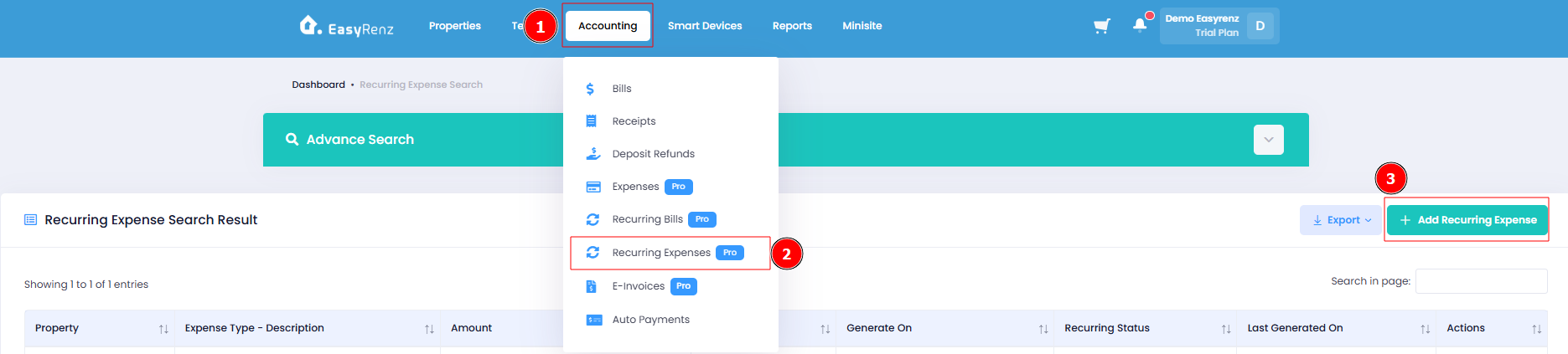
Step 1 : Accounting section > Select Recurring Expenses > Add Recurring Expense
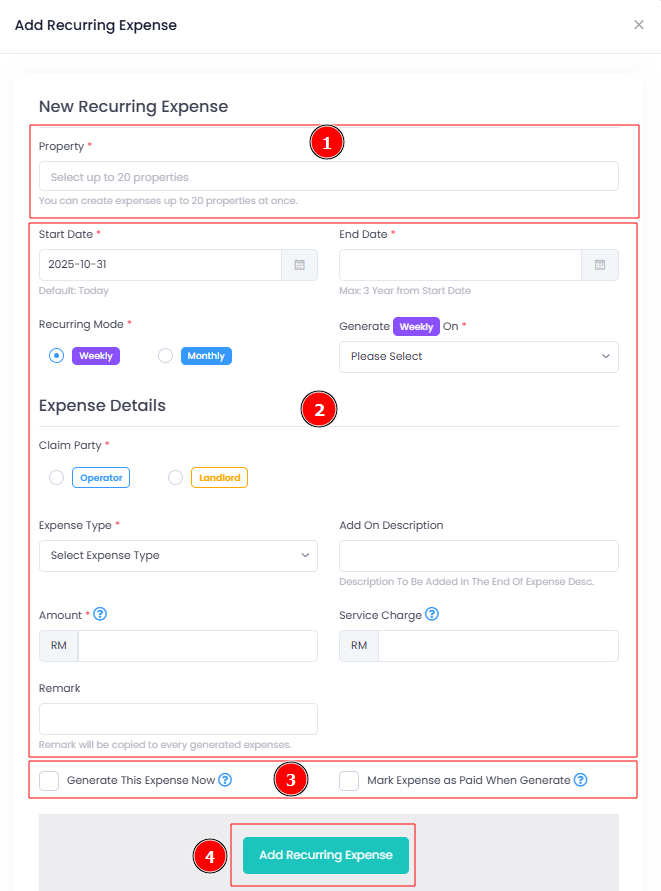
Step 2 : Fill in the required details > Click Add Recurring Expense.
You can check the "Generate This Expense Now" option to create the expense immediately upon saving.
By default, if this option is not selected, the recurring expense will only be generated at the next scheduled interval.
[Mobile Version] Create Recurring Expense
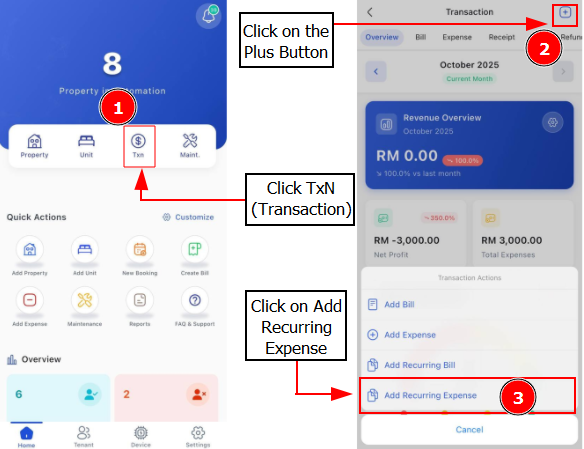
Step 1 : Go to Txn > Click Plus Button > Add Recurring Expense
Step 2 : Fill in all the required details > Click Add Recurring Expense