Important:
Tenant-submitted maintenance cases will always be in "New" status.
If a maintenance case is created internally by the Principal or Sub-account, it will be in "In Progress" status (which can be changed).
Steps to create a maintenance
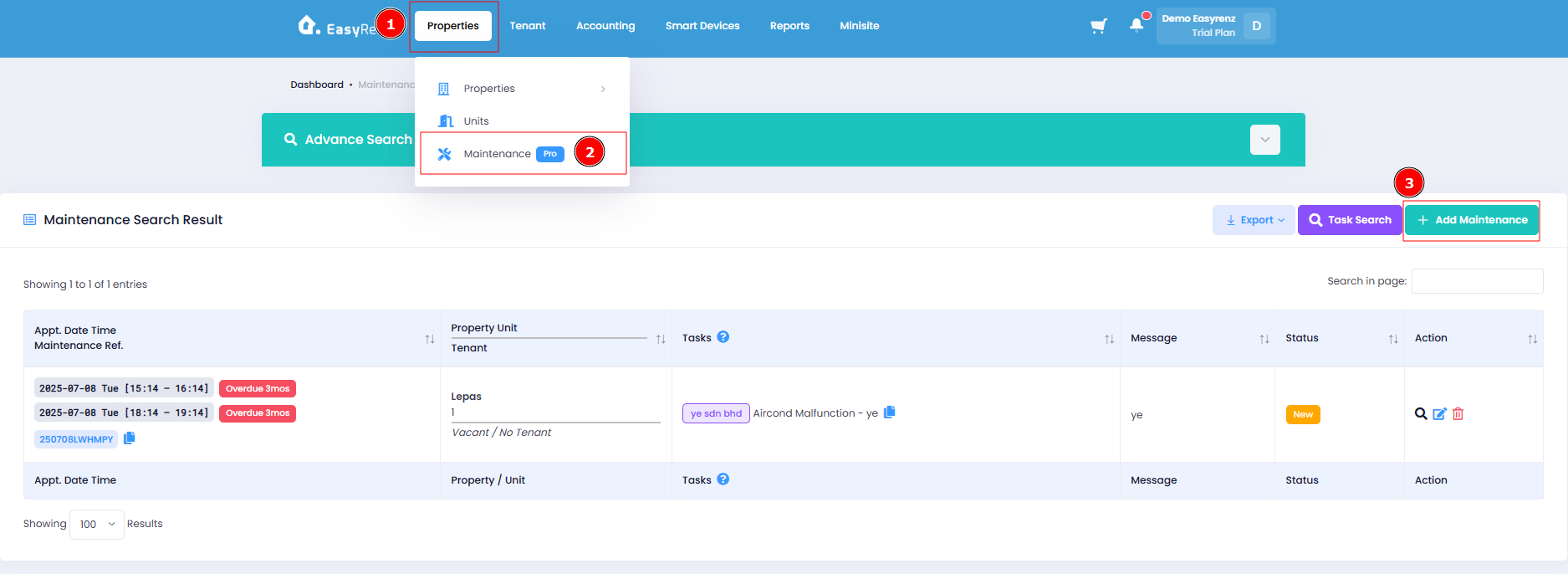
Step 1: Go to Properties > Maintenance > Add Maintenance
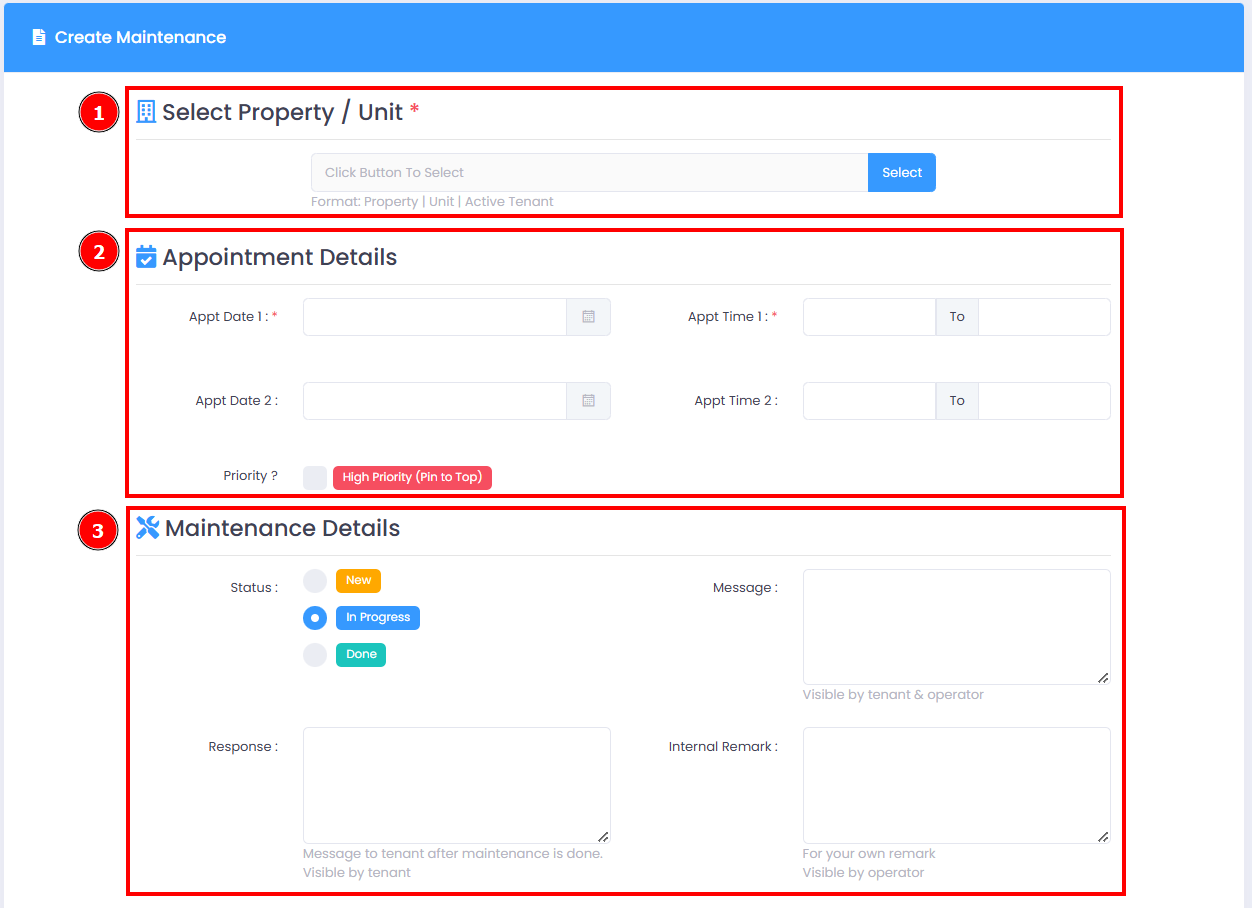
Step 2: Select Property / Unit > Enter appointment details > Enter maintenance details
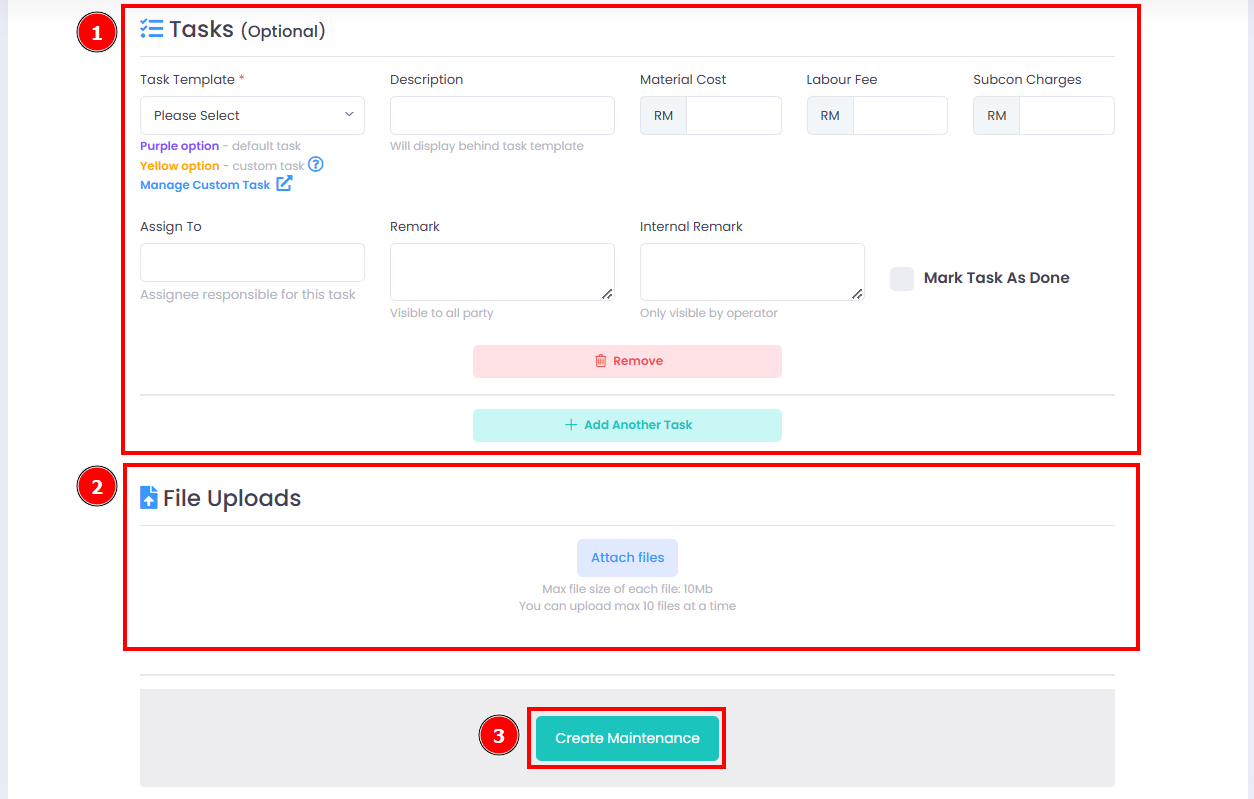
Step 3: Create tasks (optional) > File upload (optional) > Create Maintenance button
You have successfully created a maintenance as a management.
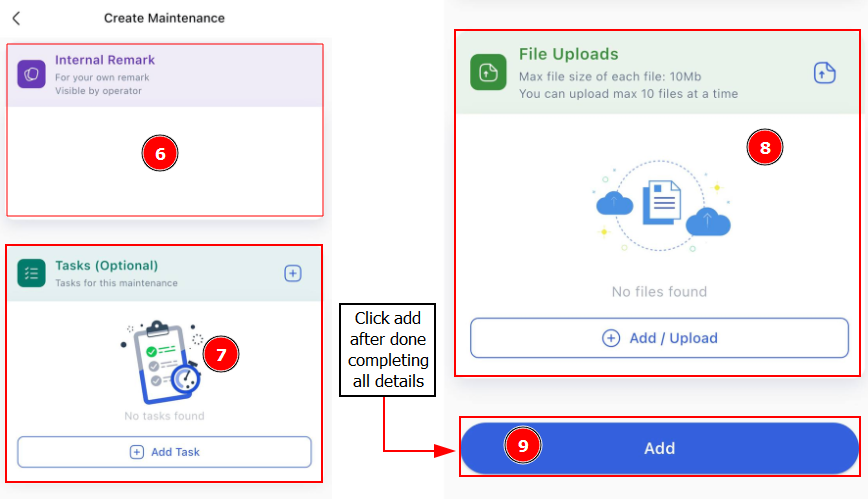
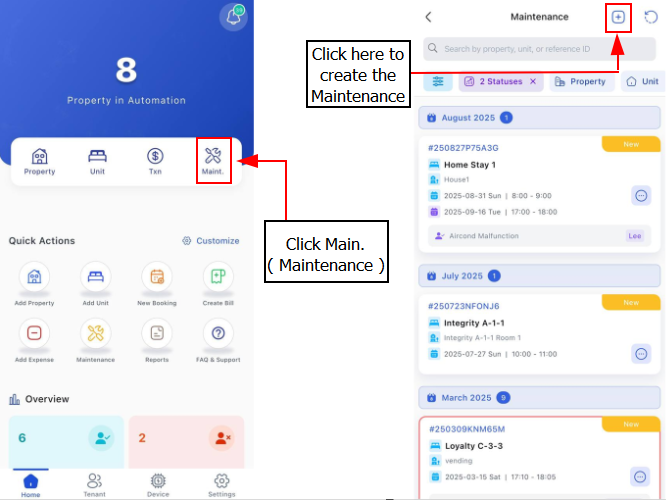
[Mobile Version] Steps to create a maintenance
Step 1: Tap on Maint. > Click Plus Button to create a Maintenance
Step 2: Fill in the information required fields
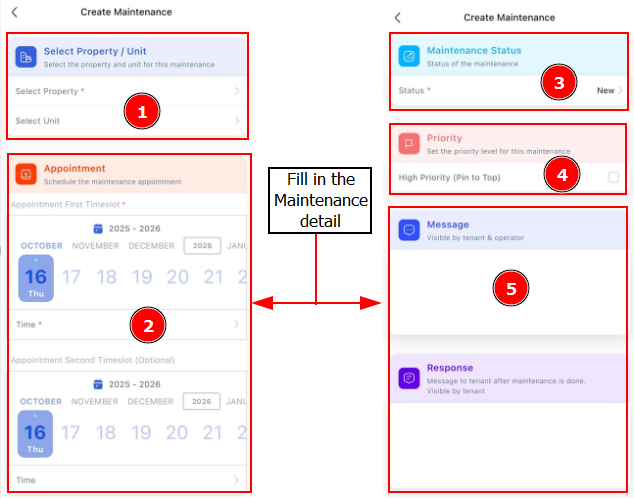
Step 3: Click Add after you complete the information required fields