Cancel Notified Rental
Canceling a notified rental in EasyRenz is a straightforward process. Follow these steps to ensure the rental record is updated correctly:
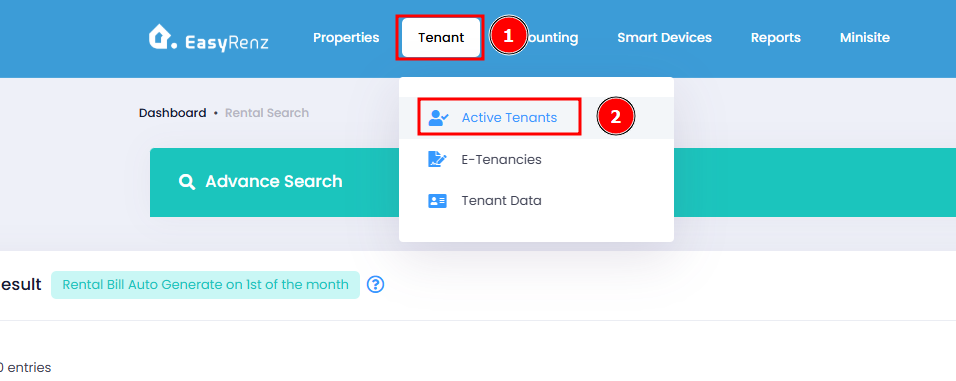
Step 1 : Go to Active Tenants Tab
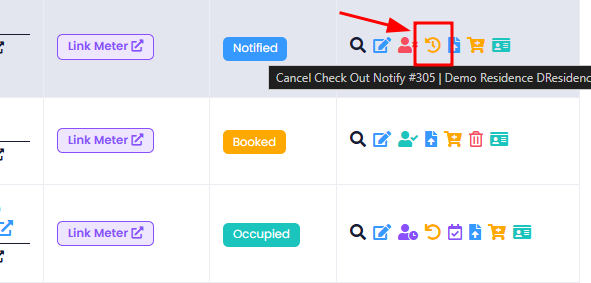
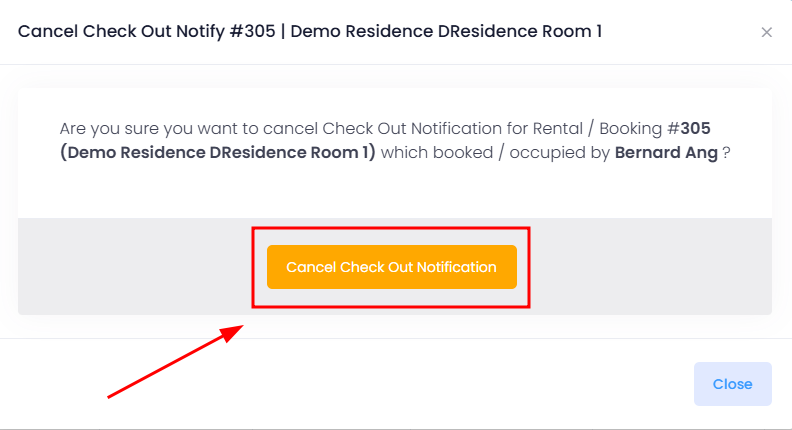
Step 2 : Action Cancel Check Out Notify on a Notified rental > Confirm Cancel Out Notification
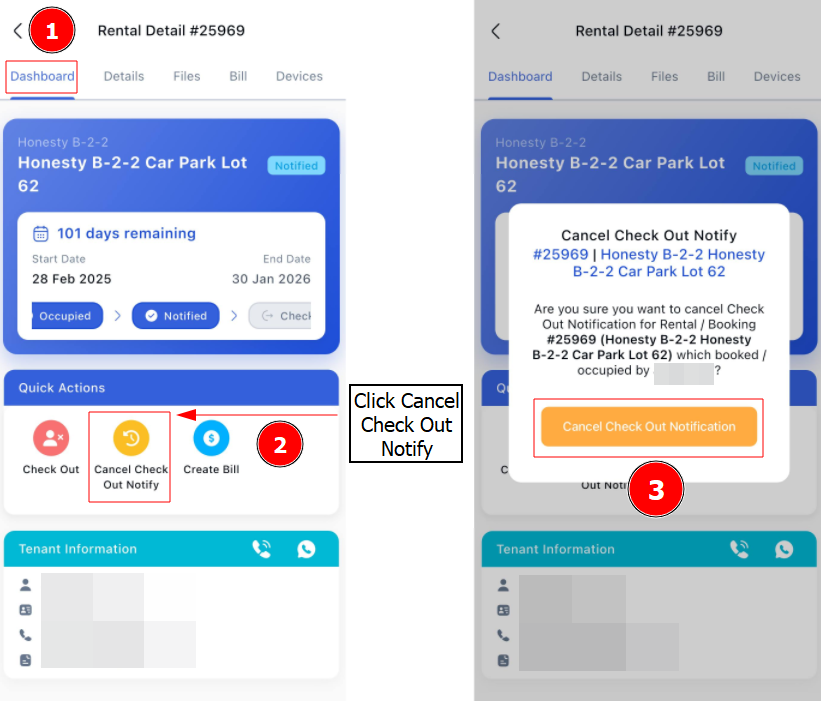
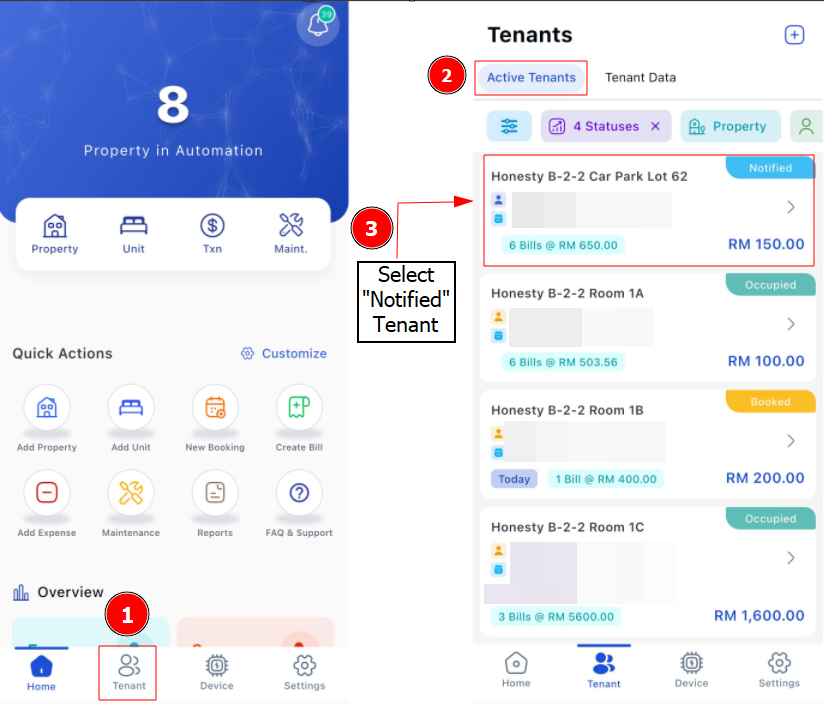
[Mobile Version] Steps to Cancel Notified Rental
Step 1: Go to Tenant > Active Tenants > Find the tenant you wish to cancel the Check Out Notify
Step 2: Click on Cancel Check Out Notify > Cancel Check Out Notification