
Steps to check in a rental
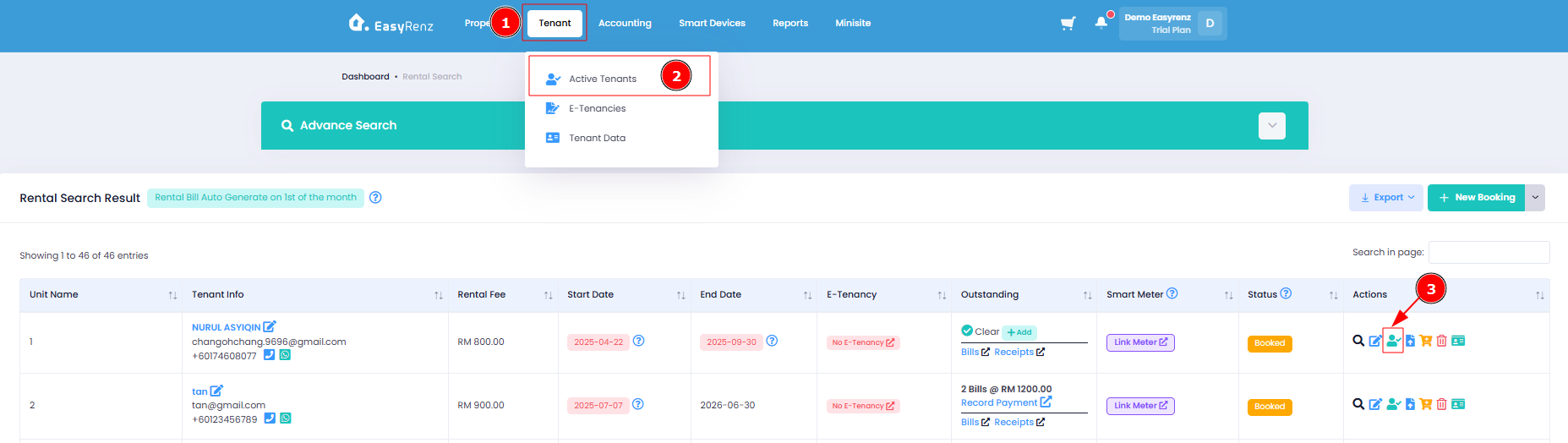
Step 1: Go to Tenant > Active Tenants > Find the rental you wish to check in > Click on the Check In Icon.
Step 2: Please review and update the Rental Unit Information > Click on Check In > Click on Proceed Check In to complete your check in a rental.
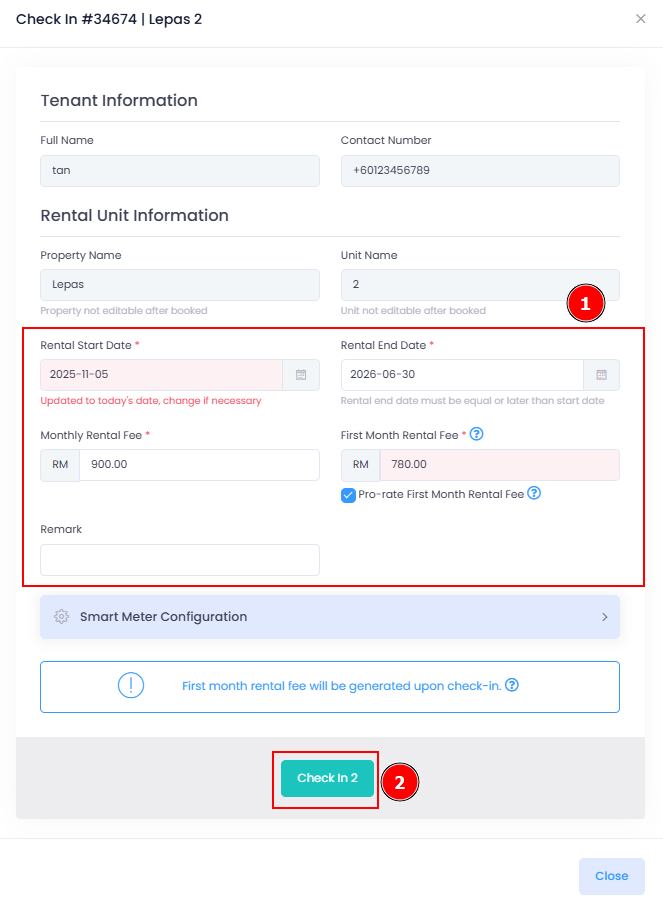
You have successfully completed the check-in process for the tenant's rental.
[Mobile Version] Steps to check in a rental
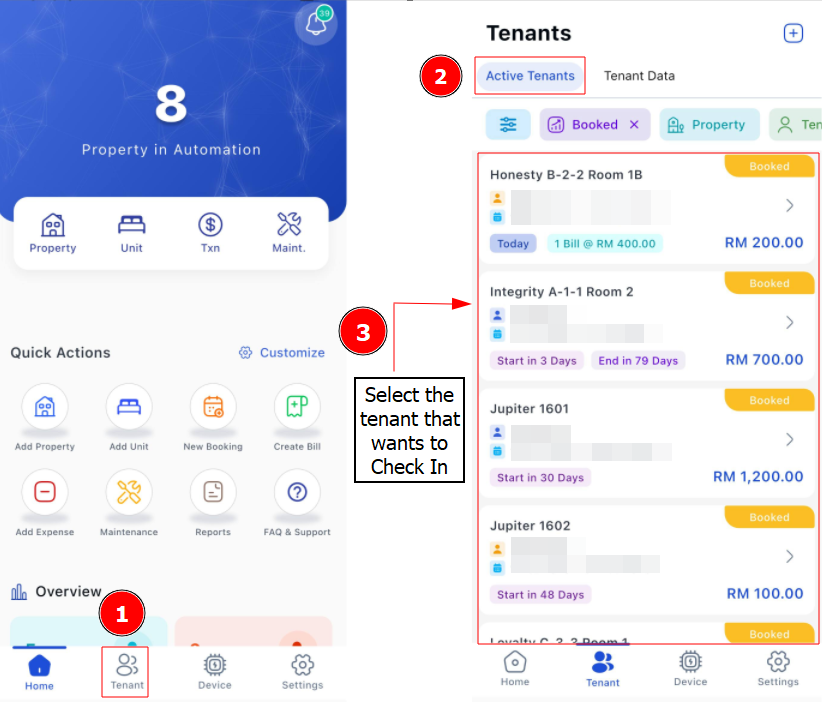
Step 1: Go to Tenant > Active Tenants > Find the tenant you wish to check in
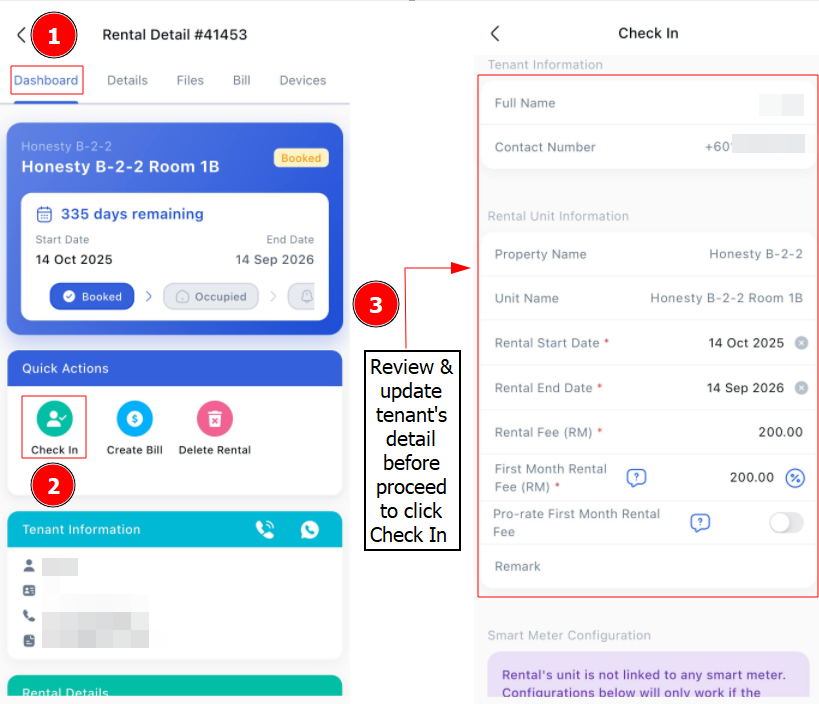
Step 2: Check the Rental Unit Information > Click on Check In
Getting Started - Next Topic
Renew / Extend rental period - [Bookings & Rentals] How To Renew / Extend Rental Period ?