Steps to change TMS Prepaid / Postpaid mode for smart meters
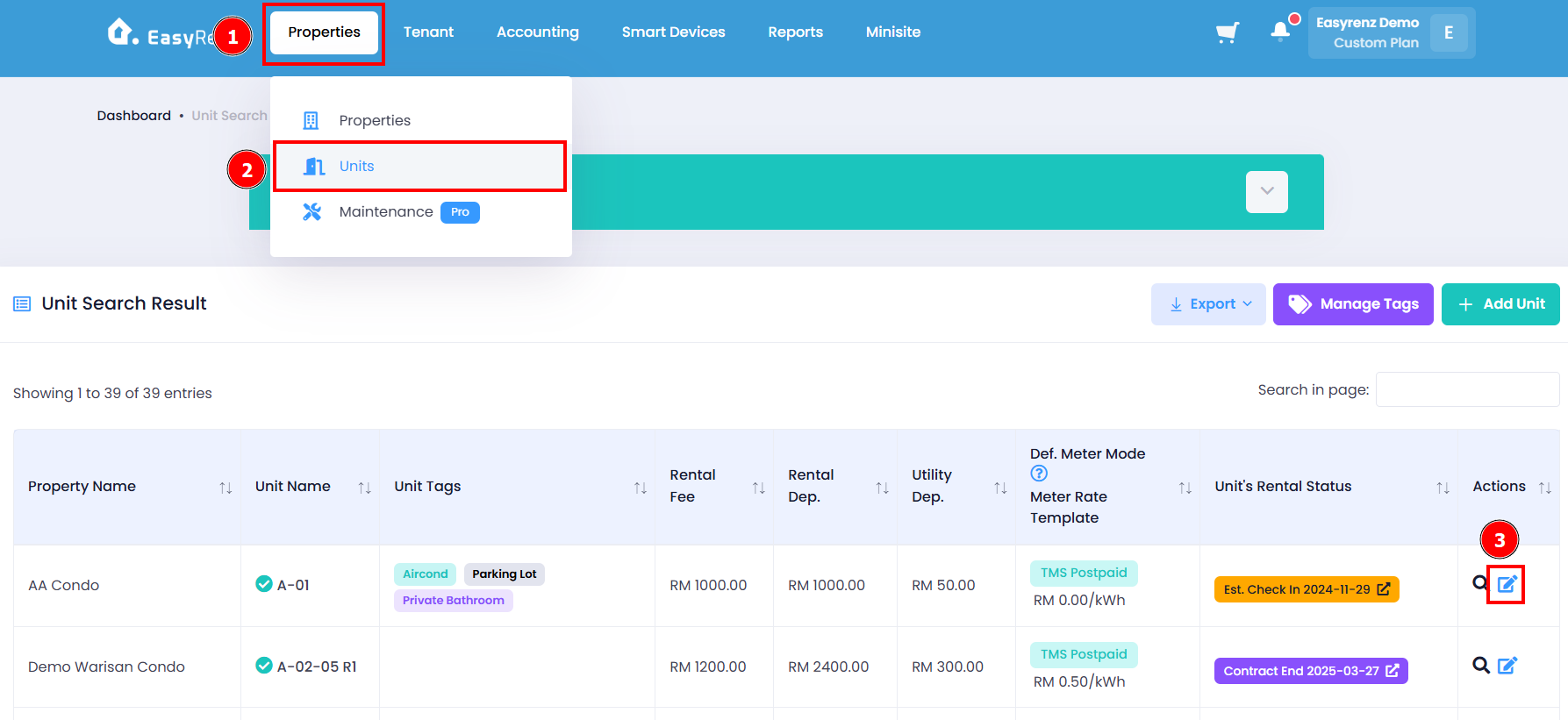
Step 1: Go to Properties > Units > Find the unit you wish to change > Edit Unit icon
Step 2: Change your desired smart meter payment mode
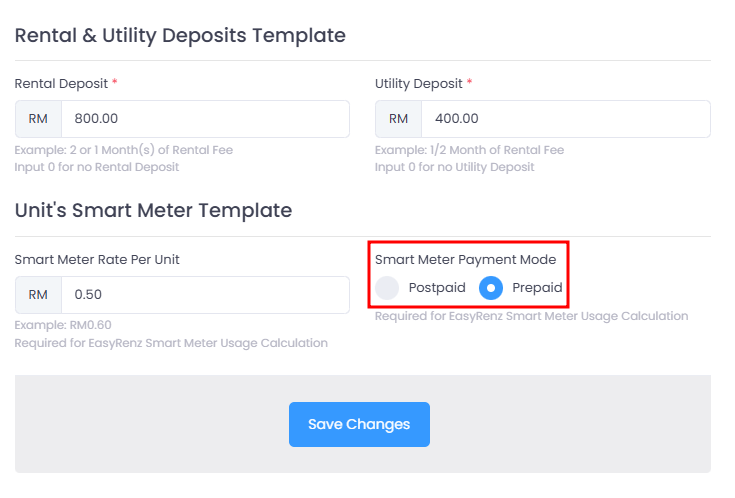
You have successfully changed TMS Prepaid / Postpaid mode for smart meter.
[Mobile Version] Steps to change TMS Prepaid / Postpaid mode for smart meters
Steps to change TMS Prepaid / Postpaid mode for smart meters
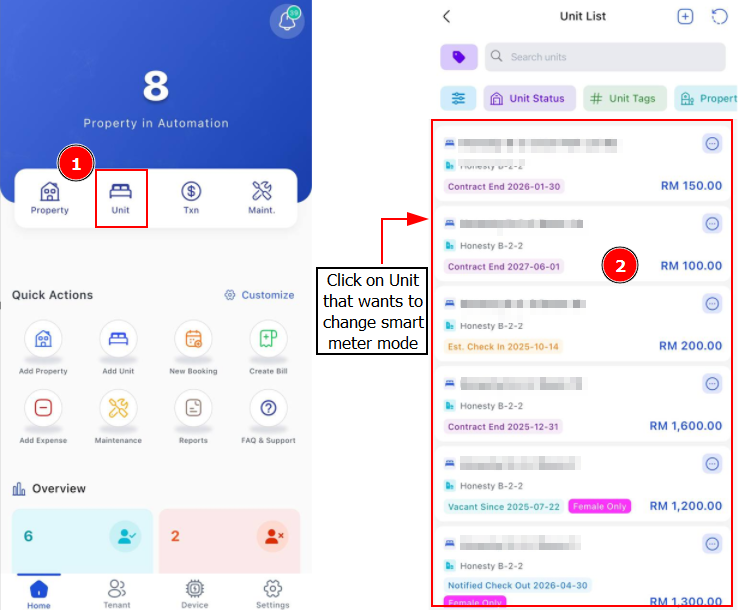
Step 1: Go to Unit > Find the unit you wish to change
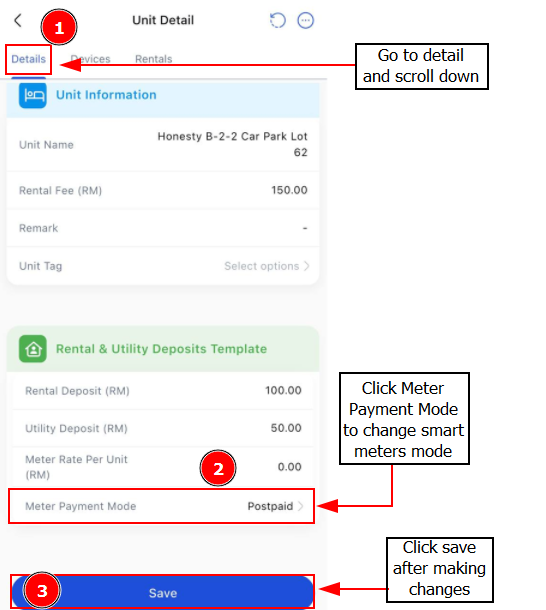
Step 2: Details > Scroll Down > Click on Meter Payment Mode to change either Prepaid or Postpaid mode > Save