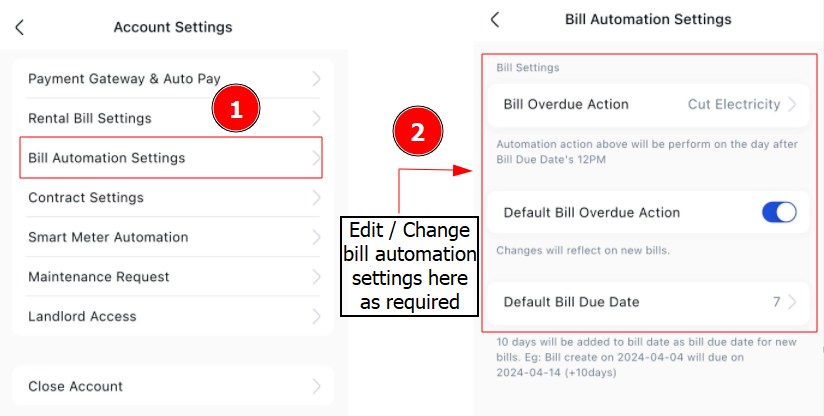
Adjusting rental, billing, and contract settings in EasyRenz helps property managers customize the platform for their needs. Follow these steps to update the settings:
Change Rental / Bill Automation /Contract Settings
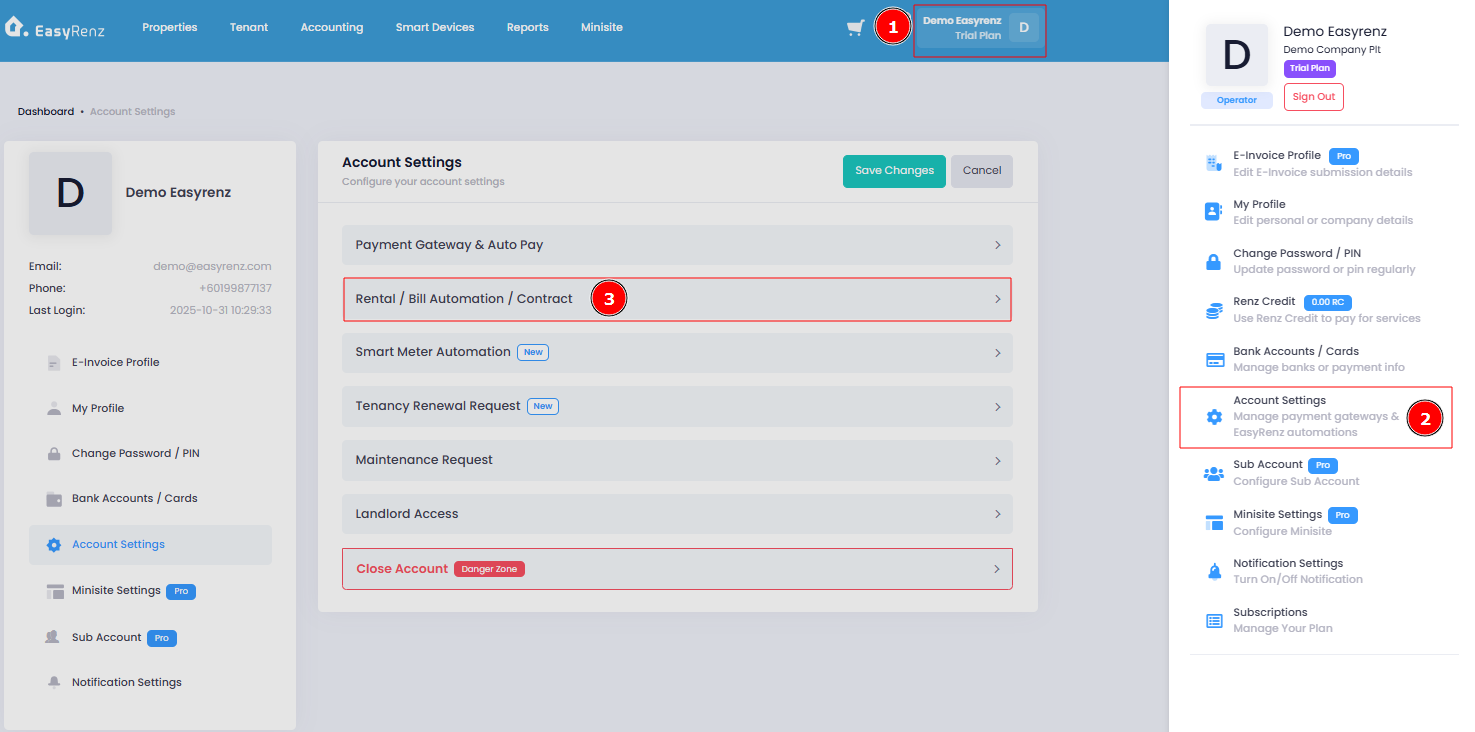
Step 1 : Profile > Account Settings > Click on Rental / Bill Automation / Contract.
You can edit rental, billing, and contract settings here.
Important:
Once you've made your changes, remember to click on "Save Changes" to save the settings.
[Mobile Version] Change Rental / Bill Automation Settings
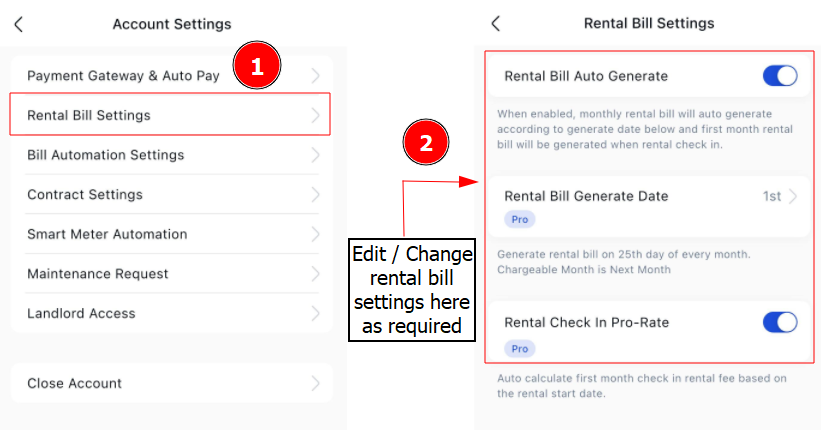
For Rental Bill Settings
Step 1 : Settings > Account Settings
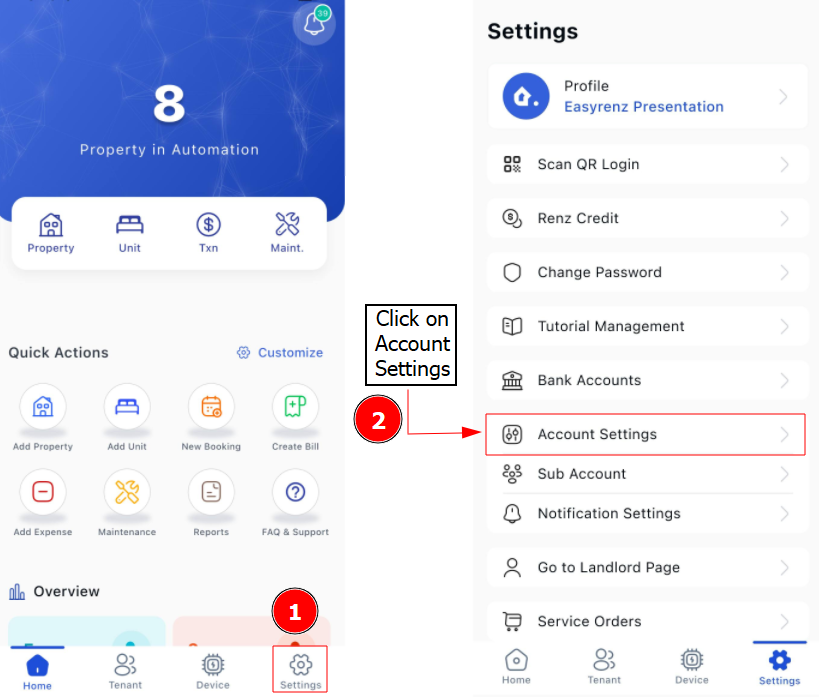
Step 2 : Click Rental Bill Settings and you can edit Rental Bill Settings here.
For Bill Automation Settings
Step 2 : Click Bill Automation Settings and you can edit Bill Automation Settings here.