This feature requires an active subscription.
Allowing tenants to submit maintenance requests directly through EasyRenz can streamline the process and ensure timely attention to property issues. Here’s how you can enable tenants to submit maintenance requests:
Step : Profile Menu > Account Settings > Maintenance Request > Enable Tenant Maintenance Submission > click Save Changes.
Once you've enabled the feature, remember to click "Save Changes".
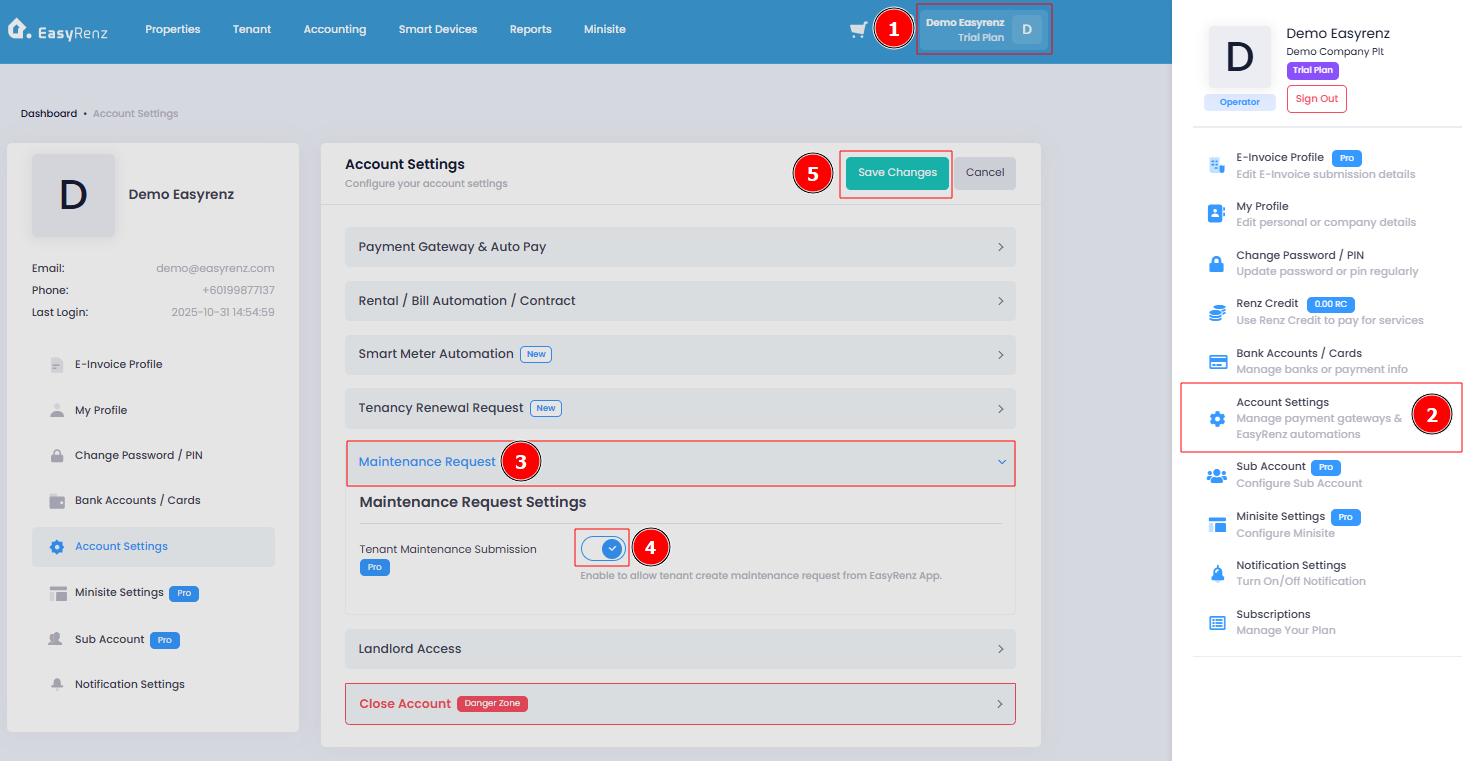
Tenants will now be able to submit maintenance requests through the EasyRenz App. If the maintenance button does not appear after applying the changes, please advise the tenant to close and reopen the EasyRenz App.
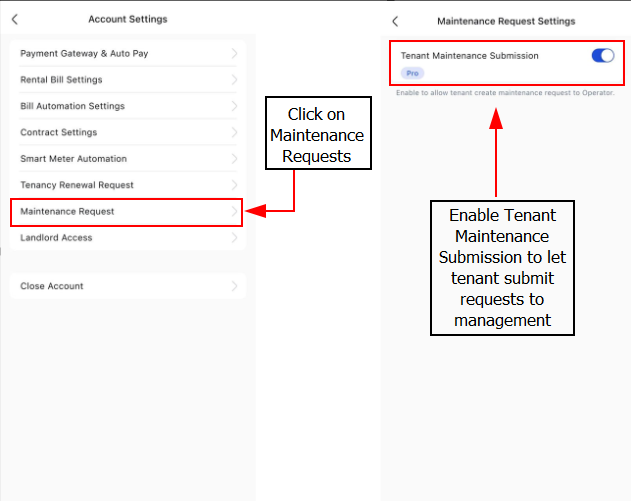
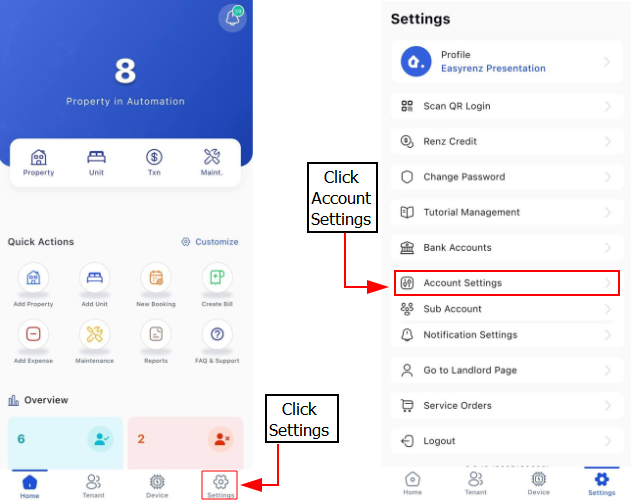
[Mobile Version] Step to allow tenant submit for maintenance request
Step 1: Go to Settings > Account Settings
Step 2: Click on Maintenance Request > Enable Tenant Maintenance Submission