
Register fingerprint as Tenant account via mobile app
You need to be physically close to the lock in order to add a fingerprint.
Bluetooth and Device Discovery must be enabled in the EasyRenz app to add a fingerprint.
Tenants are strongly recommended to register their fingerprint access in case the app is unavailable or there is no internet connection, as the e-key will not function without it.
Fingerprint access will remain functional even without a smartphone or internet connection.
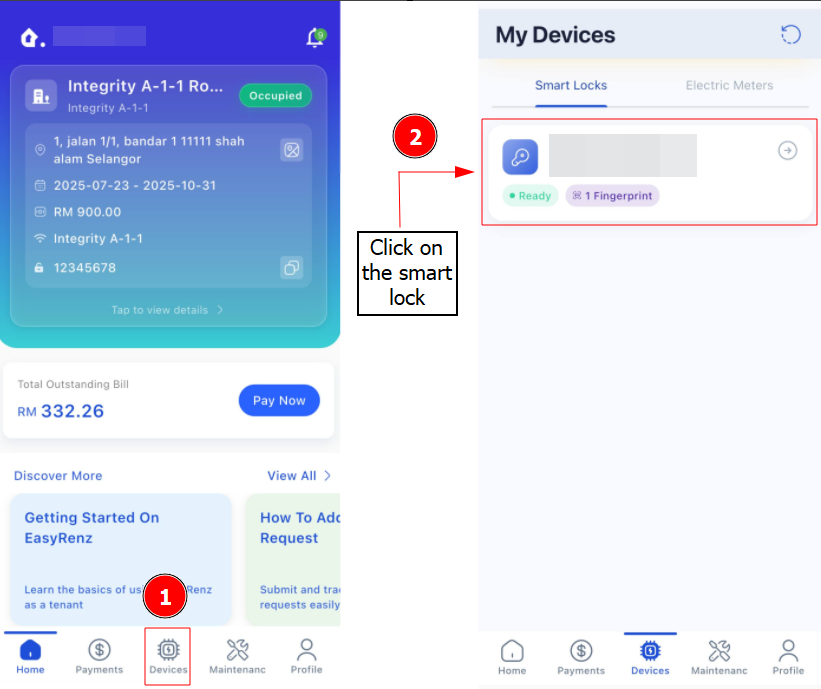
Step 1: Navigate to EasyRenz App > Devices > Select the lock you wish to register a fingerprint
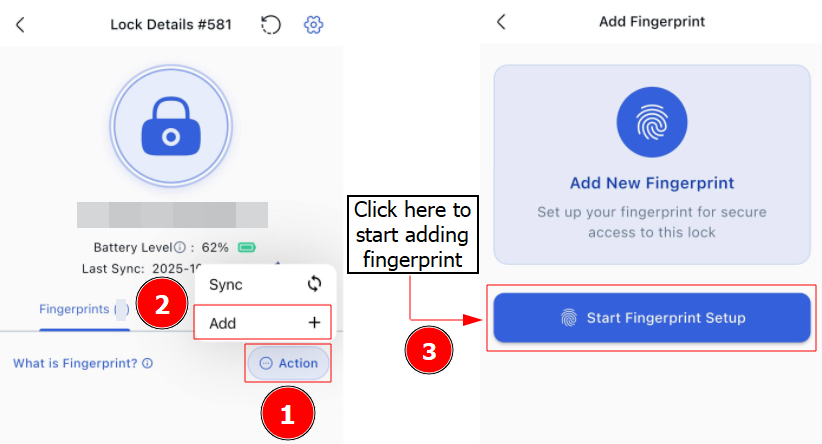
Step 2: Click on the 3 Dot Action Button > Add > Start Fingerprint Setup
Step 3: Follow the on-screen instruction to complete your add fingerprint.
Register fingerprint as Management mobile app
You need to be physically close to the lock in order to add a fingerprint.
Bluetooth and Device Discovery must be enabled in the EasyRenz app to add a fingerprint.
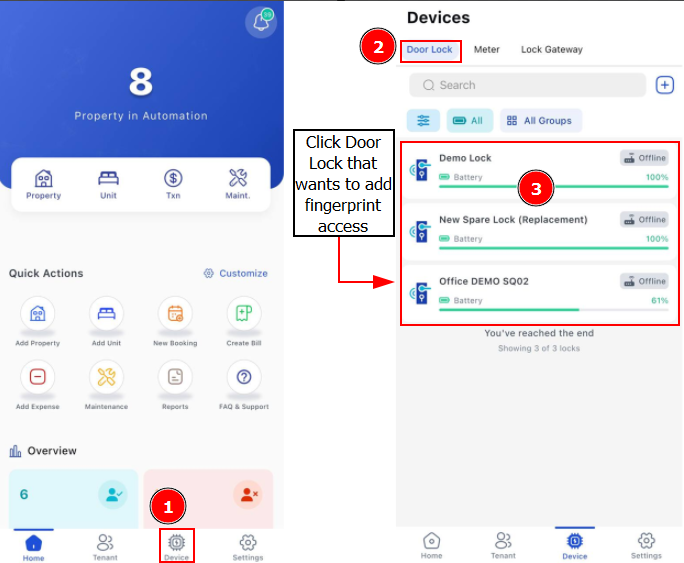
Step 1: Navigate to EasyRenz App > Devices > Door Lock > Select the lock you wish to register a fingerprint
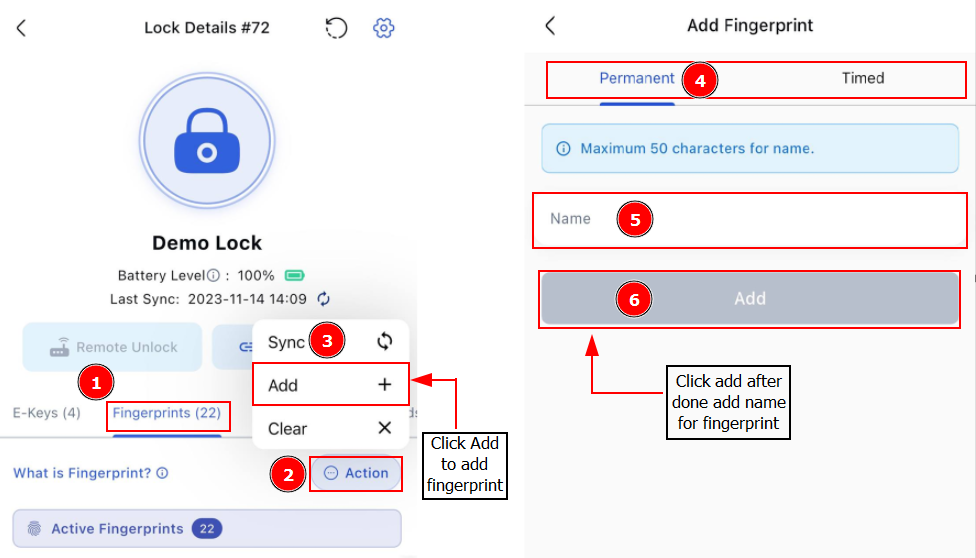
Step 2: Click Fingerprints > 3 Dots Button > Choose whether if you want to add a Timed or Permanent access fingerprint > Enter Fingerprint Name for your reference > Press "Add to add fingerprint.
Step 3: Follow the on-screen instruction to complete your add fingerprint.