Welcome to EasyRenz 👏!
We’re excited to have you on board 🥳. Please follow the steps below to get started.
Get started on EasyRenz App
1) Once Management / Operator registered your email, you will receive your EasyRenz account login credentials. If you do not receive the email, please refer to this link - [Tenant - General] I Did Not Receive Welcome Email / Account Setup / Verification Email
(Please check your inbox and spam mail too)
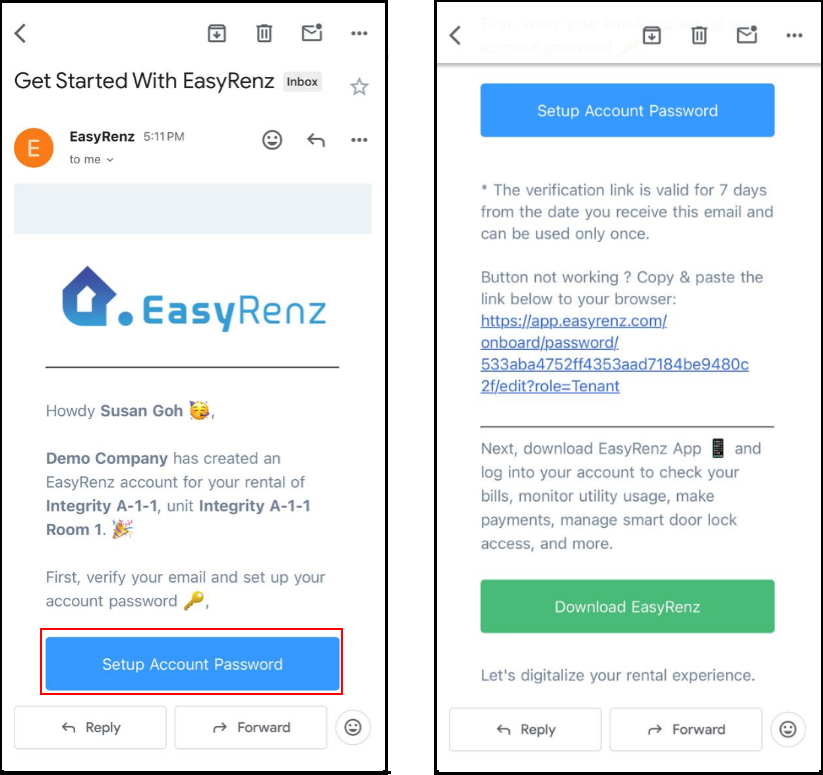
2) Click Setup Account Password (to verify your email and set your password) & Download Easyrenz App.
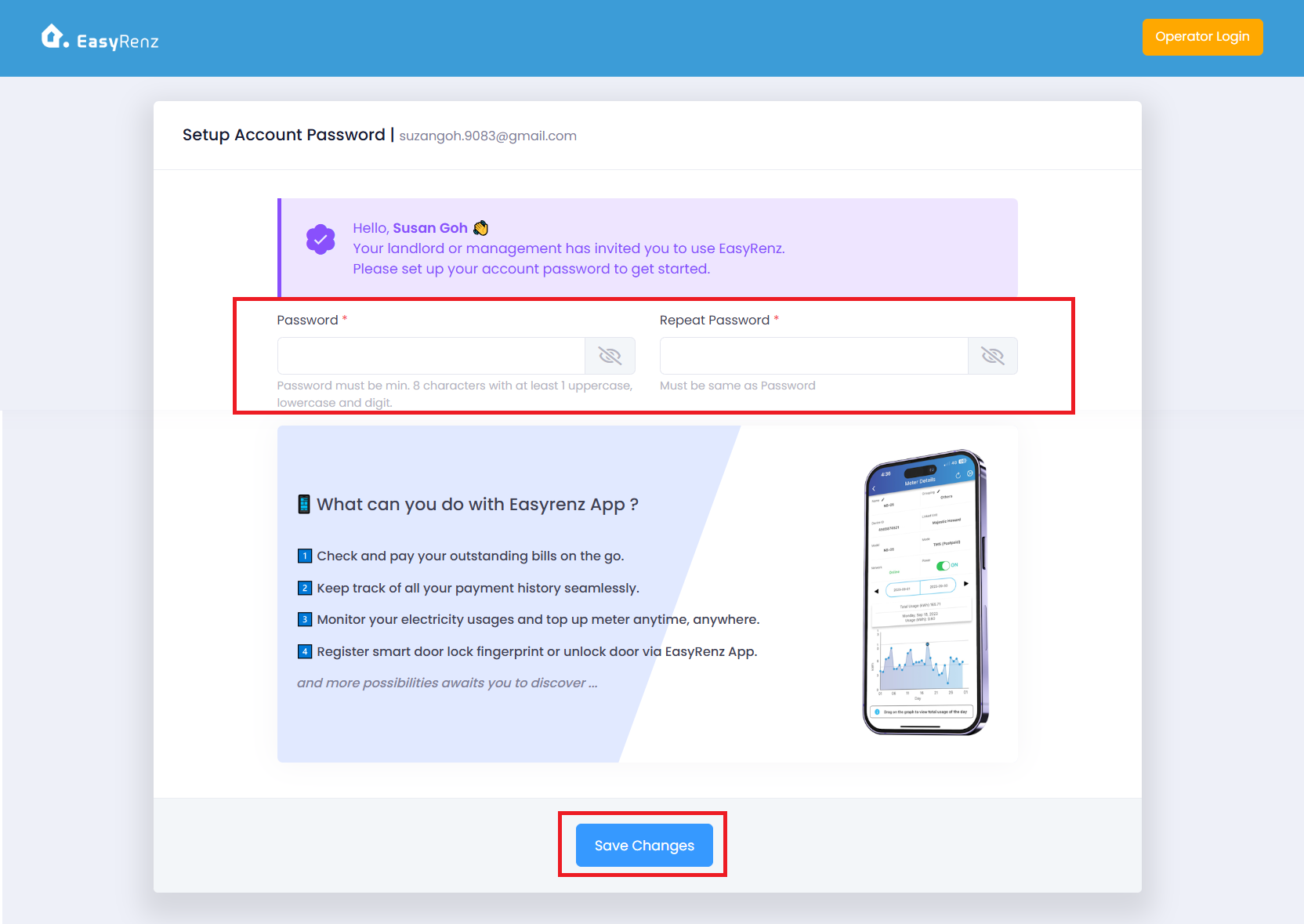
3) Set your log in password and SAVE changes
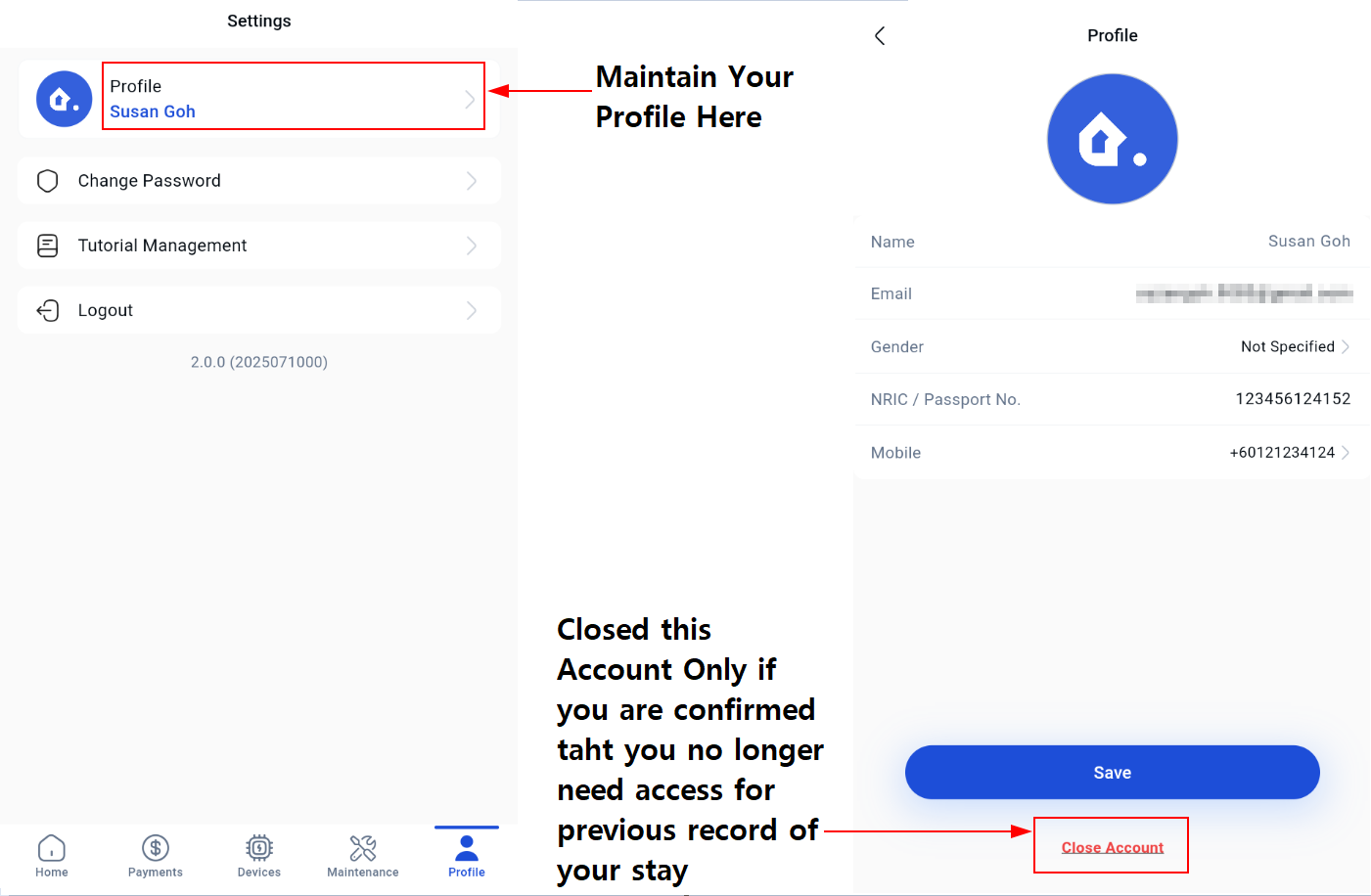
4) Fill in profile details and SAVE changes (Recommended) Update your profile - [Tenant - General] How To Update My Profile ?
What you can do with EasyRenz App?
1) Dashboard
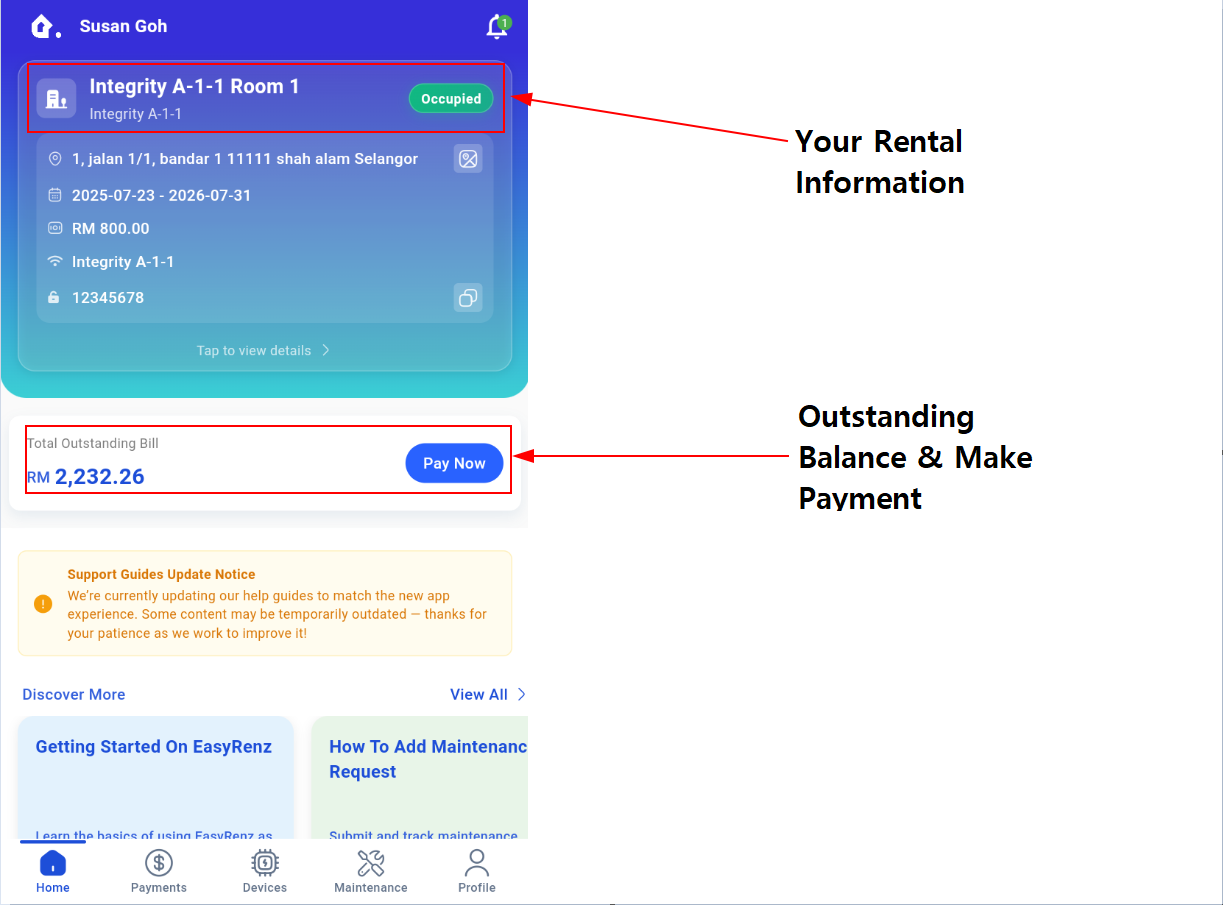
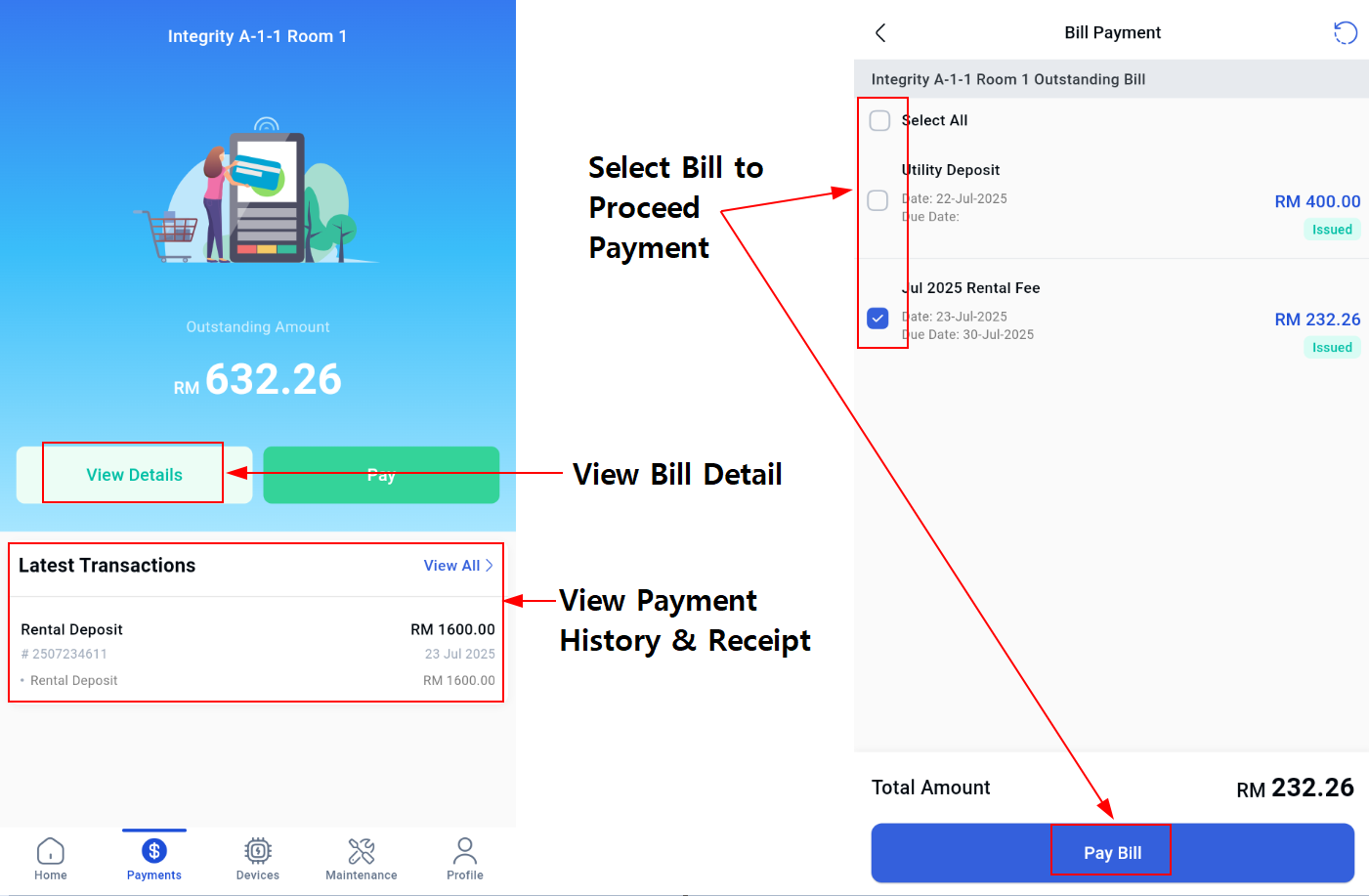
2) Payment Related Matters
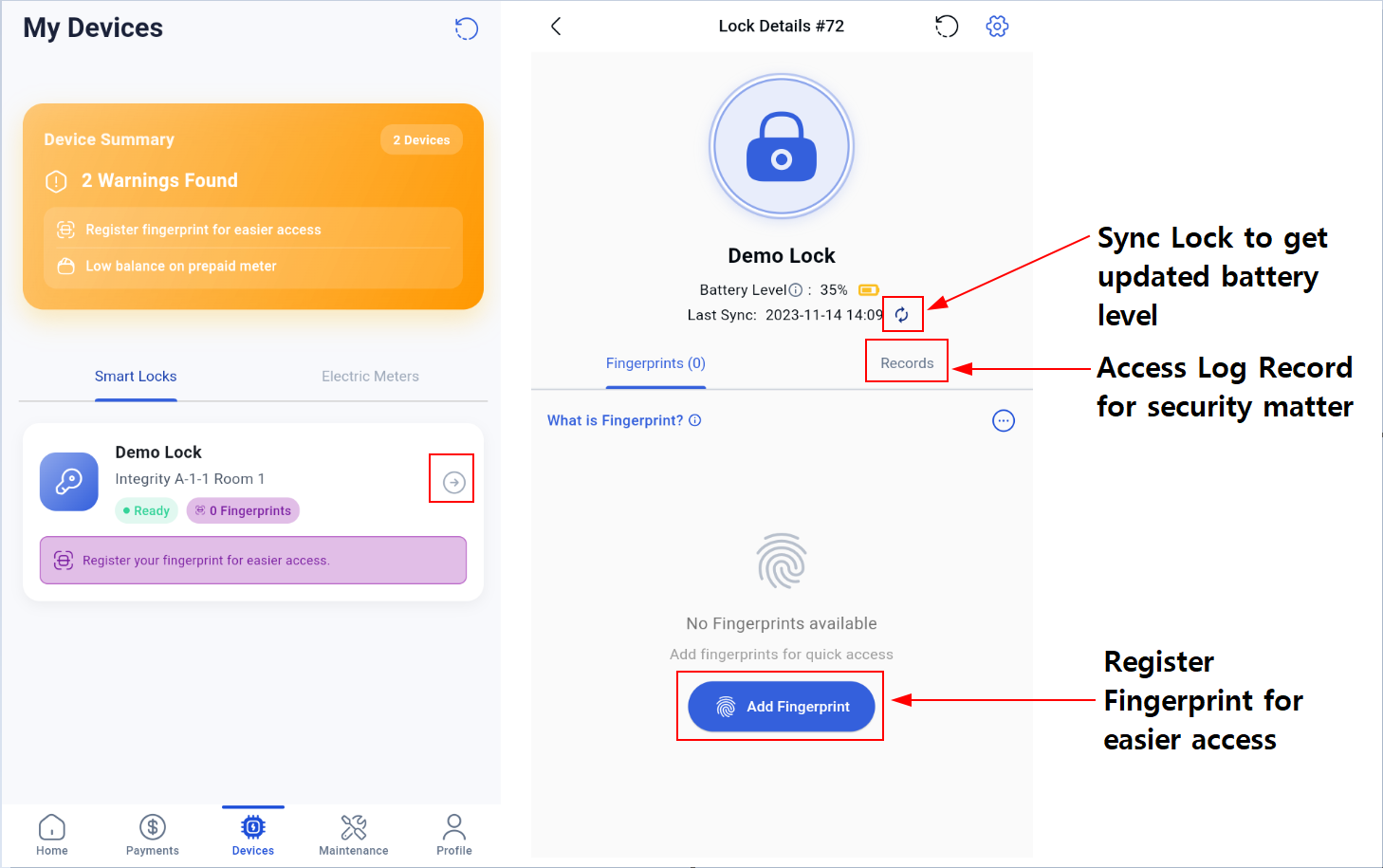
3) Devices such as Lock
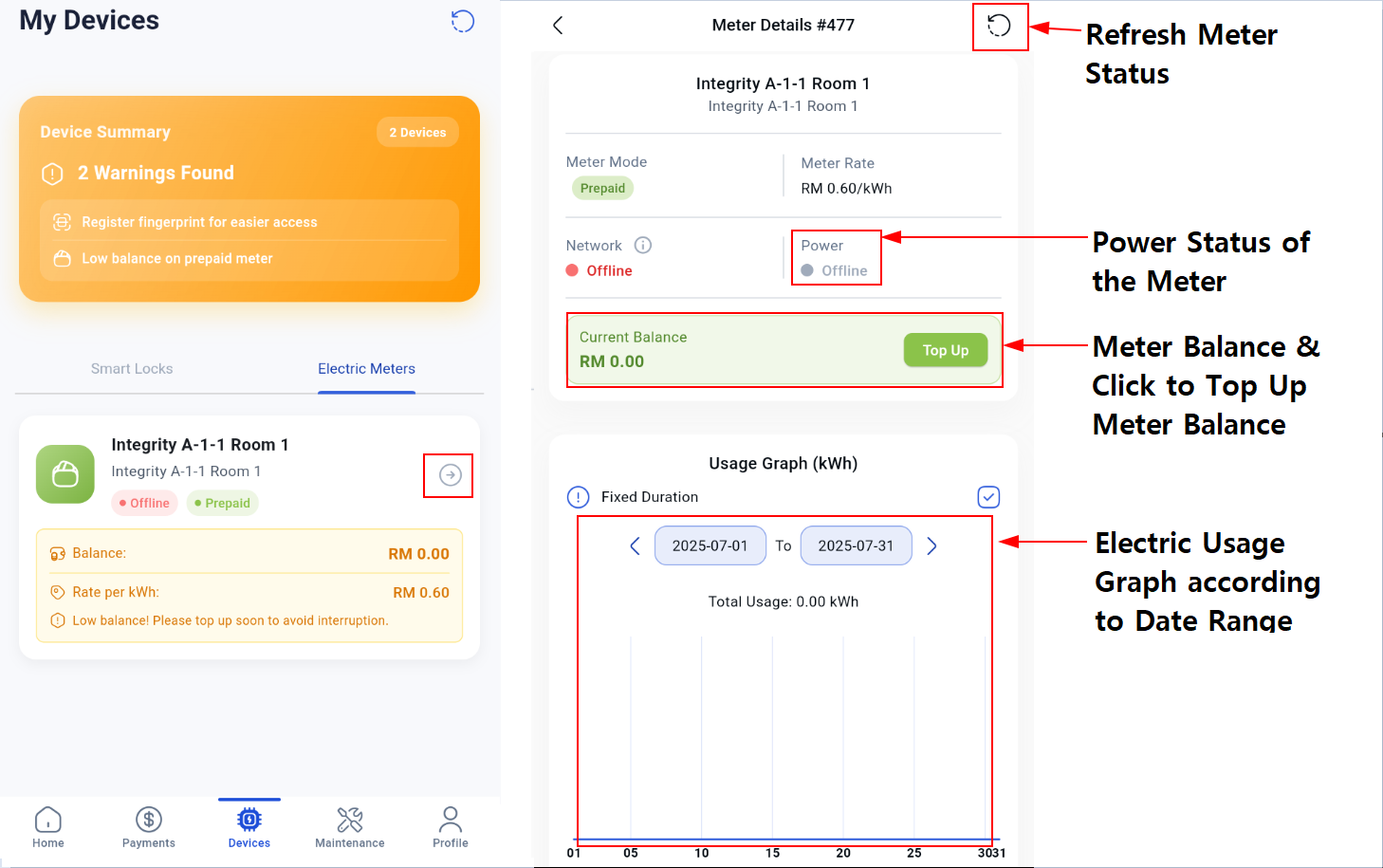
4) Devices such as Meter
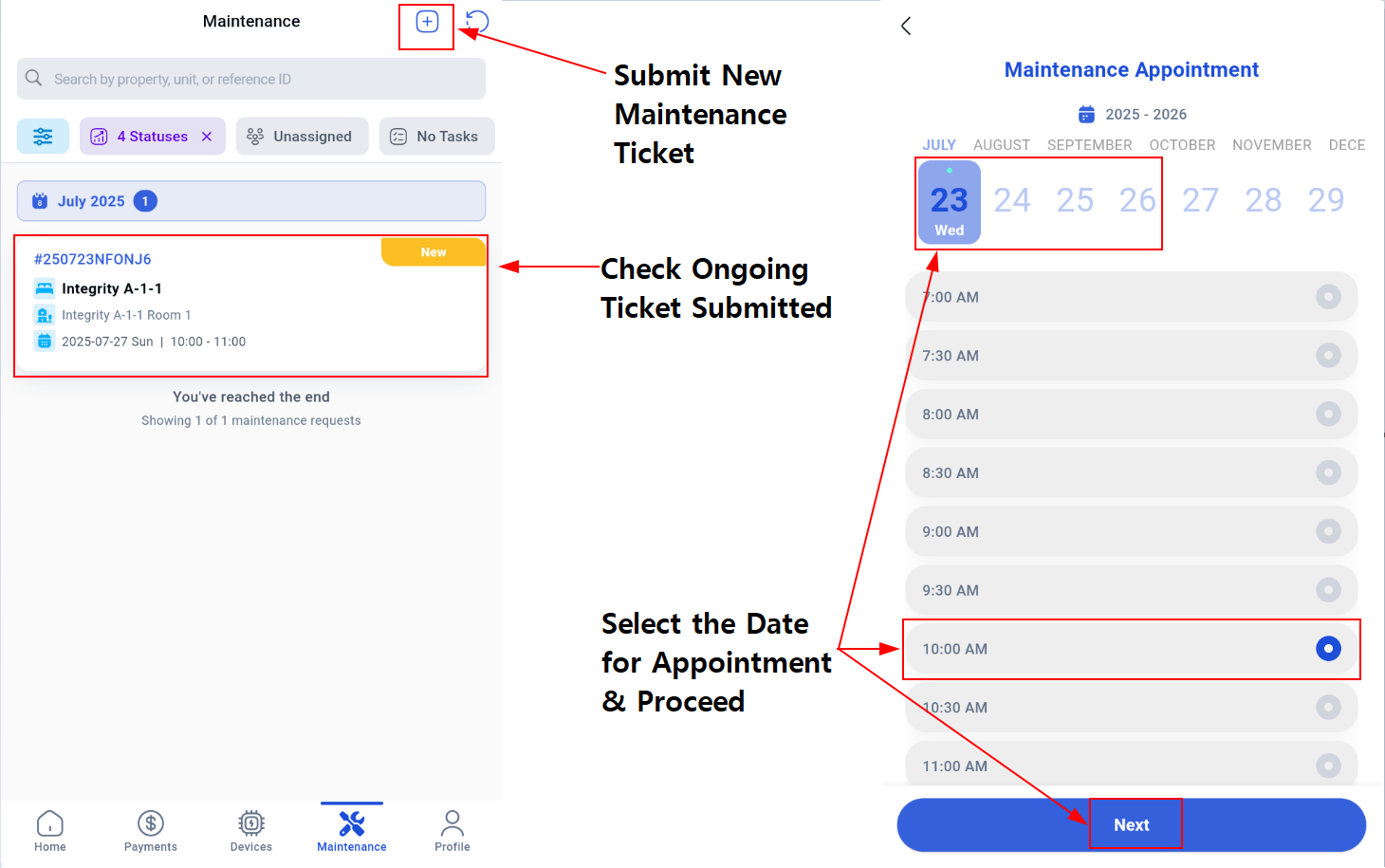
5) Maintenance Ticket (This button might not be available in your app interface as it is subject to your operator's sole decision on whether to allow or not to allow)
Make appointment with management or owner for repairing task. Do note that ticket submission and arrangement for appointment is subject to slot availability.
6) Profile