
When managing settings like postpaid/prepaid mode, rate per unit, rental deposit, and other charges, it’s important to choose the correct tab — Active Tenant or Unit — depending on whether the change is for the current or future tenant.
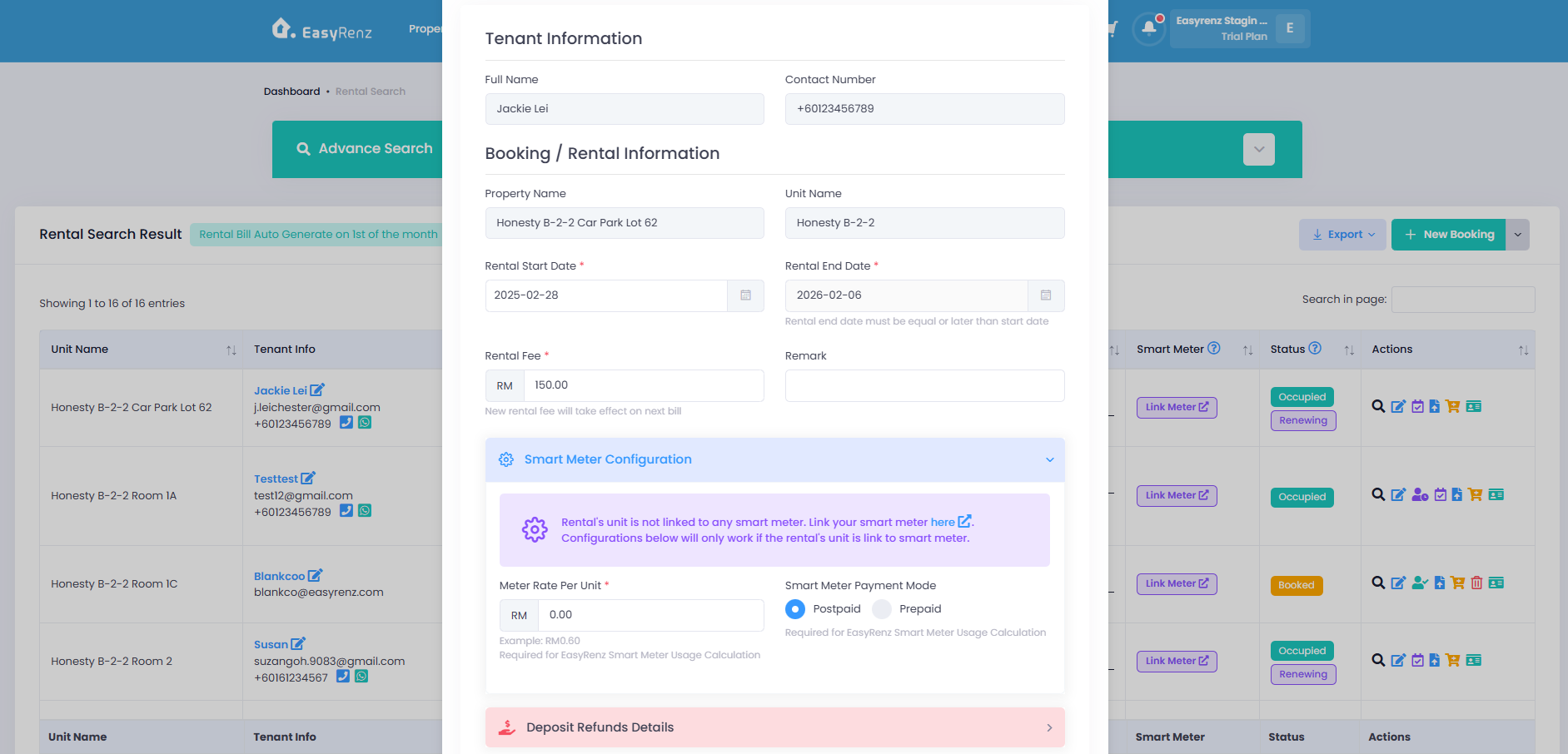
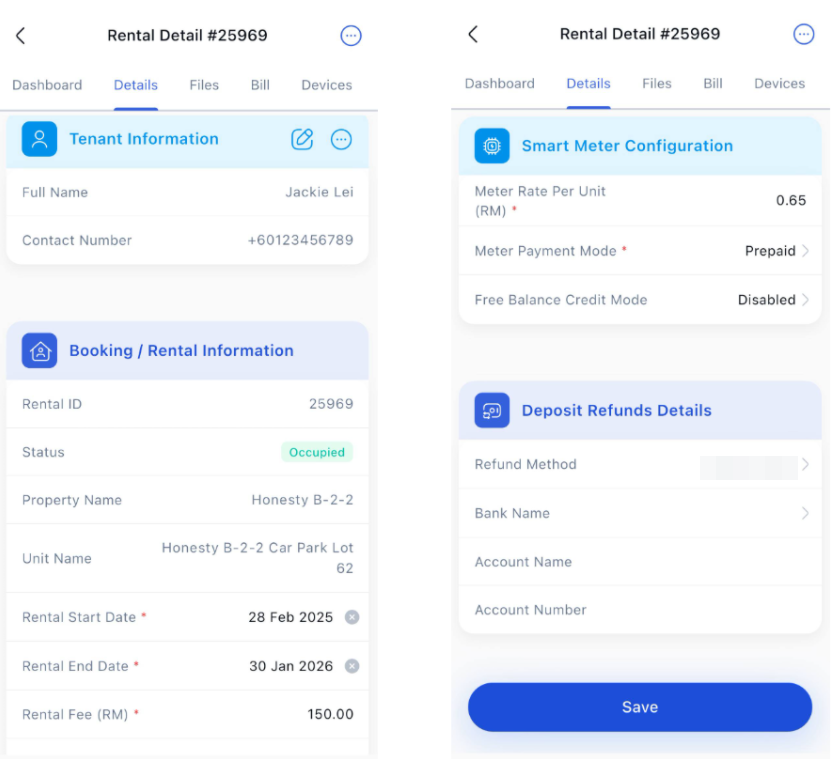
🙍🏻♂️ Active Tenant Tab (Current Tenant)
This is for the person who is staying in the unit right now.
Any changes you make here will affect only the current tenant.
Good if you need to change something in the middle of their stay, like:
Switching from postpaid to prepaid (or vice versa)
Changing the electricity rate (per unit)
Adjusting the rental deposit or other charges
⚠️ These changes won’t affect the unit’s default settings — just this one tenant.
Web Browser Mode
EasyRenz App Mode
🧾 Example:
If you change the rate to RM0.60/unit here, only the current tenant will be billed with that new rate. The next tenant will still follow the unit’s old settings unless you change those too.
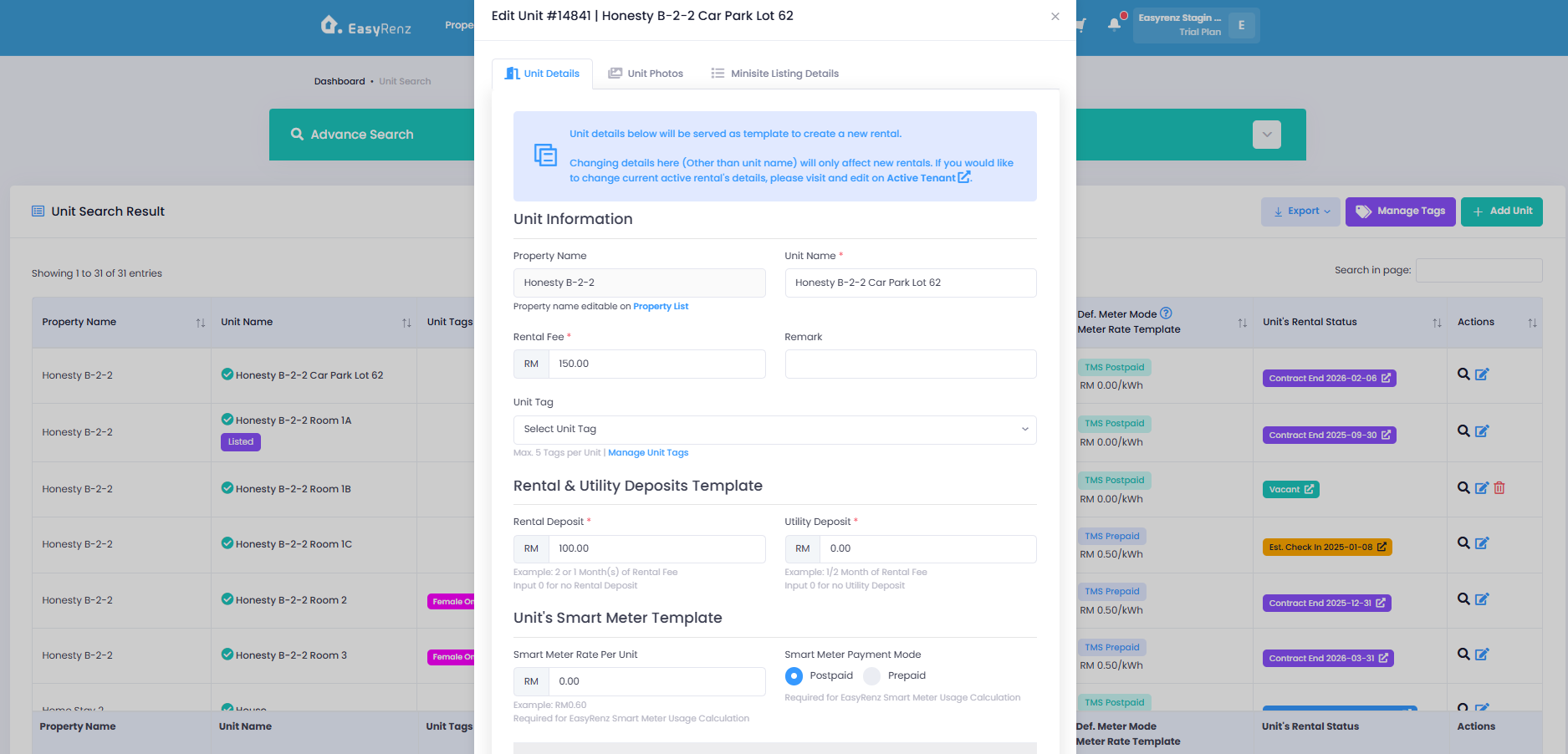
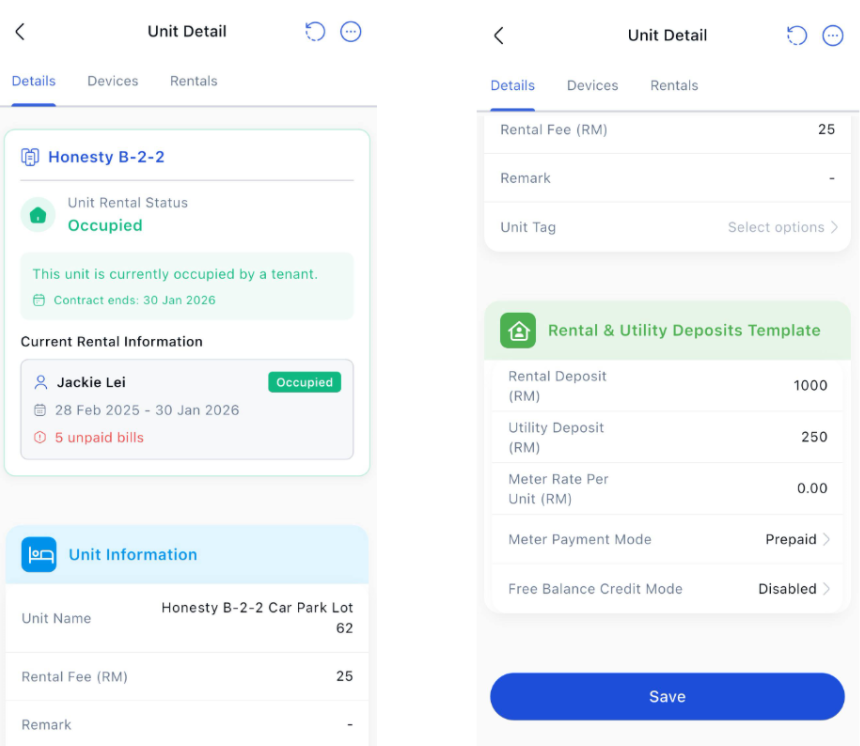
🏢 Unit Tab (Default Settings for the Unit)
This is where you set the default settings for the unit.
Any changes you make here will apply to the next tenant who moves in.
The person who is staying there now will not be affected.
Use this to set how you want the unit to work every time someone new moves in, like:
Should the unit be on prepaid or postpaid?
What is the standard electricity rate?
How much is the rental deposit?
Web Browser Version
EasyRenz App Version
📌 Example:
If you set the unit to postpaid with RM0.55/unit here, all future tenants will follow these settings. But the tenant staying now won’t be affected.