
Once the payment is completed, a receipt will be sent to your email. However, you can still view or download it from the EasyRenz app.
Steps to view payment history / payment receipt
Go to Payments > View All (Latest Transaction) > Choose the receipt you wish to view or download.
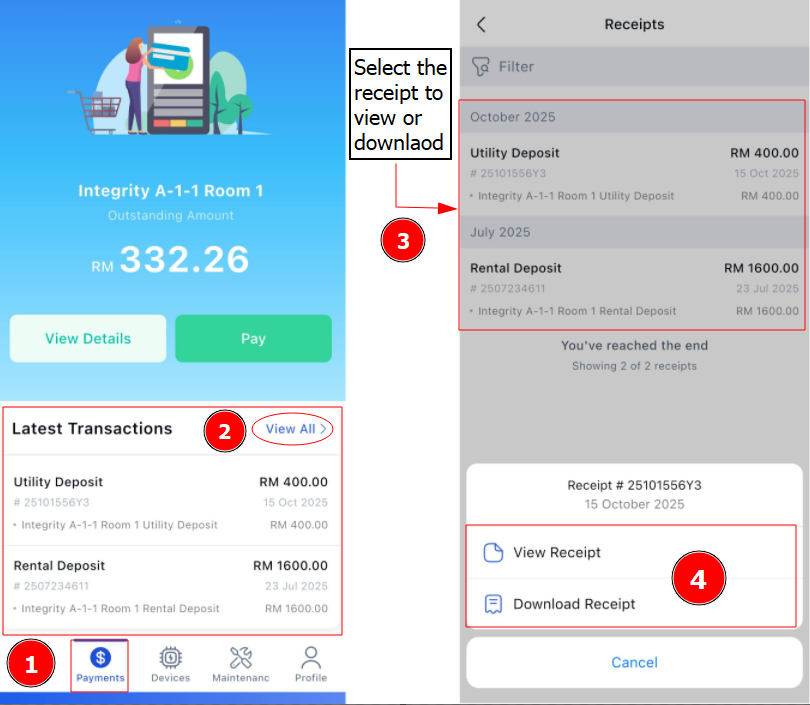
Now you are able to view on your payment history / payment receipt.