
Steps to transfer smart meter to other EasyRenz user
Step 1: Go to Smart Devices > Smart Meters > Click on TMS Mode then choose Manual Mode

Step 2: Find the smart meter you wish to transfer > Click on Transfer icon > Fill in the recipient email > Click on Transfer Ownership button
Important:
User must be a registered EasyRenz Account in order to transfer meter ownership.
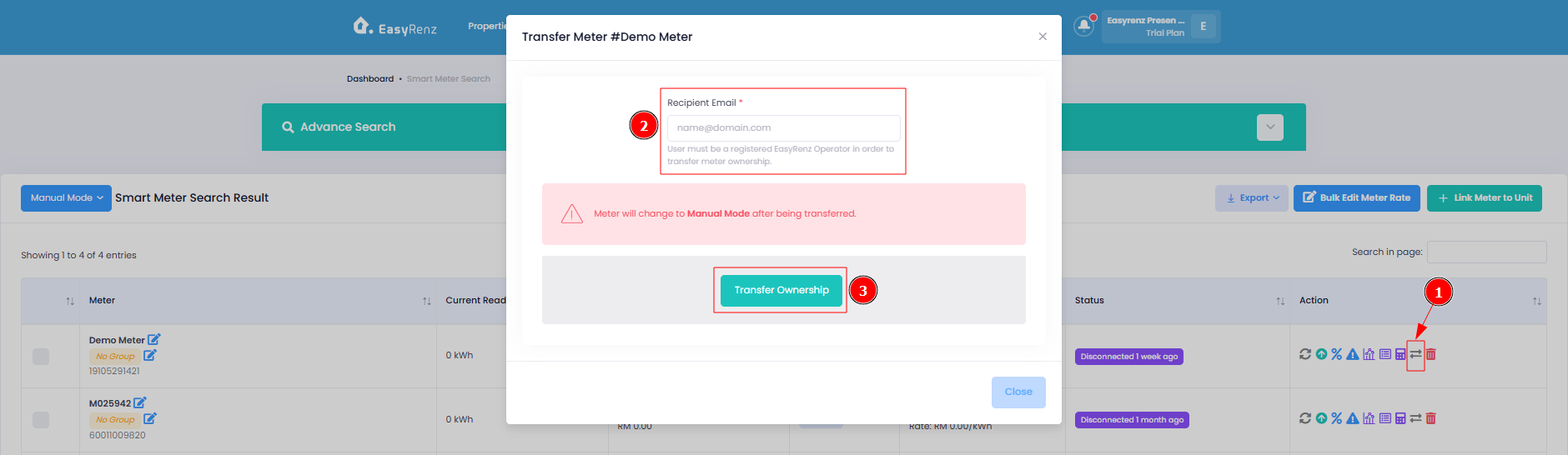
You have successfully transfer smart meter to other EasyRenz user.
[Mobile Version] How To Transfer Smart Meter To Other EasyRenz User ?
Steps to transfer smart meter to other EasyRenz user
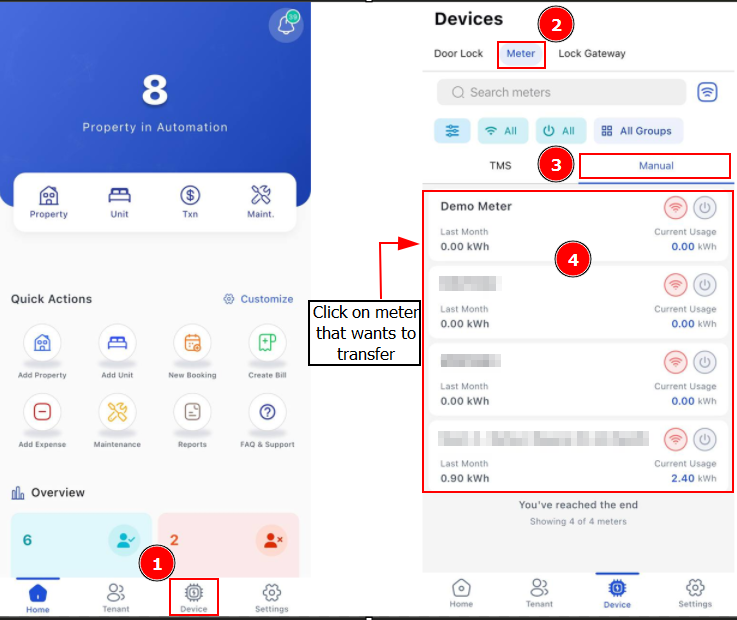
Step 1: Go to Device > Meter > Manual > Find the smart meter you wish to transfer
Step 2: Click on Transfer > Fill in the Recipient Email > Click Save
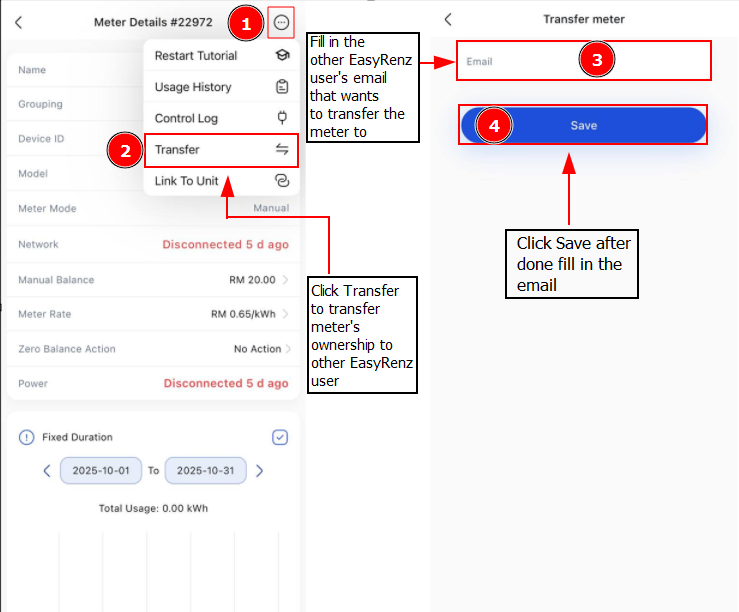
Important:
User must be a registered EasyRenz Account in order to transfer meter ownership.