Steps to setup individual meter action on zero balance
Step 1: Go to Smart device > Smart Meters > Click on TMS Mode then choose Manual Mode

Step 2: Find the meter you wish to setup > Click on Edit Action icon > Choose Action on empty balance > Save Changes
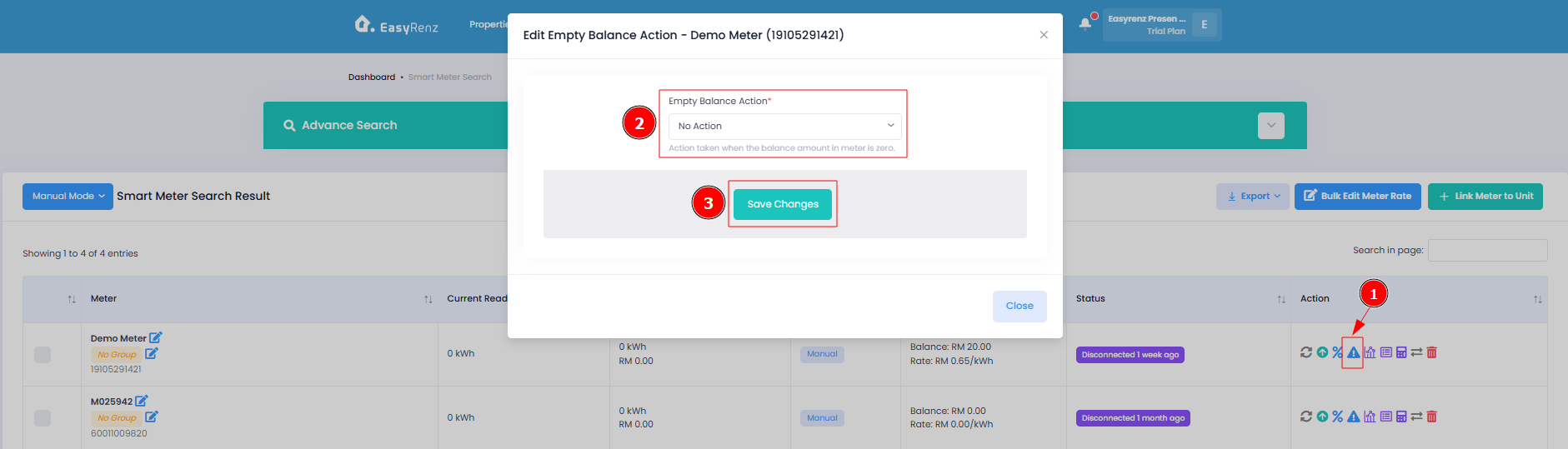
You have successfully setup individual meter action on zero balance
[Mobile Version]
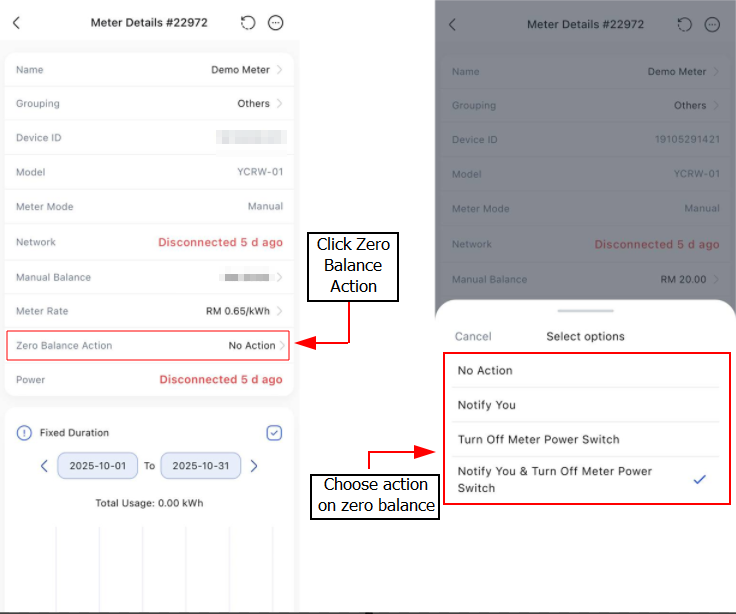
Steps to setup individual meter action on zero balance
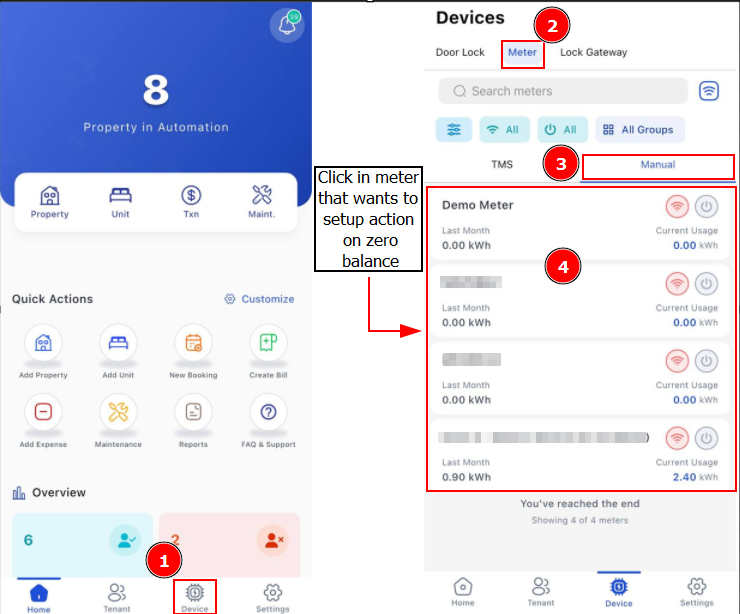
Step 1: Go to Device > Meter > Find the Manual meter you wish to setup
Step 2: Click Zero Balance Action > Select action you want to take on zero balance > Proceed