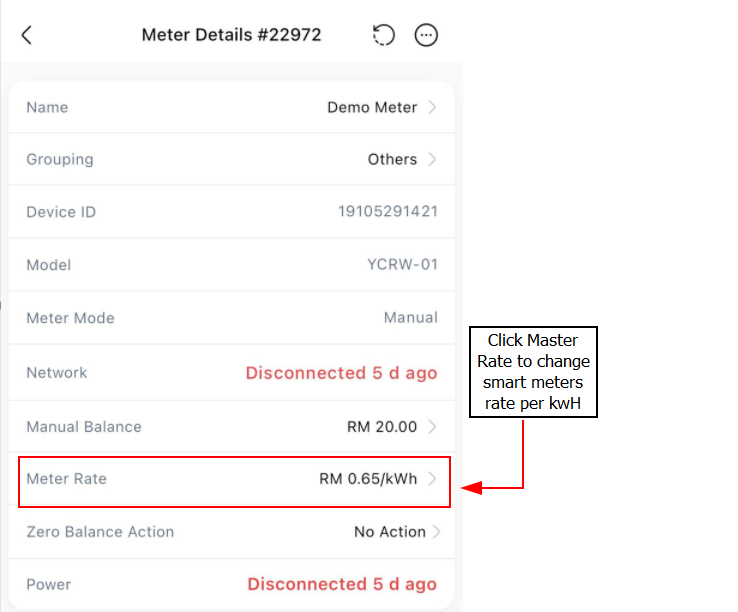
Changing the rate per kilowatt-hour (kWh) for your manual prepaid meter in EasyRenz is a straightforward process. Follow these steps to update the rate:
Change The Manual Meter Rate Per Unit
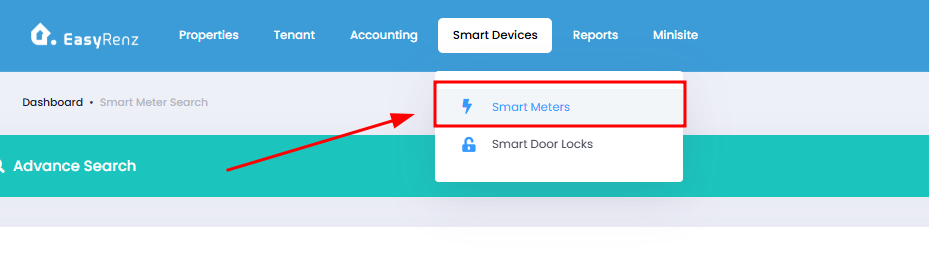
Step 1 : Smart Devices > Smart Door Locks
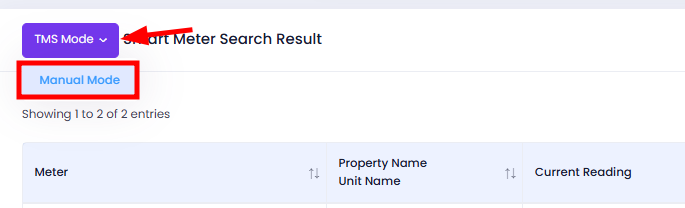
Step 2 : Switch TMS Mode to Manual Mode
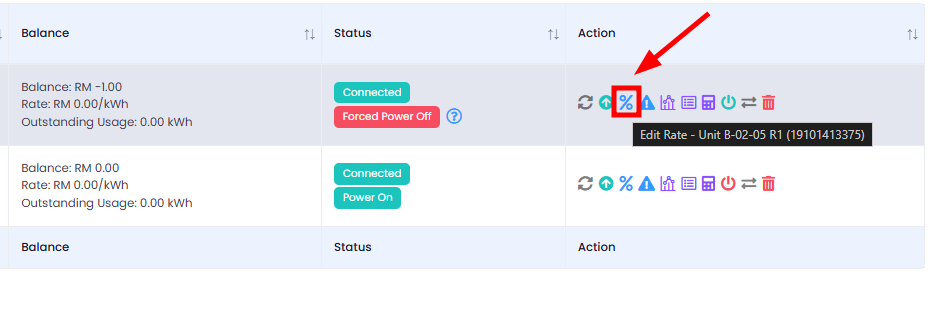
Step 3 : Click on the Edit Rate icon
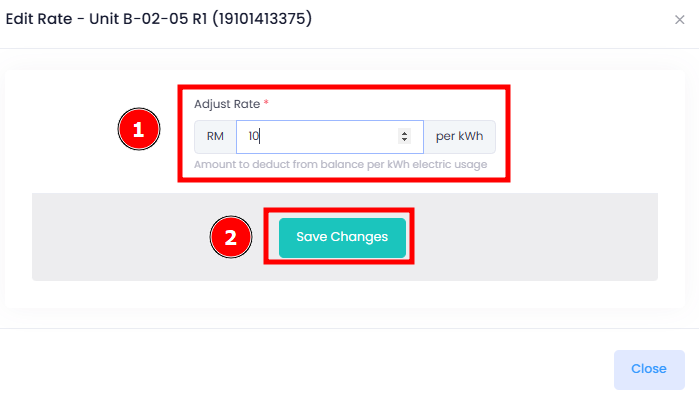
Step 4 : Adjust Rate > Save Changes
[Mobile Version] How To Change The Manual Meter Rate Per Unit ?
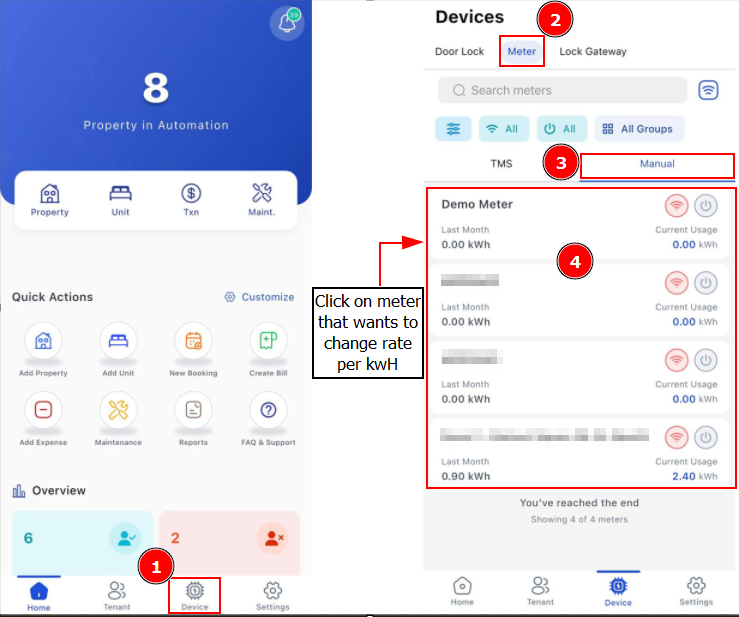
Step 1 : Device > Meter > Find the Manual meter you wish to change
Step 2 : Click Meter Rate > Adjust Rate > Save