Setup Auto Pay For Tenant
Setting up Auto Pay for tenants in EasyRenz allows for automatic billing and payment collection, ensuring timely and hassle-free transactions. Here's how to set up Auto Pay for a tenant:
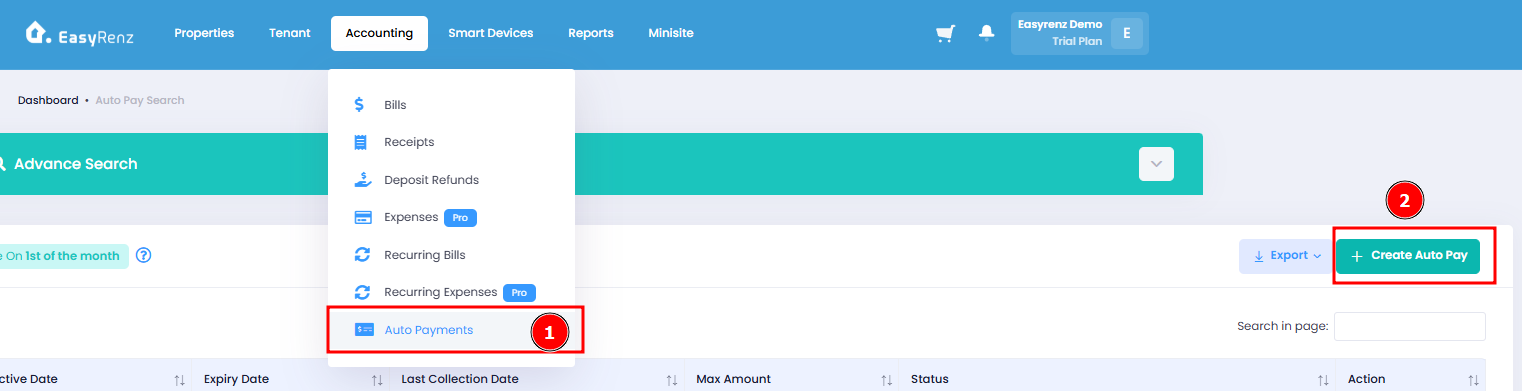
Step 1 : Go to Accounting > Auto Payments > + Create Auto Pay
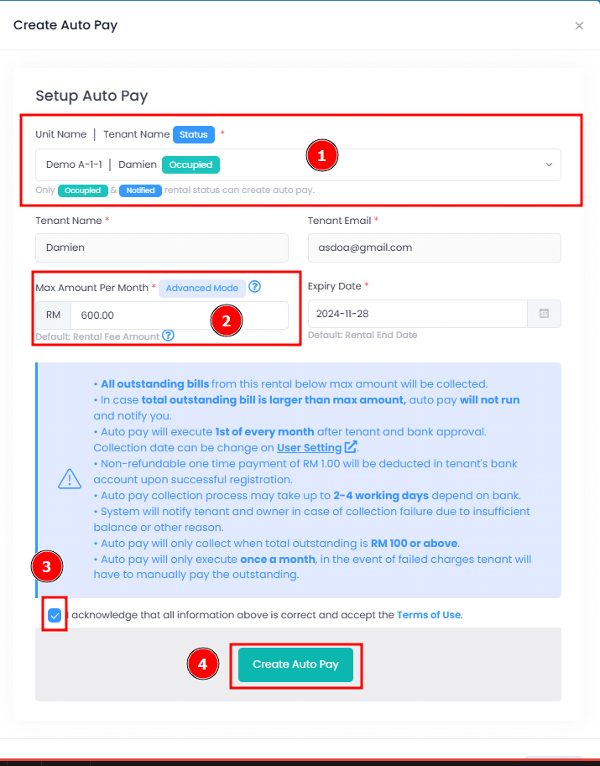
Step 2 : Select Tenant > Fill in Max Amount > Tick to acknowledge > Create Auto Pay