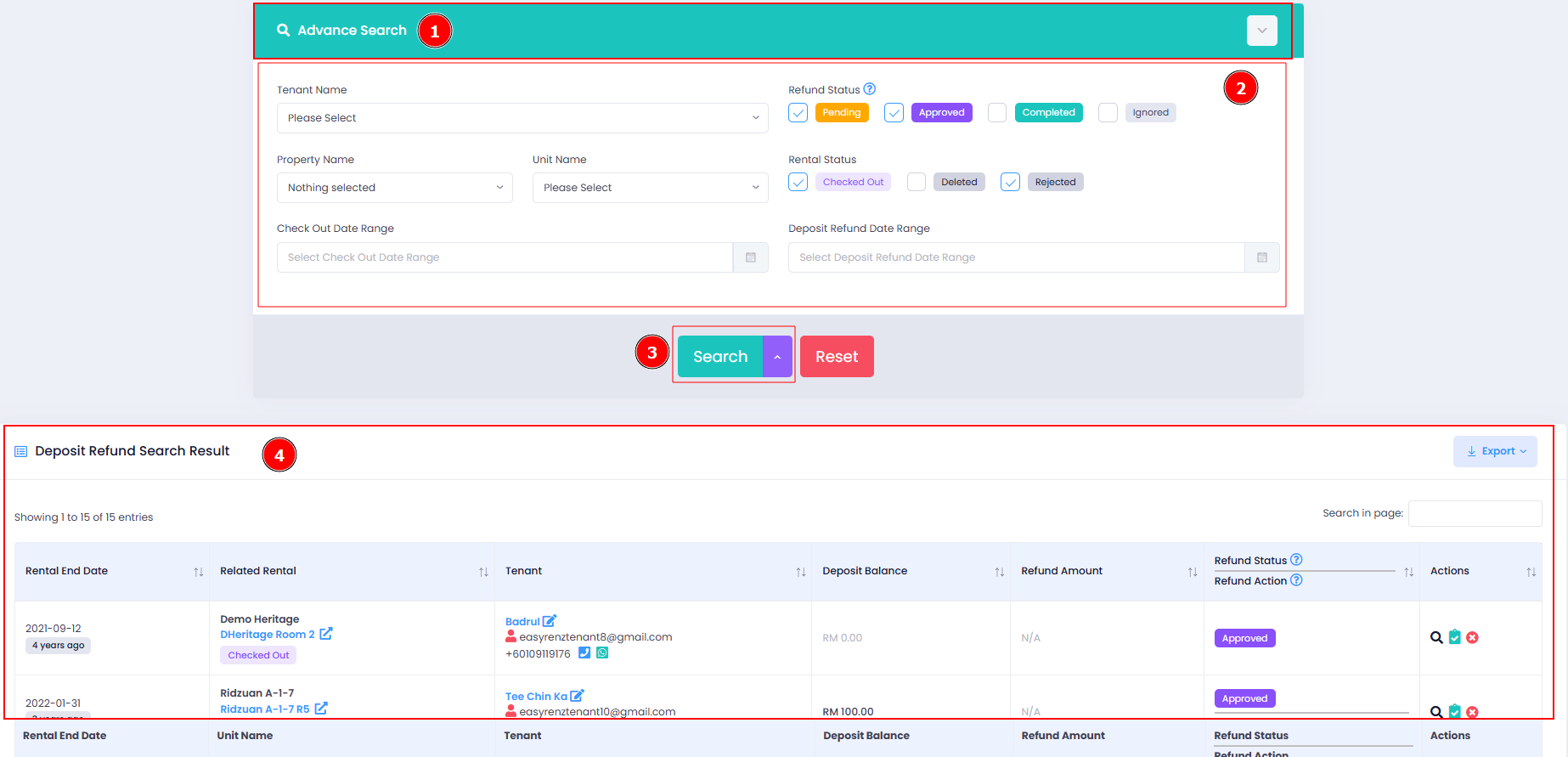
EasyRenz offers an easy way to search all deposit refund records, allowing management to track and review "Pending," "Approved," "Completed," and "Ignored" refunds.
Check Deposit Refund Record
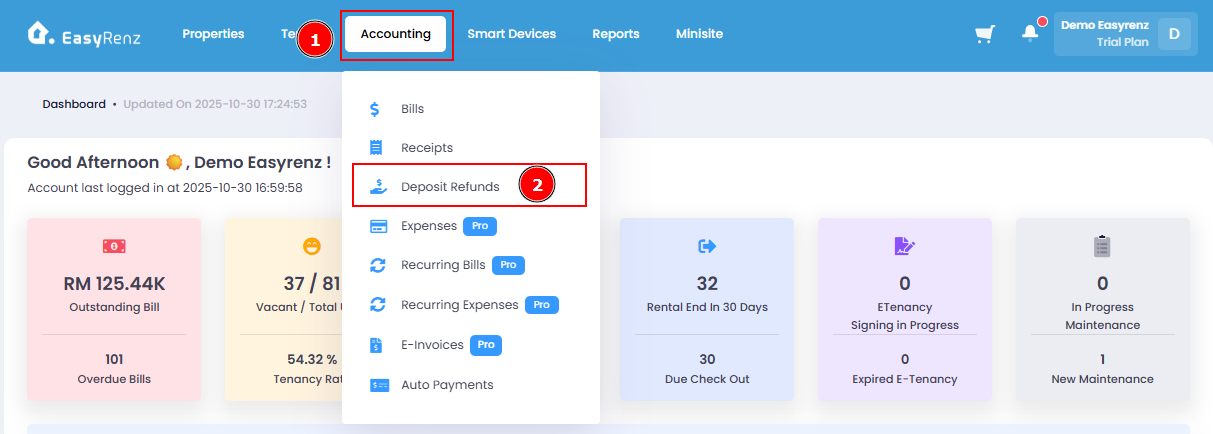
Step 1 : Go to Accounting > Deposit Refunds
Step 2 : Go to Advance Search > Update The Search Filtering Fields > Search
After pressing "Search" button, the filtered result will be shown at the bottom search result table.