Important:
If you select "Skip Approval & Mark as Completed" during the deposit refund creation, the refund will be automatically marked as "Completed", requiring no further action to finalize the process.
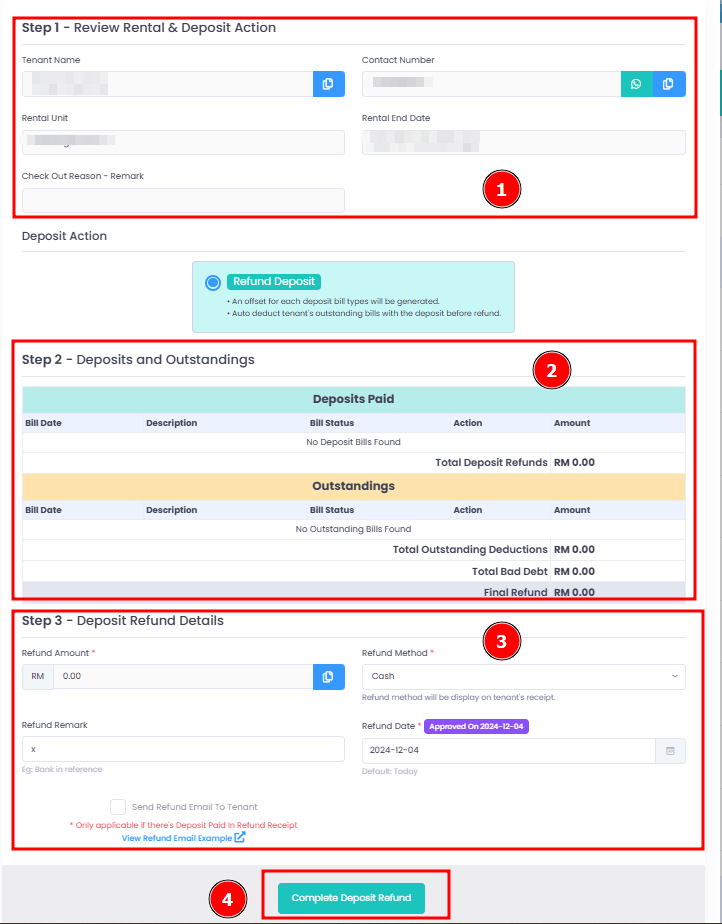
Complete Deposit Refund
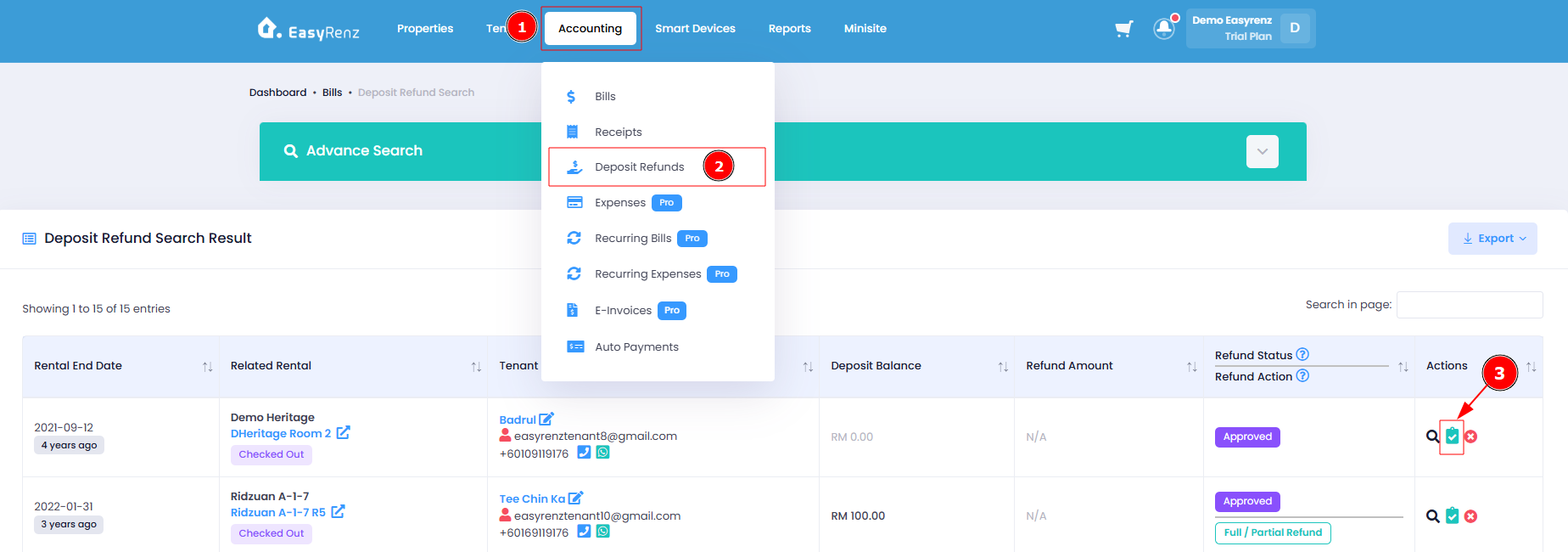
Step 1 : Go to Accounting > Deposit Refunds > Complete Refund
Step 2 : Review deposit refund details > Complete Deposit Refund