Steps To Ignore Rental Deposit Refunds
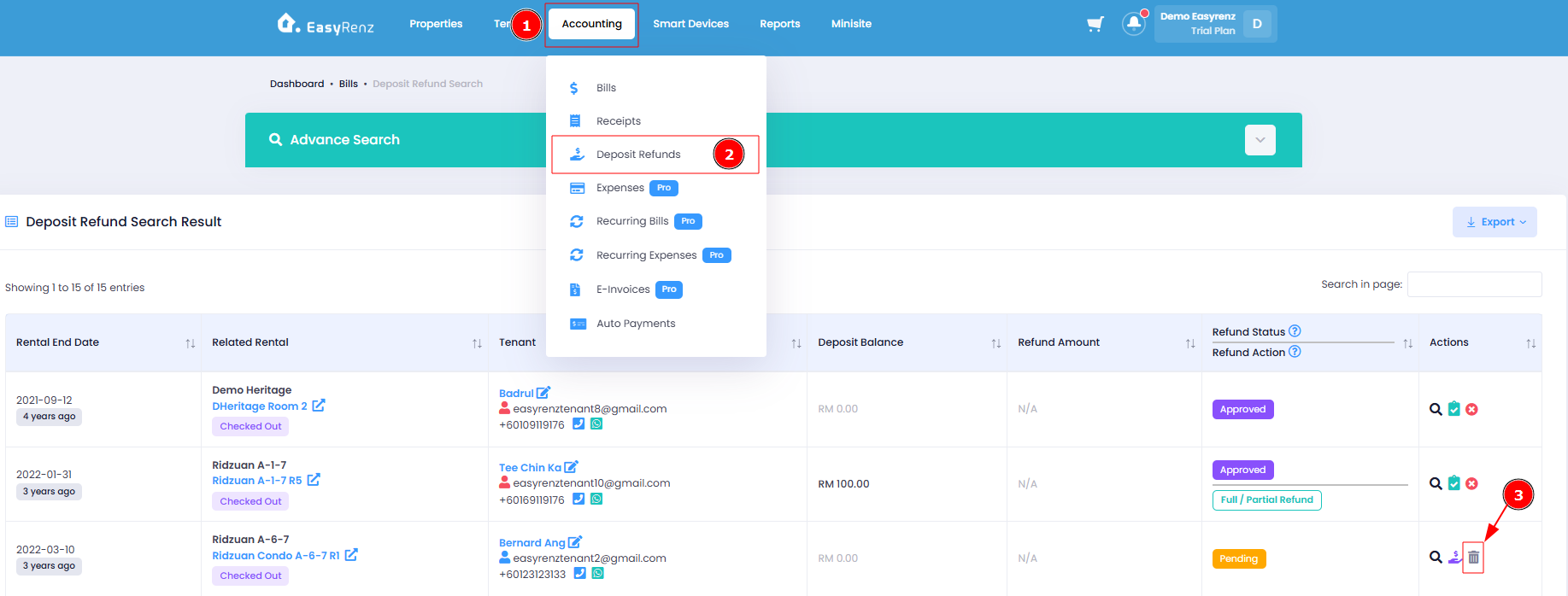
Step 1 : Go to Accounting > Deposit Refunds > Click on the Gray Trash Bin icon of the rental that you want to ignore.
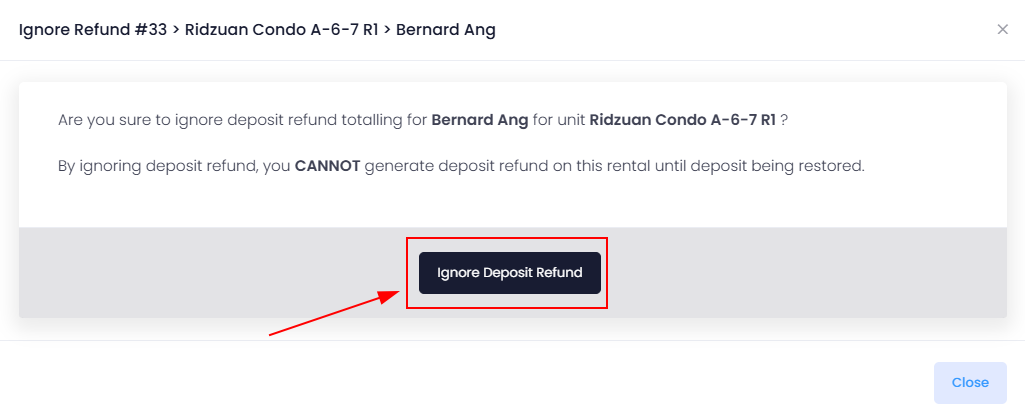
Step 2 : Double-check the selected rental details, then click the "Ignore Deposit Refund" button to complete the process.