To delete or restore units in EasyRenz, follow these steps:
Deleting Units
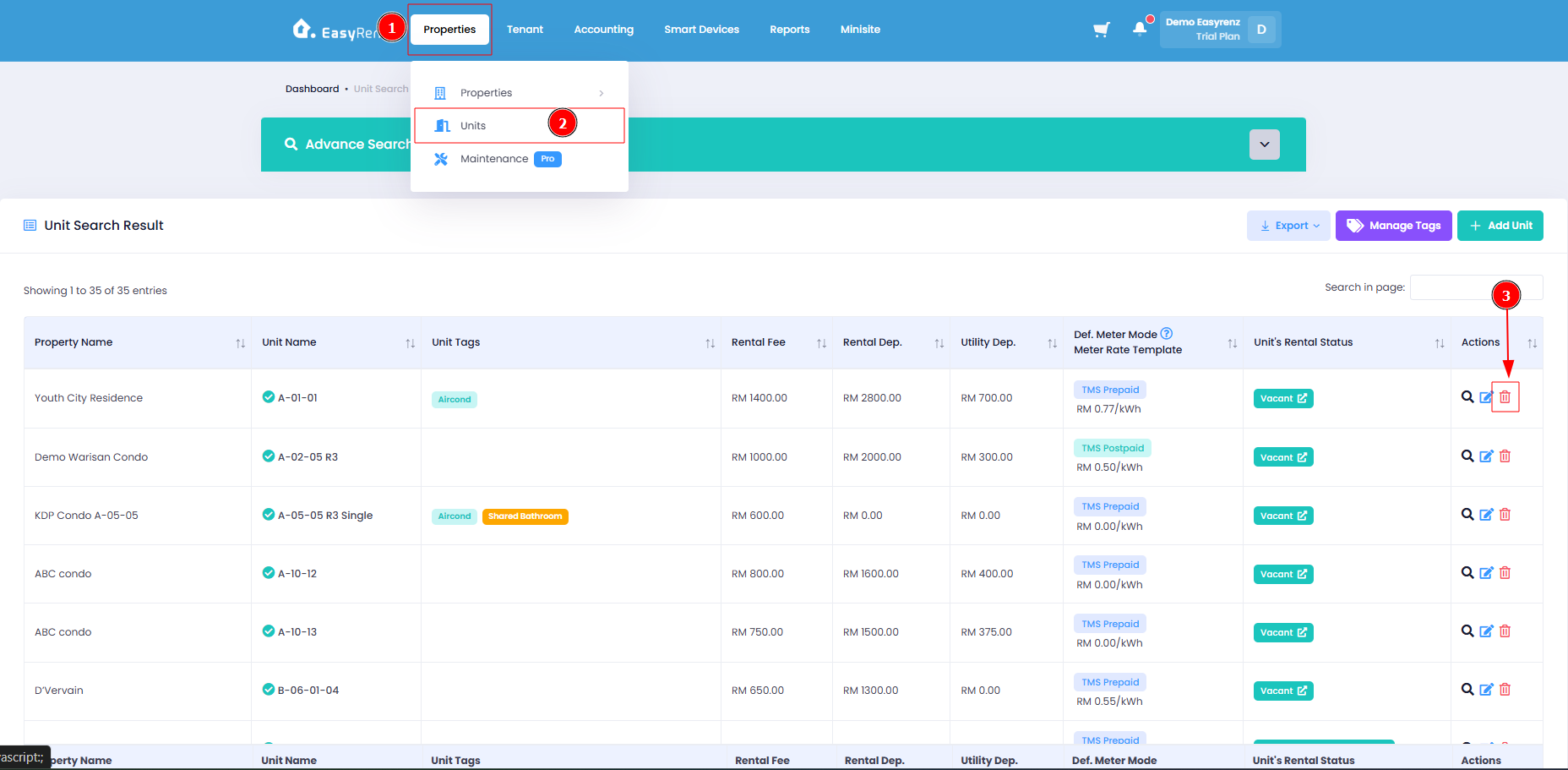
Step 1 : Go to Properties > Units > Look for the unit you wish to delete > Click on the Trash Icon.
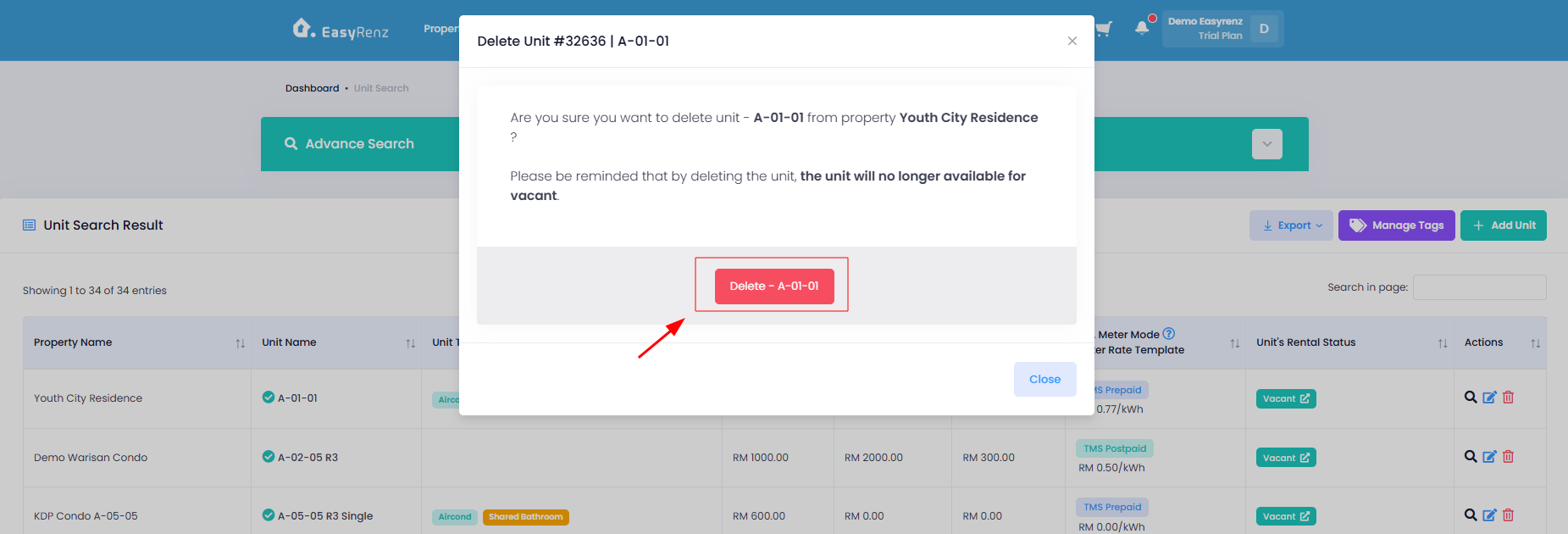
Step 2 : Confirm the room to be delete > Press the Delete button.
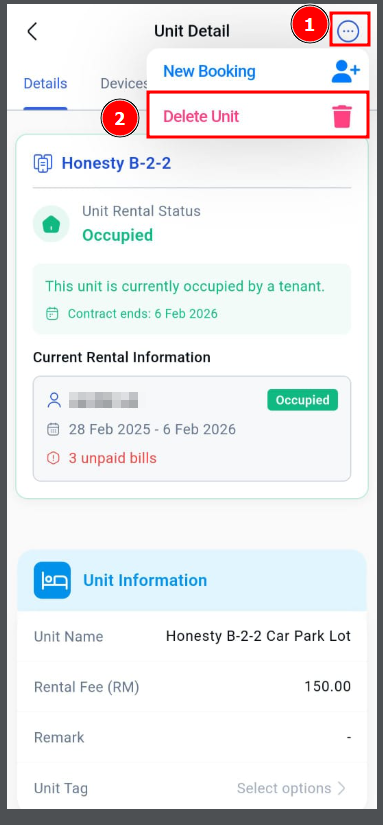
[Mobile Version] Deleting Units
Step 1 : Go to Units Tab > Look for the unit you wish to delete
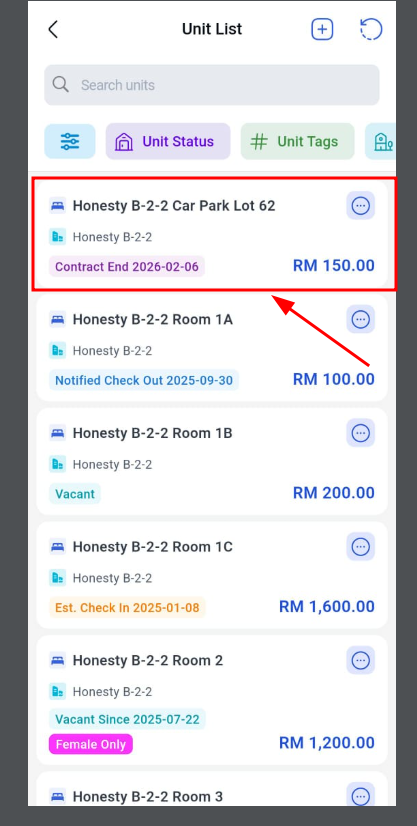
Step 2: Click the 3 dots and Click > Delete Unit
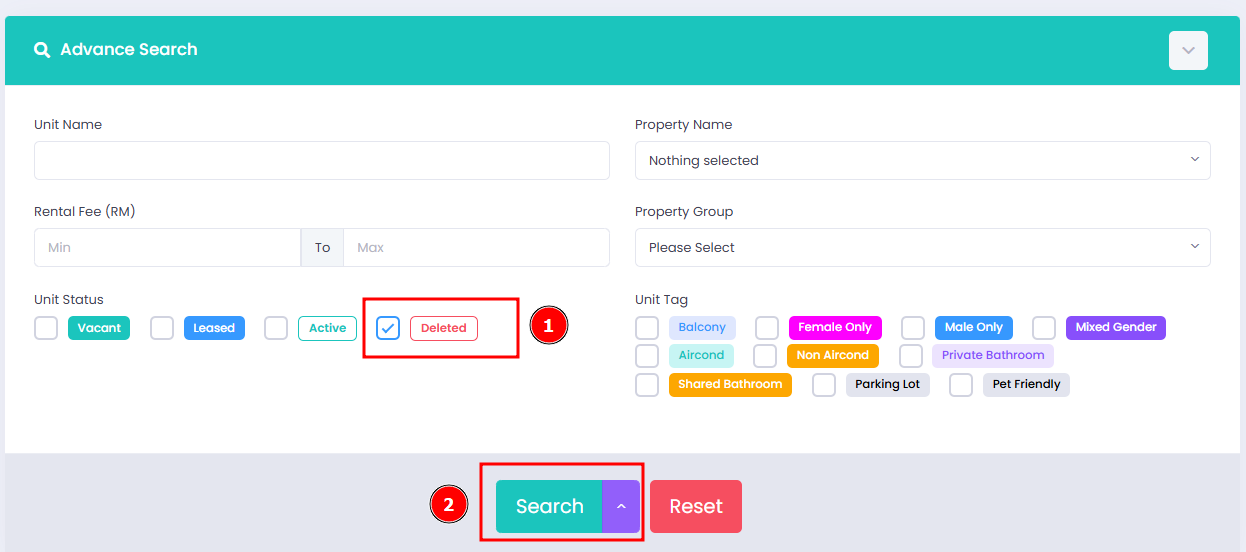
Restoring Units [Only in Web Version]
Step 1 : Go to Units Tab > Click Advance Search > Check Deleted > Search
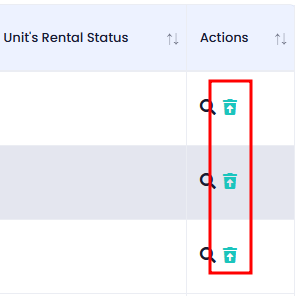
Step 2 : Look for the unit you wish to restore, click on the green restore icon to restore the deleted units
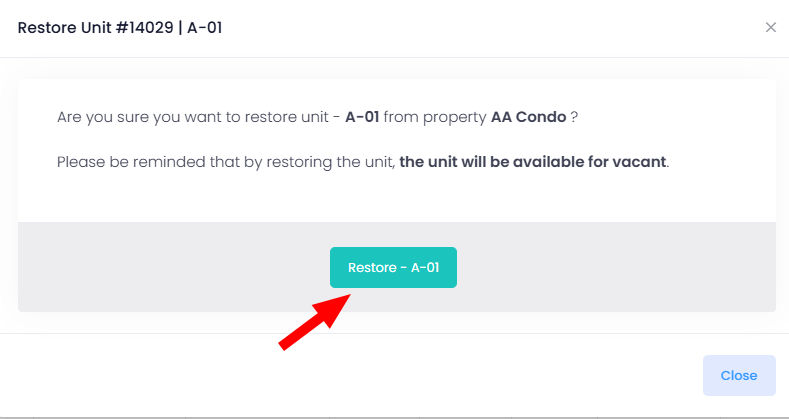
Step 3 : Click on the Restore Button to confirm restore