Monitoring your smart meters' electricity usage in EasyRenz is simple and crucial for managing consumption and costs. Follow these steps to view the usage:
Check Smart Meter Usages
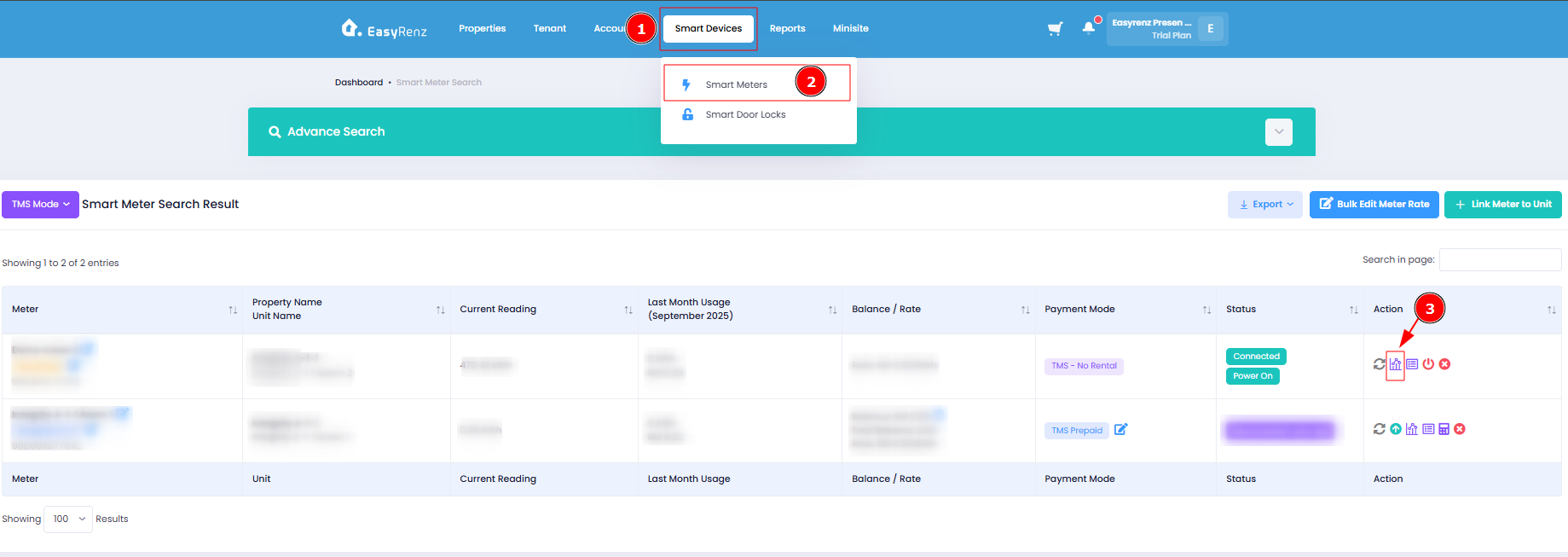
Step 1 : Smart Devices > Smart Meters > Click View Usage Graph icon
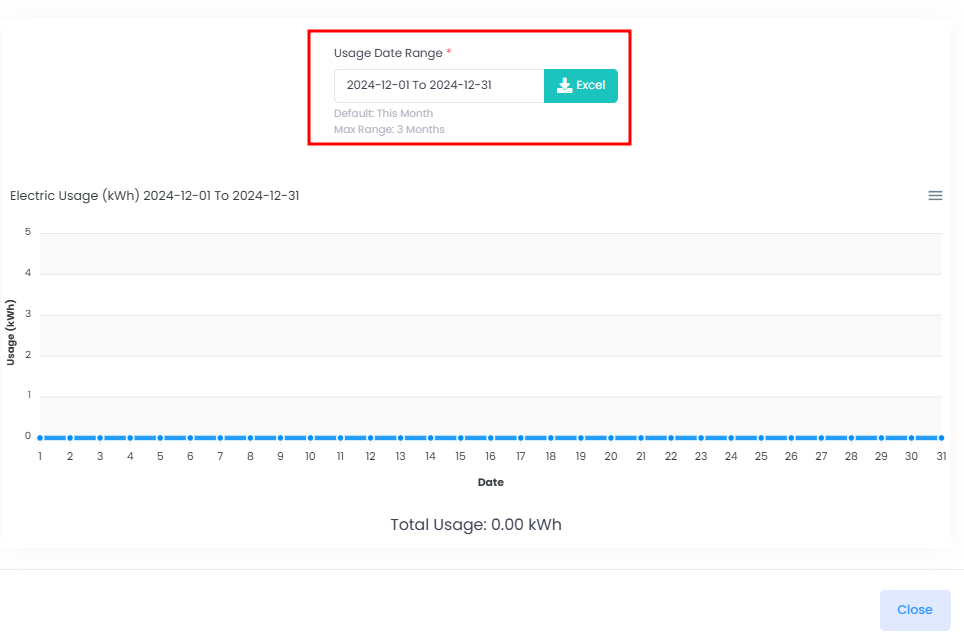
Step 2 : You may choose to view your preferred usage date range
[Mobile Version] Check Smart Meter Usages
To check your Smart Meter Usage, follow these steps to view the usage:
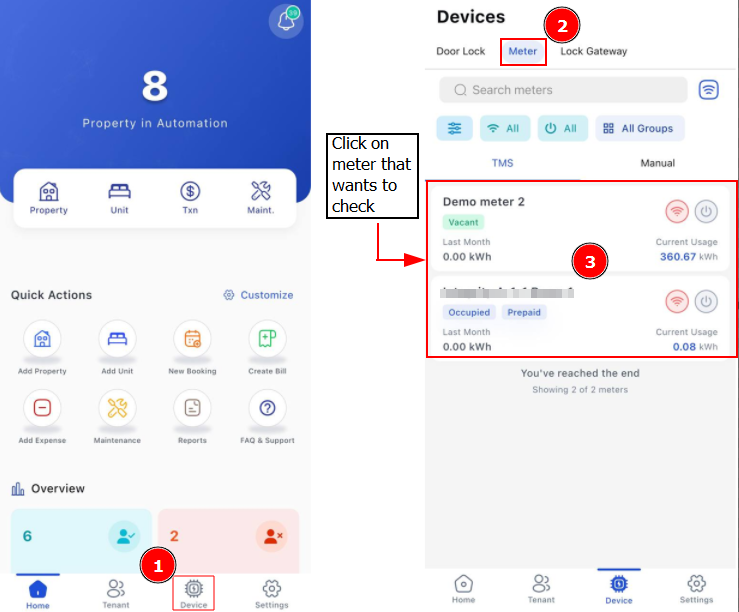
Step 1: Go to Devices > Click on either TMS or Manual Mode > Click on selected meter
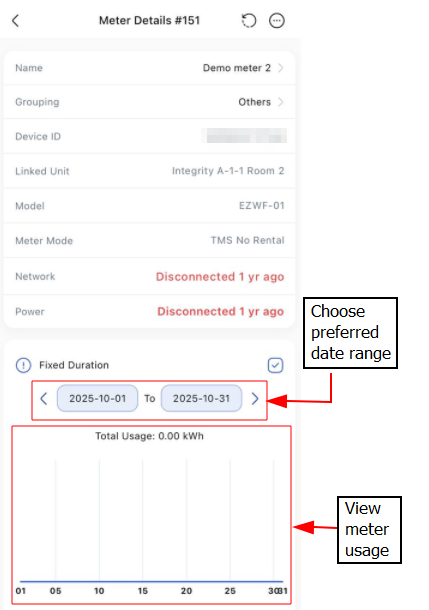
Step 2: You may choose to view your preferred usage date range