
Steps to change subscription renewal frequency
Step 1: Go to Profile > Subscription
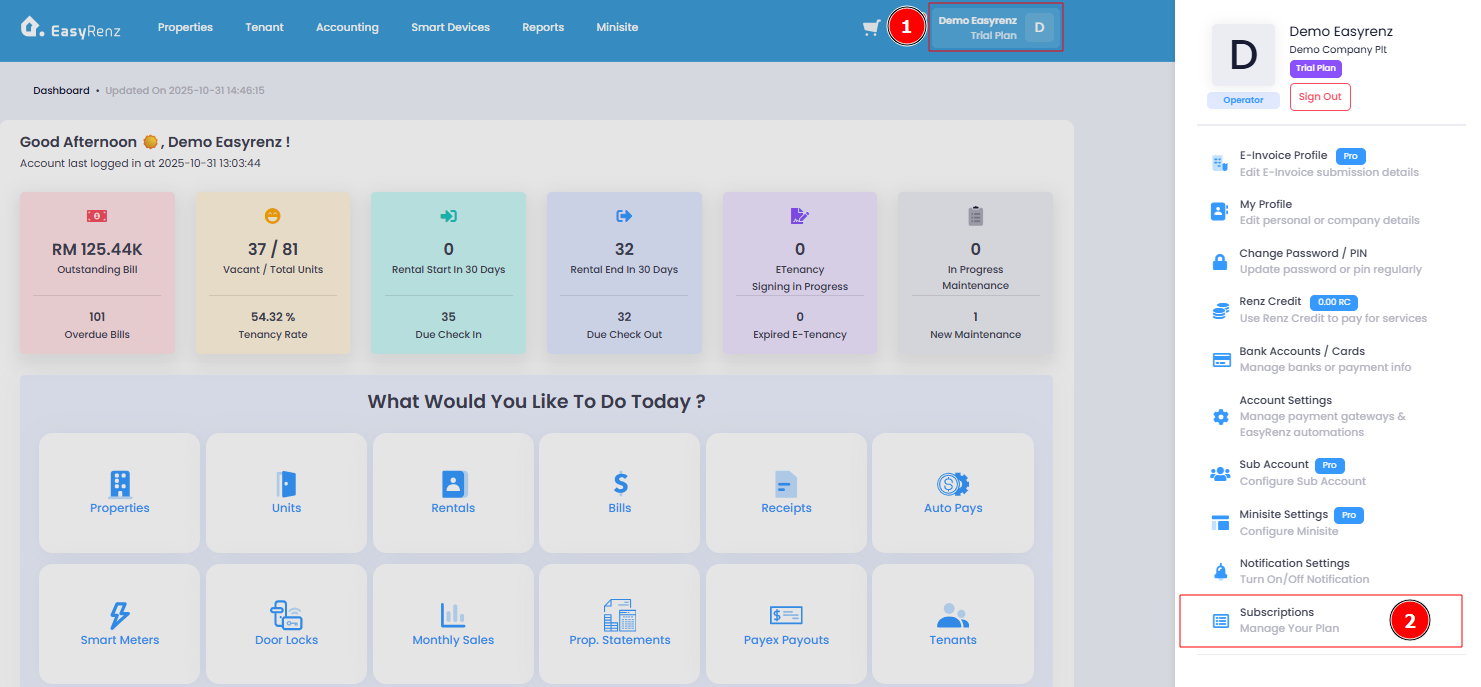
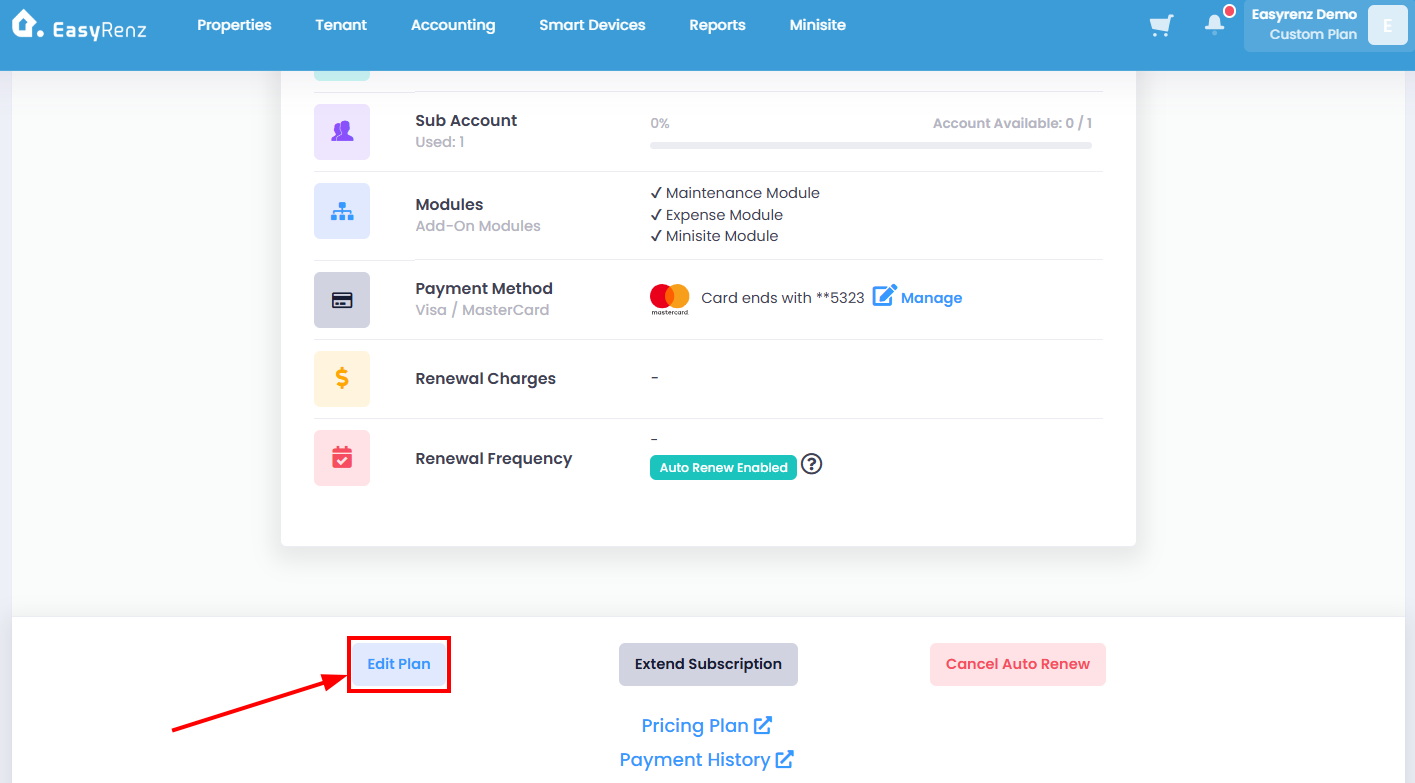
Step 3: Scroll down > Click on Edit Plan button
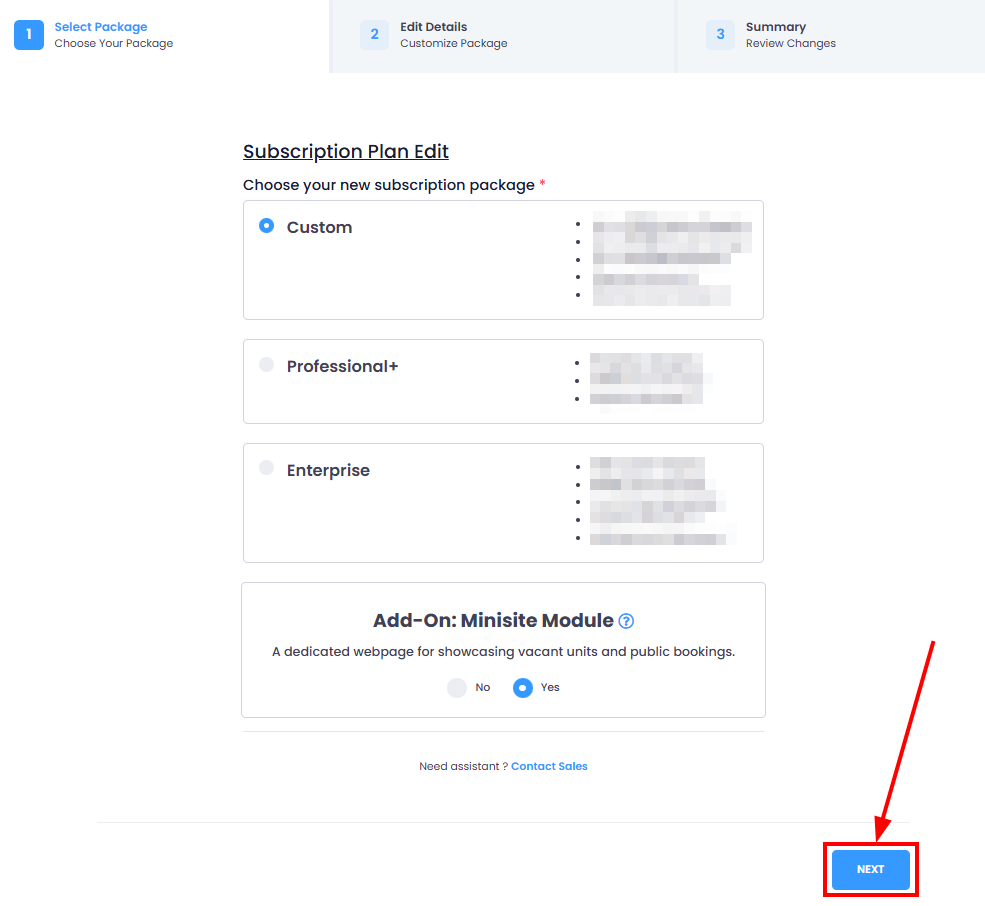
Step 4: Do not make any changes on this page > Click on NEXT button
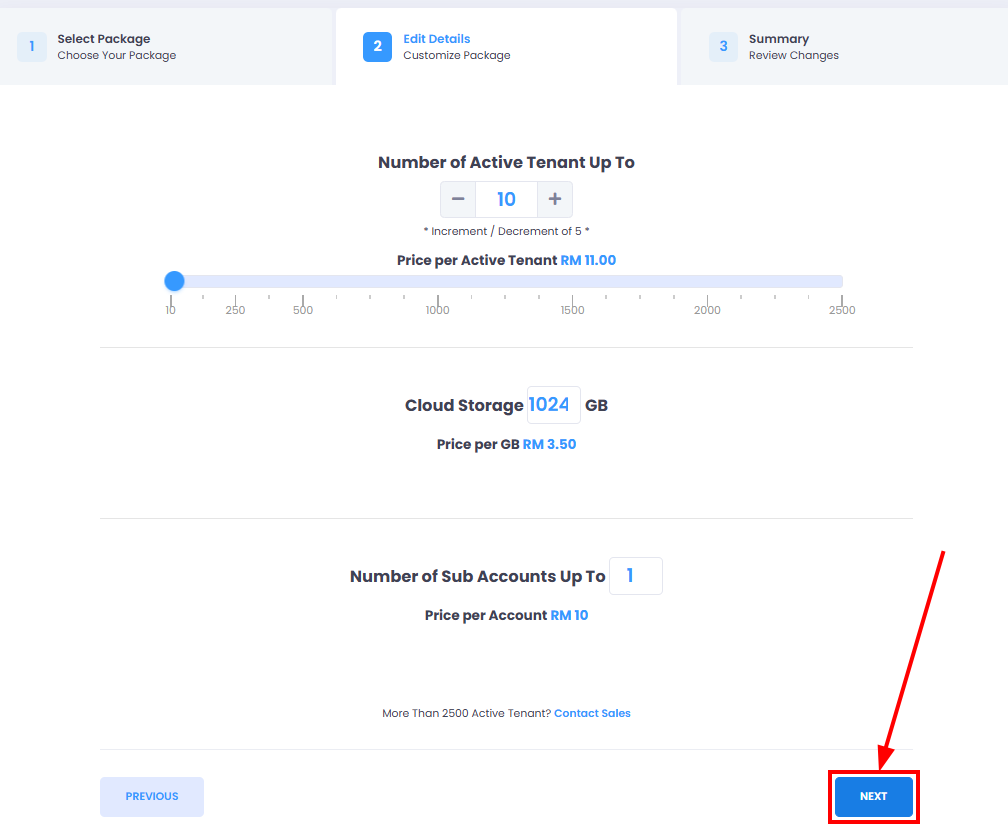
Step 5: Do not make any changes on this page > Click on NEXT button
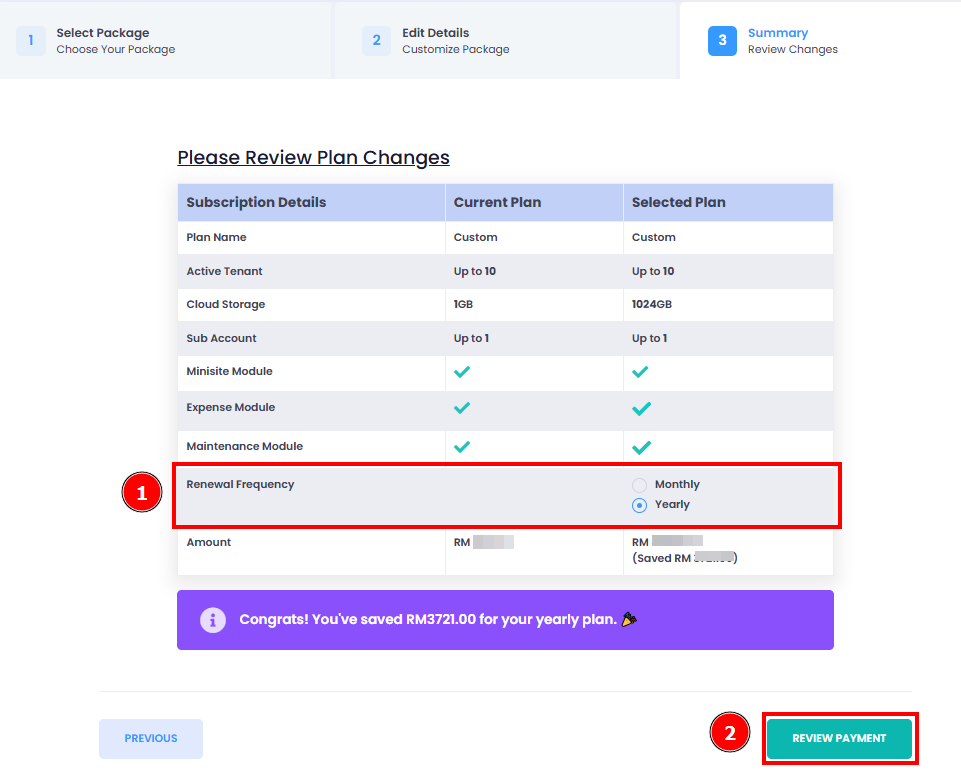
Step 6: Select the desired Renewal Frequency > Review Payment button
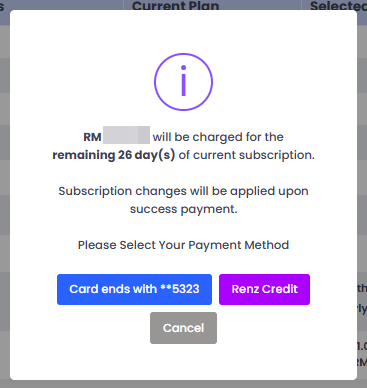
Step 7: Select your payment method > Complete your payment.
Important:
If your plan changes is upgrade results in a higher amount, EasyRenz will calculate the difference, and you’ll need to pay the balance to upgrade your plan for the remaining subscription period.
If your plan changes is downgrade results in a lower amount, the change will take effect immediately; however, the difference will not be refunded.
You have successfully change subscription renewal frequency.