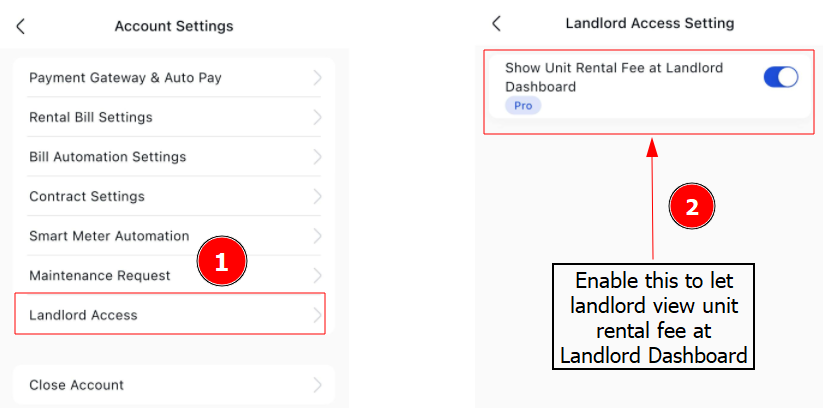
What is Landlord Access Settings ?
The Landlord Access Settings let you control if the unit rental fee is visible on the landlord’s dashboard.
Enabling this feature allows landlords to view the rental fee, while disabling it hides the fee from the dashboard.
Steps to change landlord access settings
Step 1: Go to Profile > Account Settings > Expand Landlord Access tab.
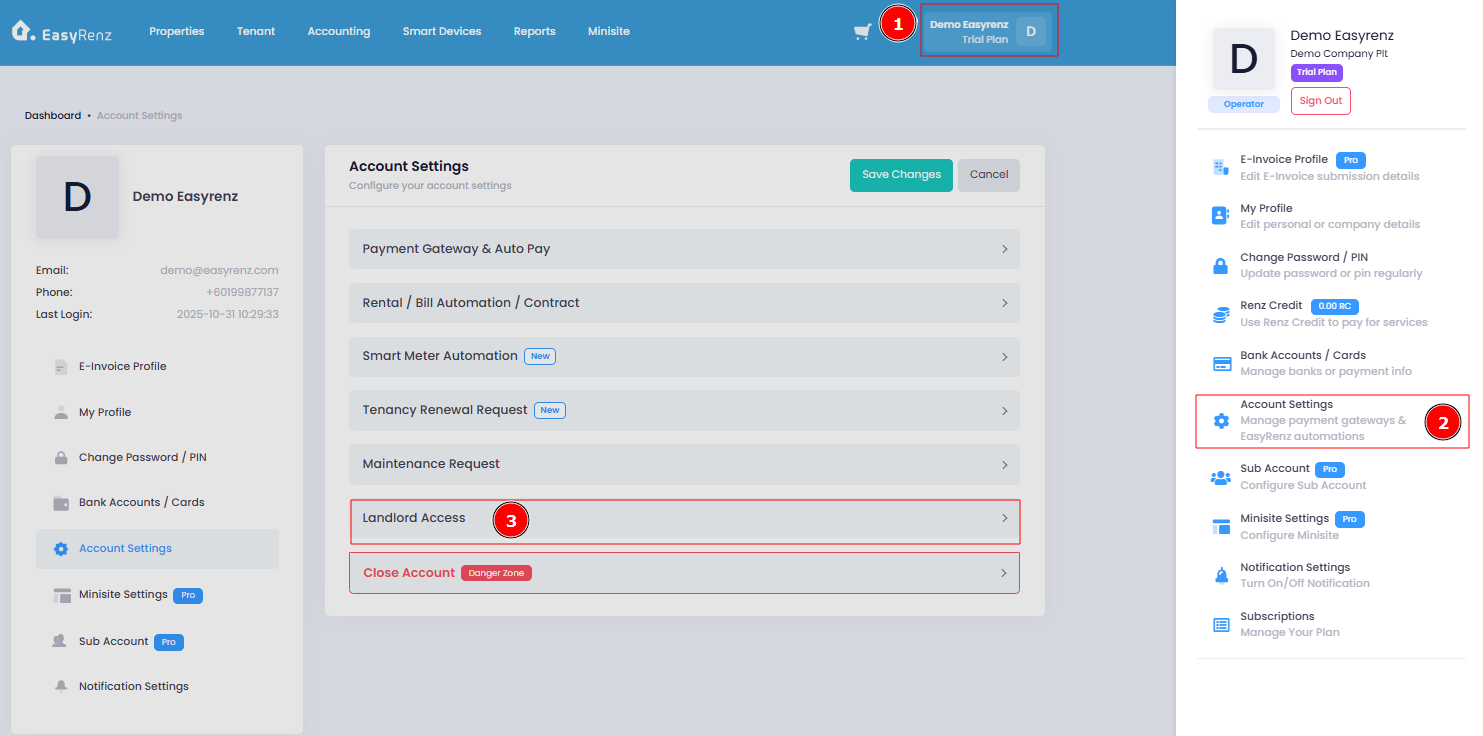
Important:
Once you've made your changes, remember to click on "Save Changes" to save the settings.
[Mobile Version] Steps to change landlord access settings
Step 1: Go to Settings > Tap Account Settings
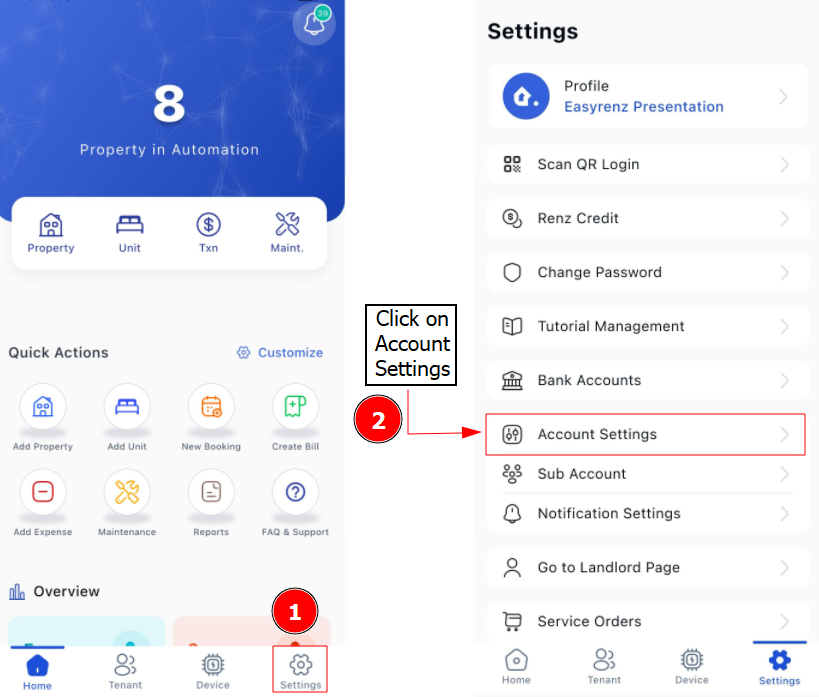
Step 2: Enable Landlord Access Settings