This is only for Web version
Landlord access in EasyRenz allows landlords to view their property's vacancy status and smart meter usage, once access is granted by the operator.
The operator can remove landlord access at any time from the property search page. You can grant up to 5 email address for each property.
Granting Landlord Access to Property
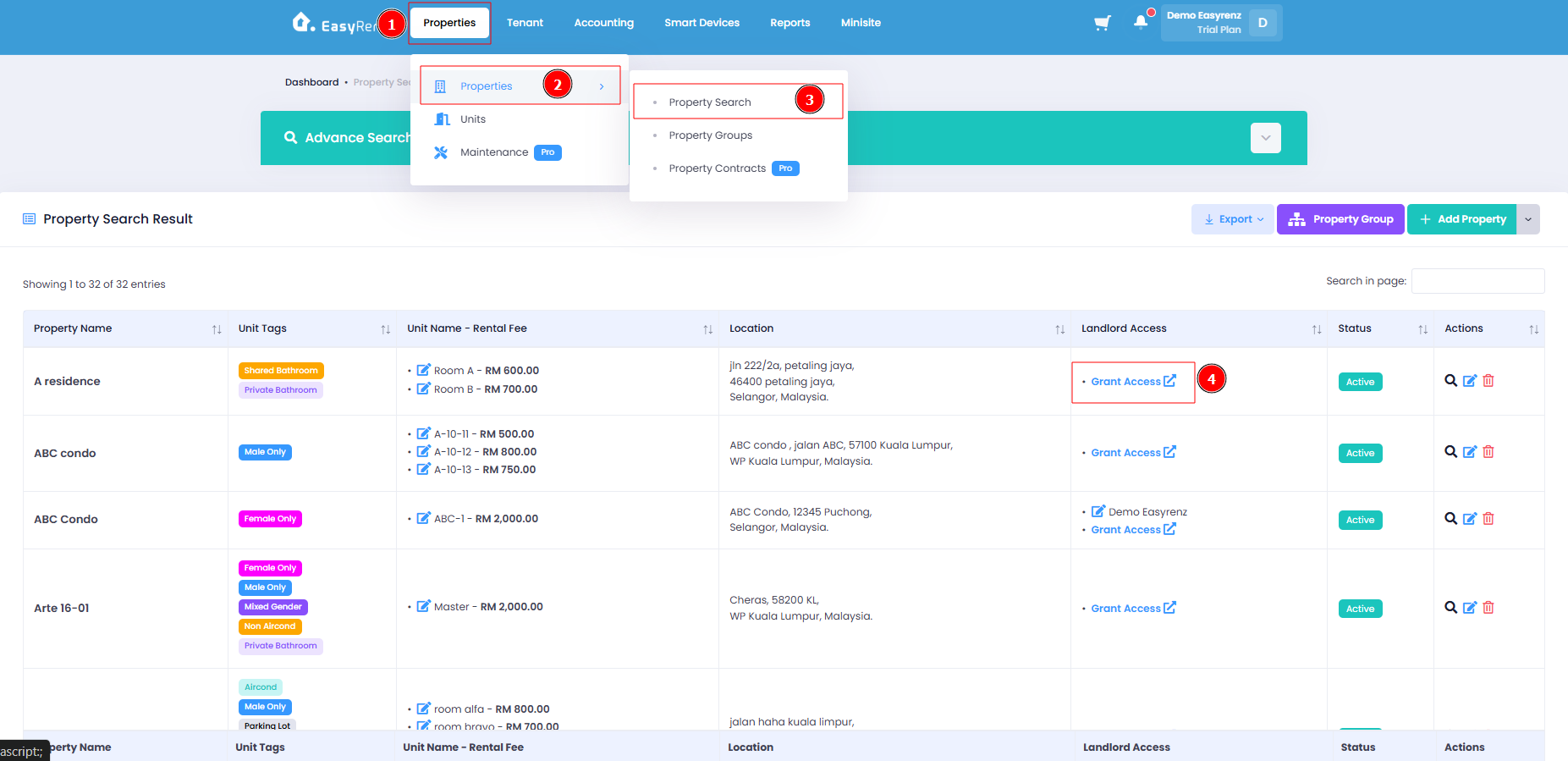
Step 1 : On Properties > Properties > Property Search > Click on the “Grants Access” button of the property you like to grant landlord access to.
Step 2 : Fill in the details > Click on the “Next” button to proceed.
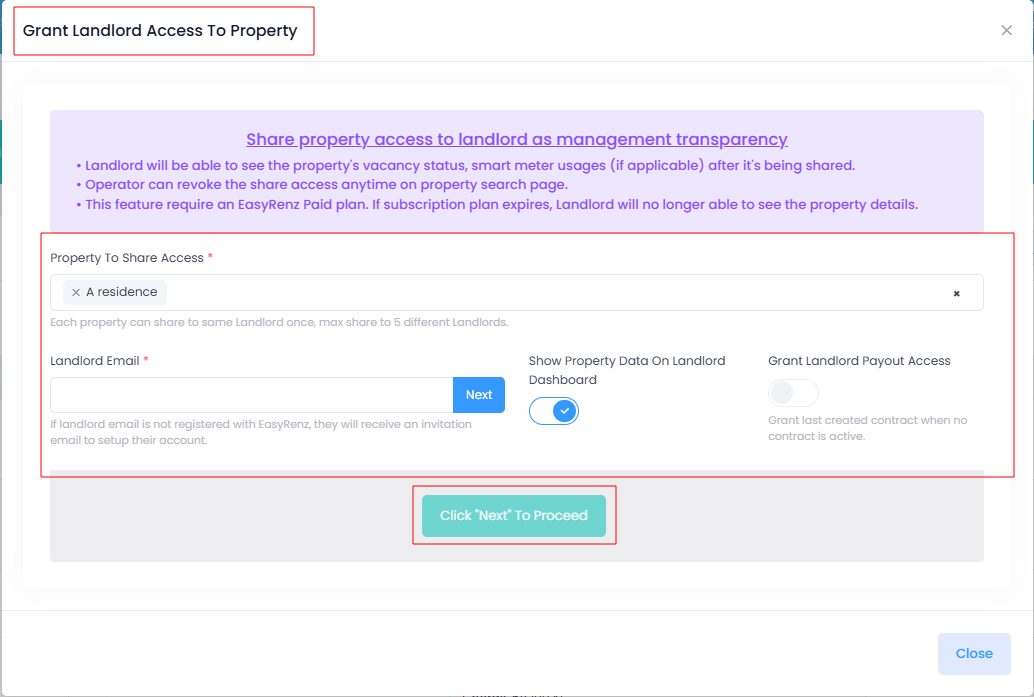
Step 3 : If you landlord already using EasyRenz, you can directly grant access to them. If not, you will be requested to enter landlord details before you're able to grant access to.
After granting access, the landlord will receive a welcome email (for new EasyRenz landlords) or a notification (for existing EasyRenz landlords) to complete the setup of their landlord account.
Removing Landlord Access
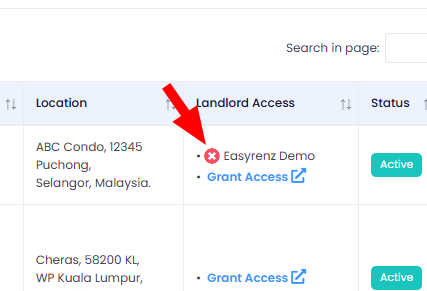
Step 1 : Click on the “X” icon next to the landlord’s name, a prompt will appear and ask for confirmation if you wish to remove this landlord access to this property.