
Important:
This is only for Web version
Steps to bulk import properties & units
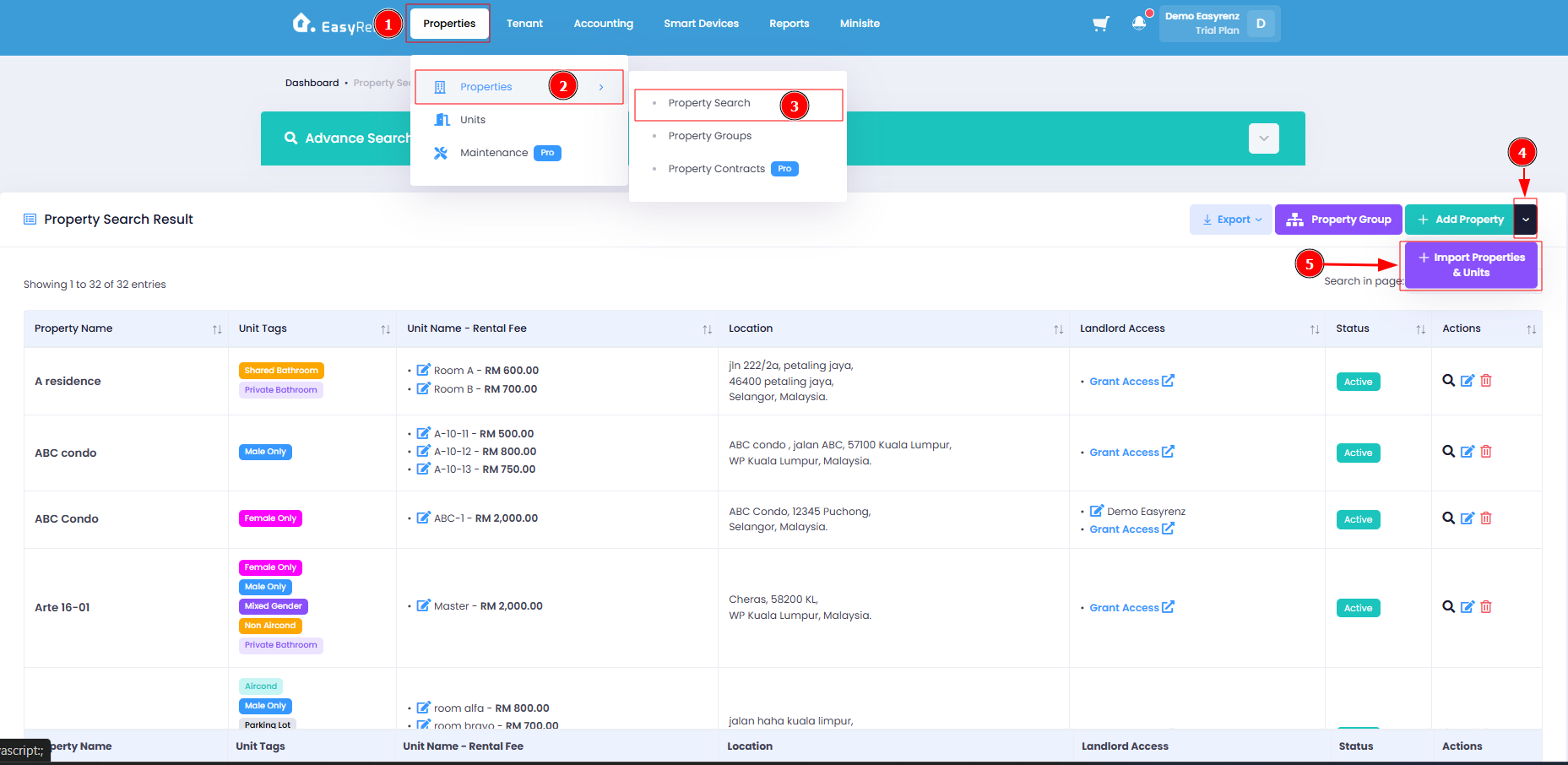
Step 1: Go to Properties > Properties > Property Search > Down Arrow beside Add Property > + Import Properties & Units
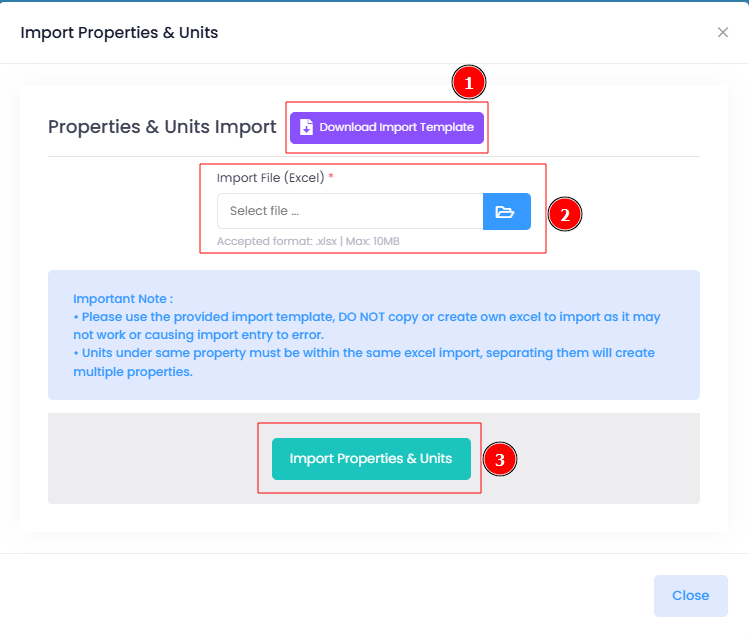
Step 2: Click Download Import Template button > Locate the downloaded file and complete all the fields in the downloaded file.
Step 3: Click Blue File Icon to upload file > select the Excel file > Click Import Properties & Units button to submit.
You has been successfully bulk import properties and units.