You need to be physically close to the lock in order to add a fingerprint.
Bluetooth and Device Discovery must be enabled in the EasyRenz app to add a fingerprint.
Tenants are strongly recommended to register their fingerprint access in case the app is unavailable or there is no internet connection, as the e-key will not function without it.
Tenants are advised to register at least two different fingerprints. In the event that one fingerprint is not recognized, the additional fingerprint(s) will serve as a backup for seamless access.
Fingerprint access will remain functional even without a smartphone or internet connection.
Add Door Lock Fingerprint
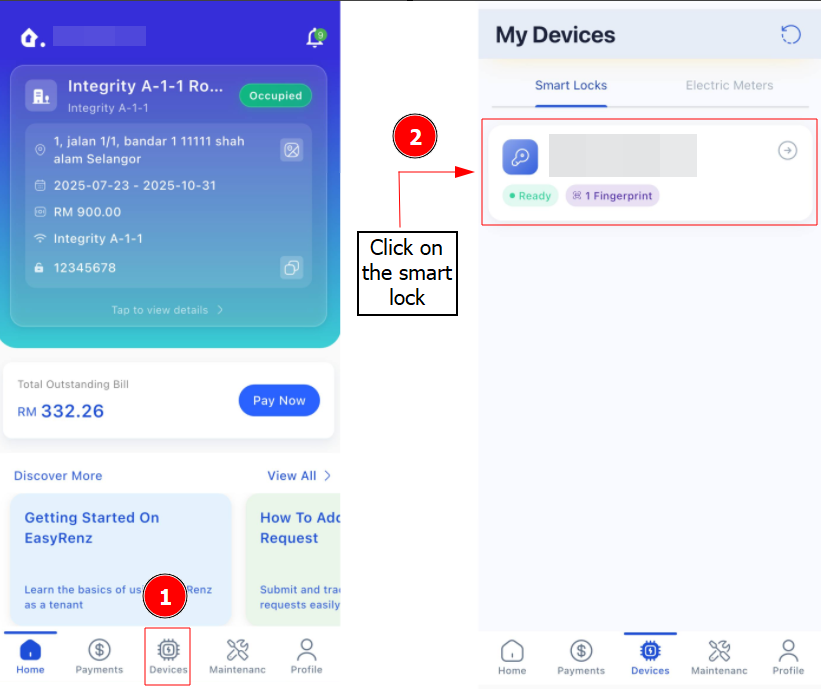
Step 1 : Click Devices> Select your Smart Lock
Step 2 : Click on the 3 button Action > Add > Click on Start Fingerprint Setup
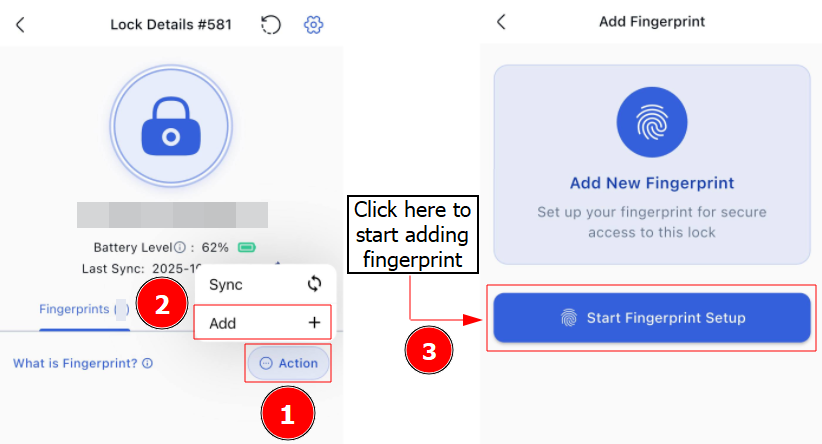
Step 3: Follow the on-screen instruction to complete your add fingerprint.
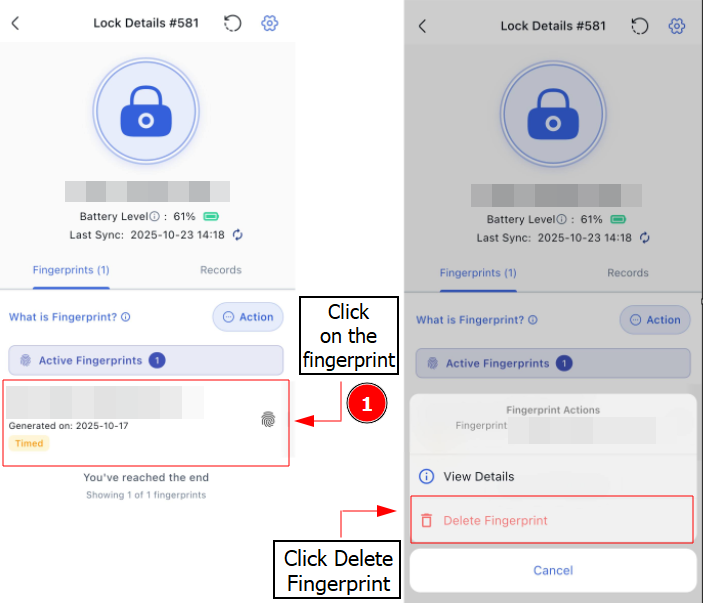
Delete Door Lock Fingerprint
Step 1 : You may choose to delete fingerprint by selecting a fingerprint and press "Delete".
A Bluetooth update requires you to be physically near the door lock.
On the other hand, a Remote Update can be performed remotely, but it requires a Bluetooth Gateway connected to the door lock with internet access.