To ensure your smart door lock operates with the latest features and security enhancements, follow these steps to update its firmware using the EasyRenz app:
Update Door Lock Firmware
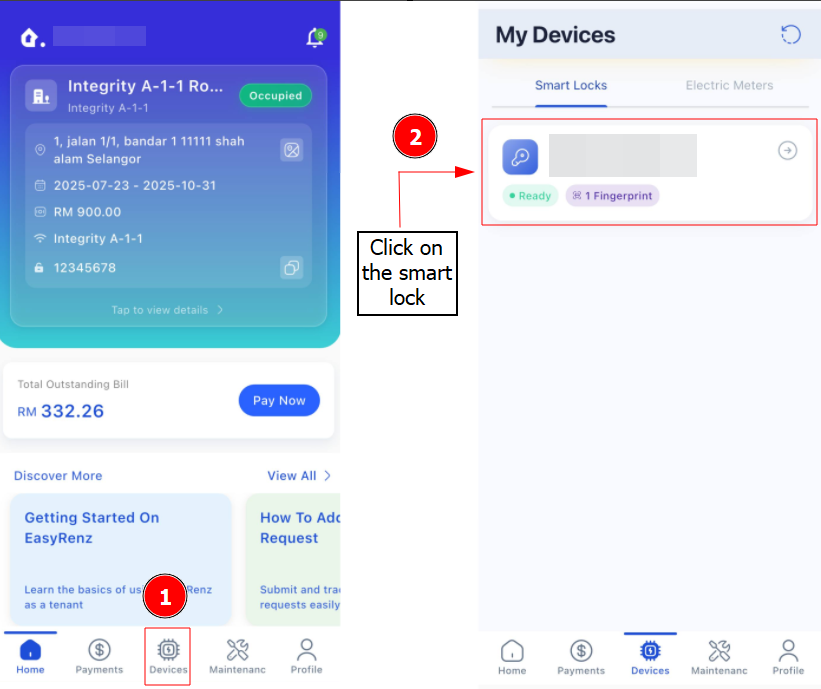
Step 1 : Devices > Select your door lock
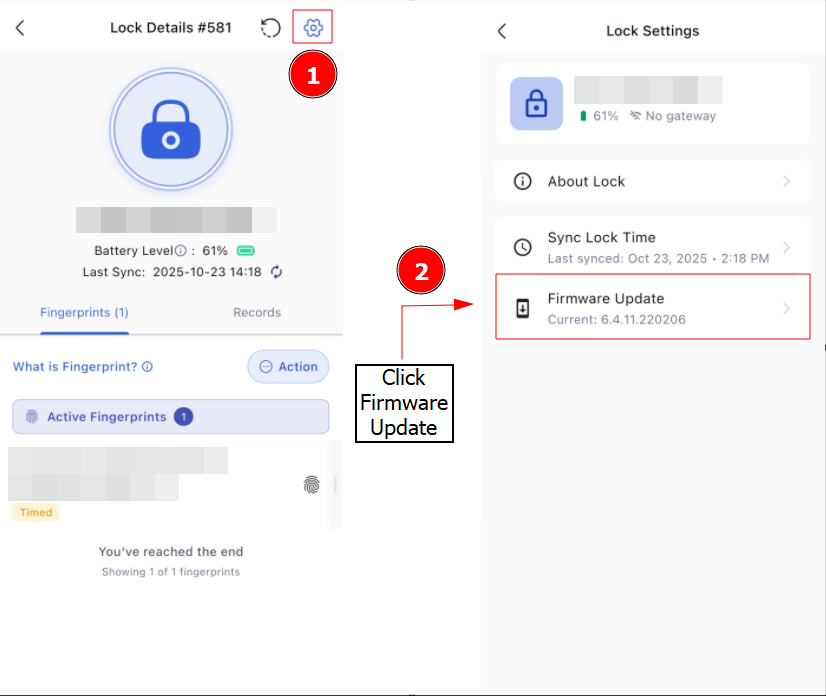
Step 2 : Press Settings Icon > Click Firmware Update to check the latest update.
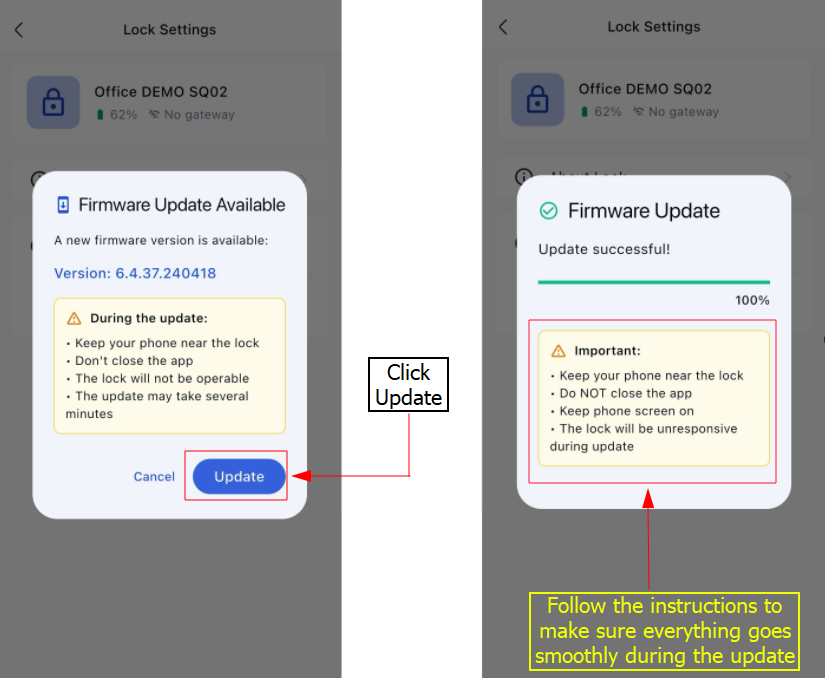
Step 3 : If there's a Firmware Update available -> Click Update