Steps to change password
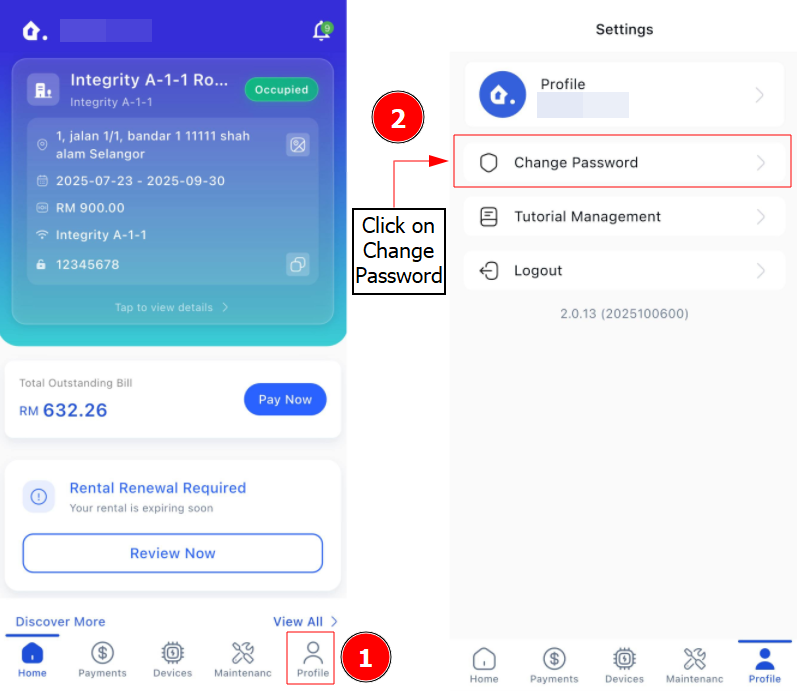
Step 1: Go to Profile > Click Change Password
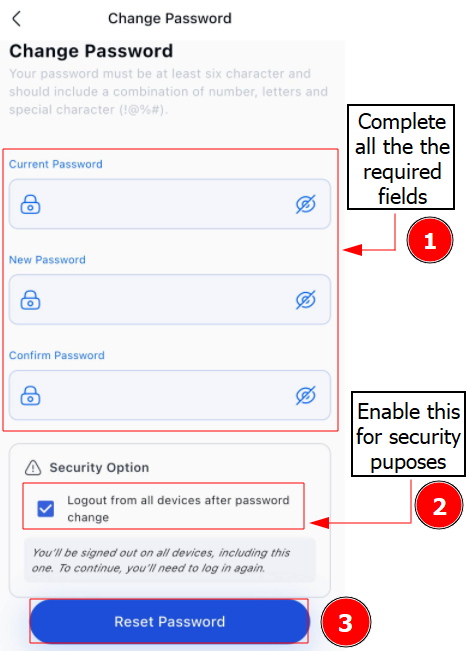
Step 2: Complete the required fields > Change Password button
You have successfully changed your password.

Step 1: Go to Profile > Click Change Password
Step 2: Complete the required fields > Change Password button
You have successfully changed your password.