
Steps to request for password reset.
Step 1: In EasyRenz App > Select Forgot Password
Step 2: Fill in your Email Address > Send Password Recovery Email
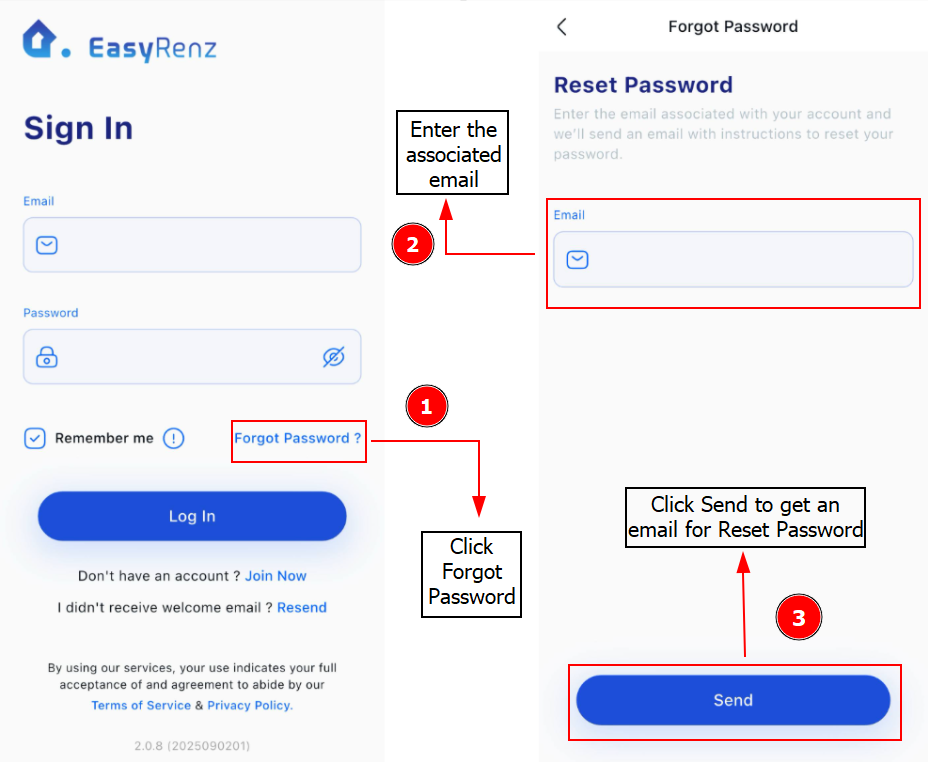
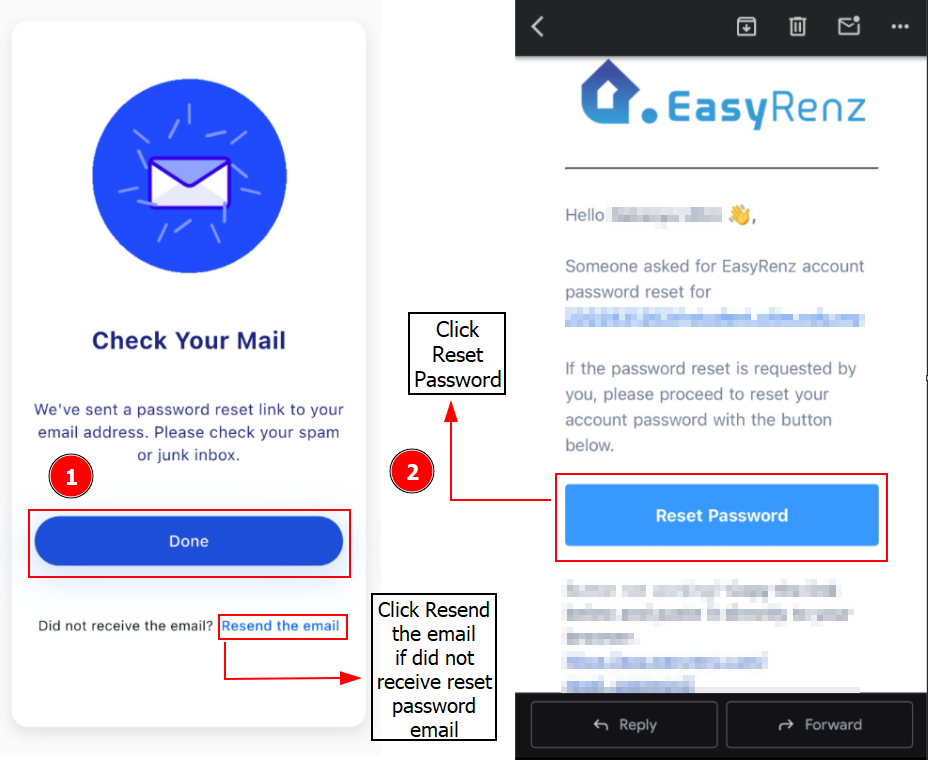
Step 3: Please check your email inbox for password reset link to continue with the password reset.
Important:
If you’re not receiving the email, please check your Spam / Junk folder. For Gmail users, make sure to check your "All Mail" folder.
Important:
If clicking the "Reset Password" button doesn't work on your device, please copy the link below the button and paste it into your browser.
Once you've completed the password reset, you can now login your account with the new password.