
Important:
Receipts from payment methods such as Auto Pay, FPX, Card, or E-Wallet cannot be voided.
Steps to void a tenant receipt
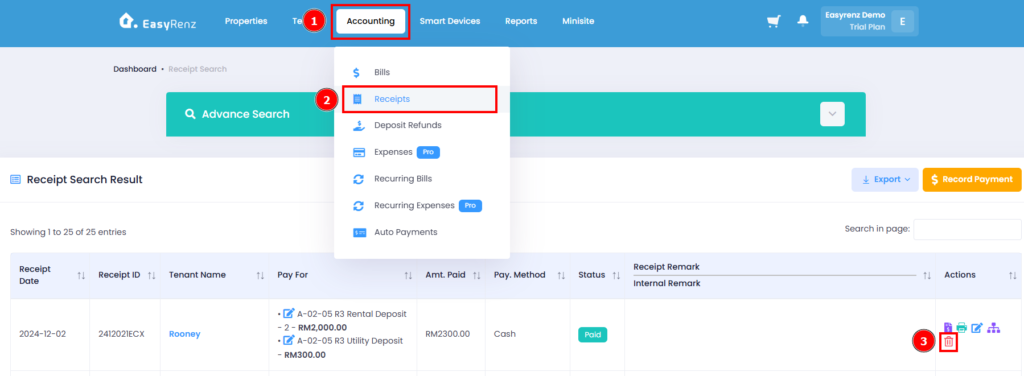
Step 1: Go to Accounting > Receipts > Find the receipt you wish to void > Click on the Red Trash Bin Icon
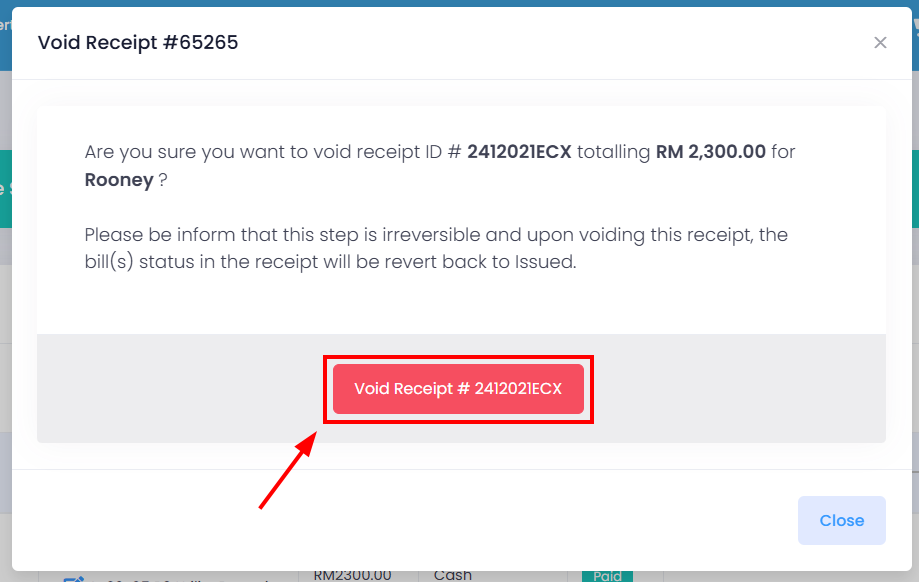
Step 2: Click on the Void Receipt button to void the tenant receipt.
You have successfully voided a tenant receipt.