
You can only manage your subscription package via the EasyRenz Web app; this feature is not available on the EasyRenz Mobile App (for both iOS and Android).
Subscribe To Easyrenz Package
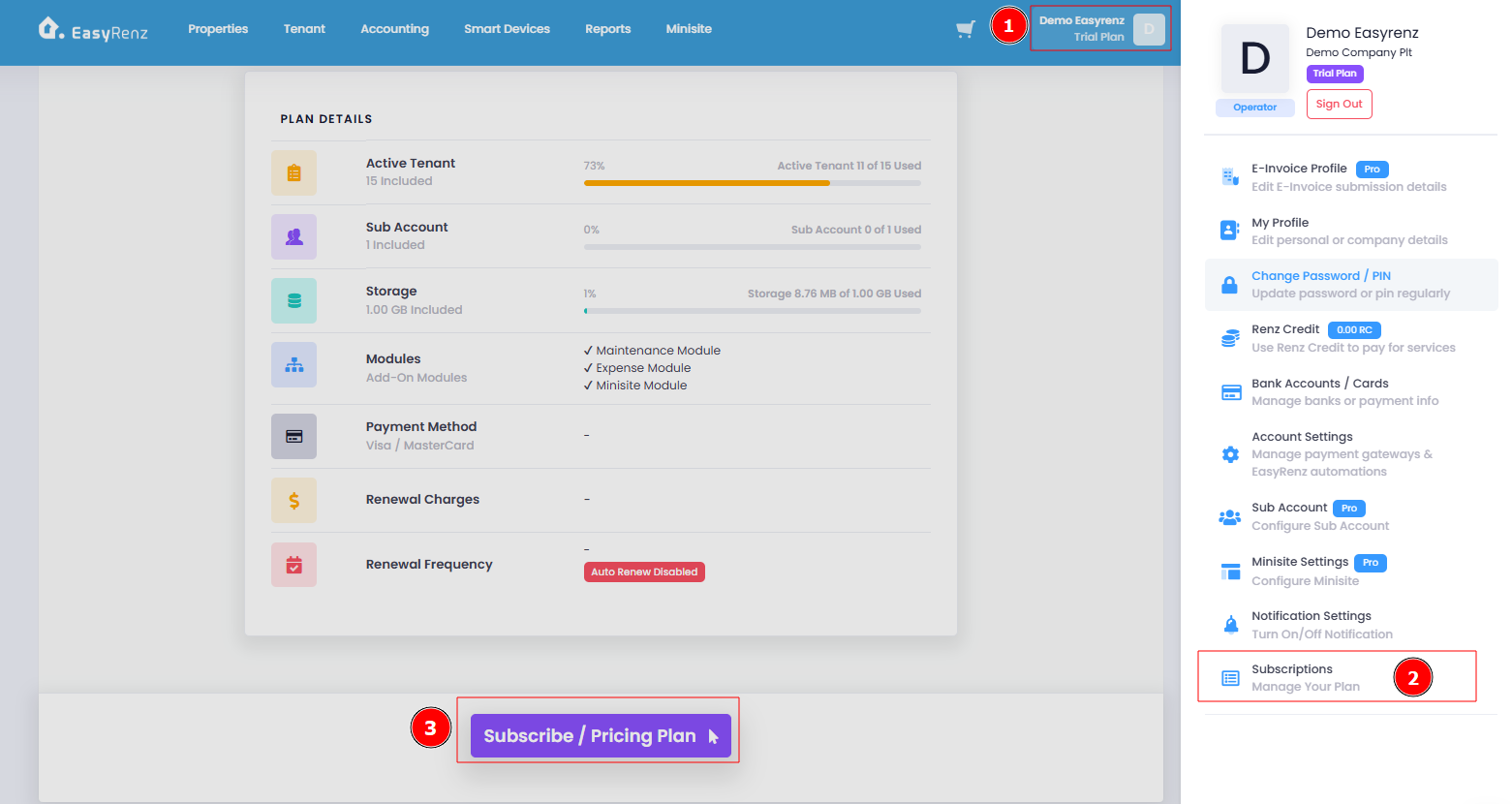
Step 1 : Profile > Subscriptions > scroll down and click Subscribe / Pricing Plan
Step 2 : You may choose your desired package based on your active tenants.
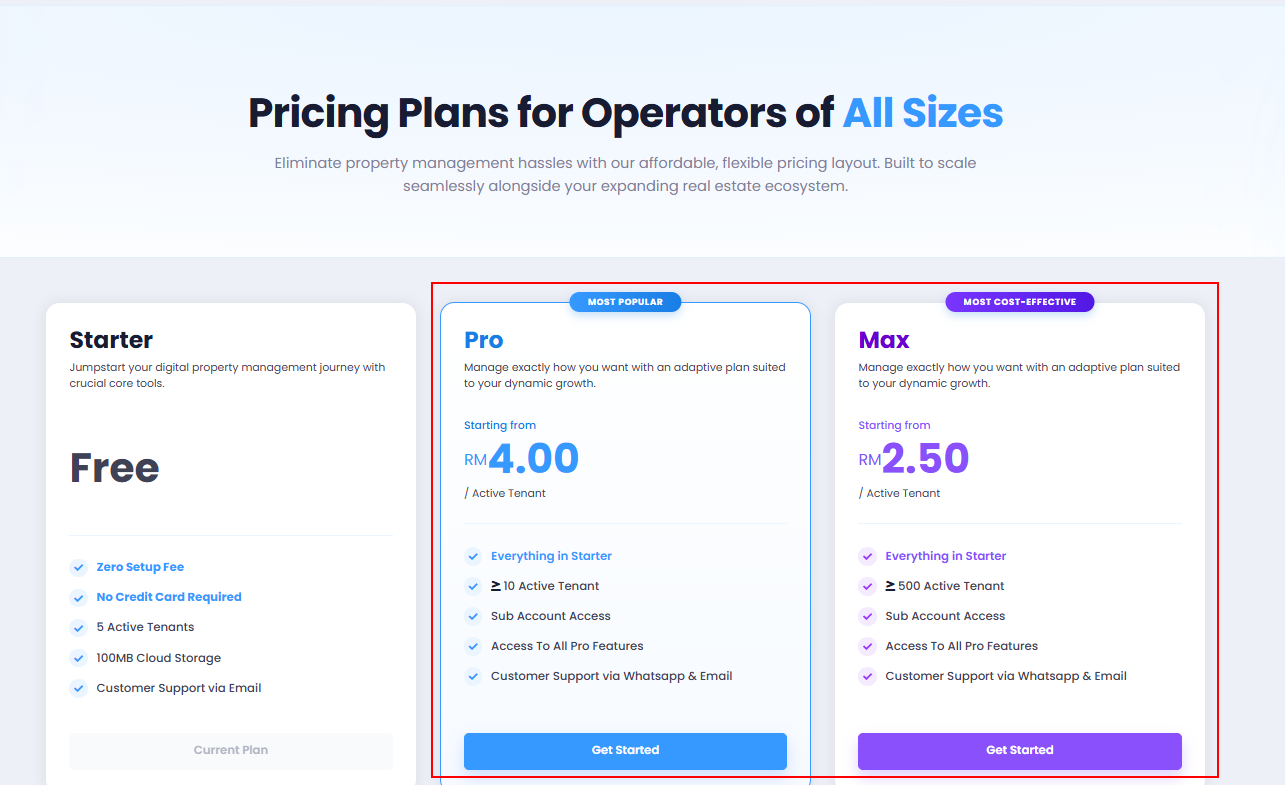
Once decided the plan to proceed, click on “Get Started” button to proceed.
Annual plans offer one month free 🆓 with any package you choose to subscribe to.
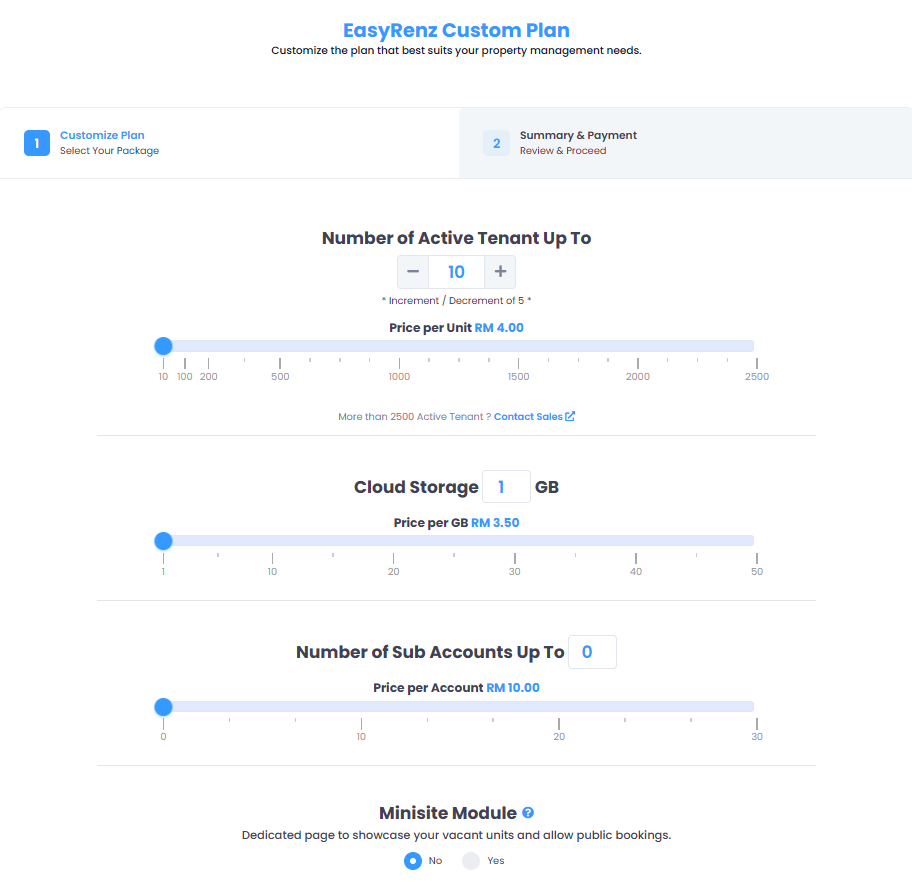
Step 3 : In this "Customize Plan", you may customize your plan based on your needs and requirements.
Once you have completed the adjustments, click "Next" to proceed with the payment method.
Step 4 : Upon confirmation, you will be prompted a payment screen for payment authorization.
You can choose your preferred payment method: use Renz Credit, add a new credit/debit card, or select an existing added card in your account to proceed with your subscription payments.
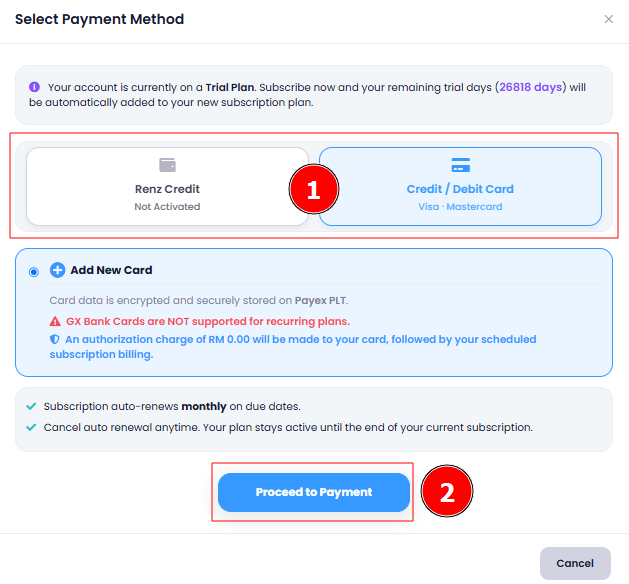
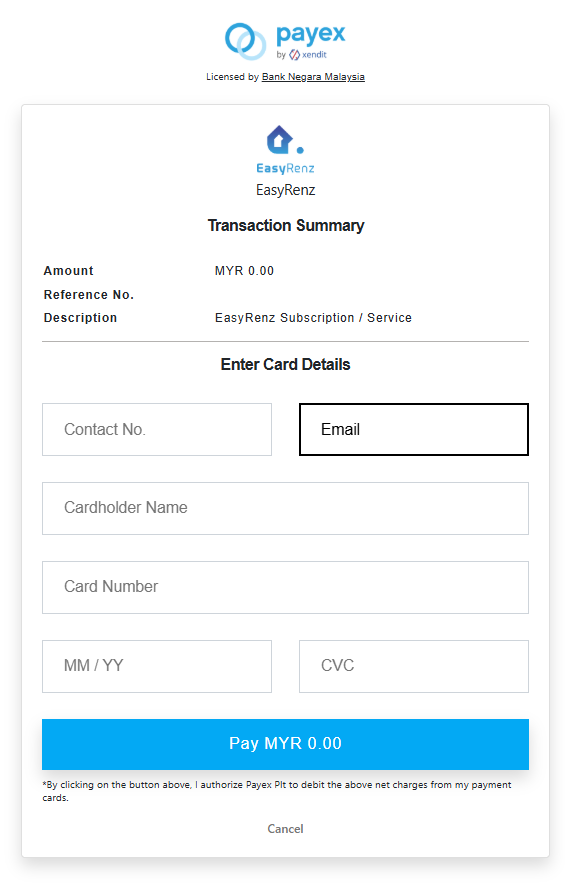
Step 5 : If you choose to add a card, after card details have been entered, click on "Pay RM XX.XX" to authorize payment.
Figure will be MYR 0.00 as this is to authorize the system to charge from the newly added card. Plan charges (Monthly/Yearly) will be debited from the card after success authorization.
Step 5 : Once your subscription payment is successful, you will receive a confirmation email and a push notification via the EasyRenz App.
Congratulations, your property management journey just got better with EasyRenz!
If you're experiencing any difficulties subscribing to a plan, please don't hesitate to contact our friendly customer service team for assistance.