
Logging in with a QR code is a secure and convenient way to access your EasyRenz account. Follow these steps to log in using a QR code:
Login With QR
Step 1 : Visit EasyRenz Web login page > Select QR Sign In.
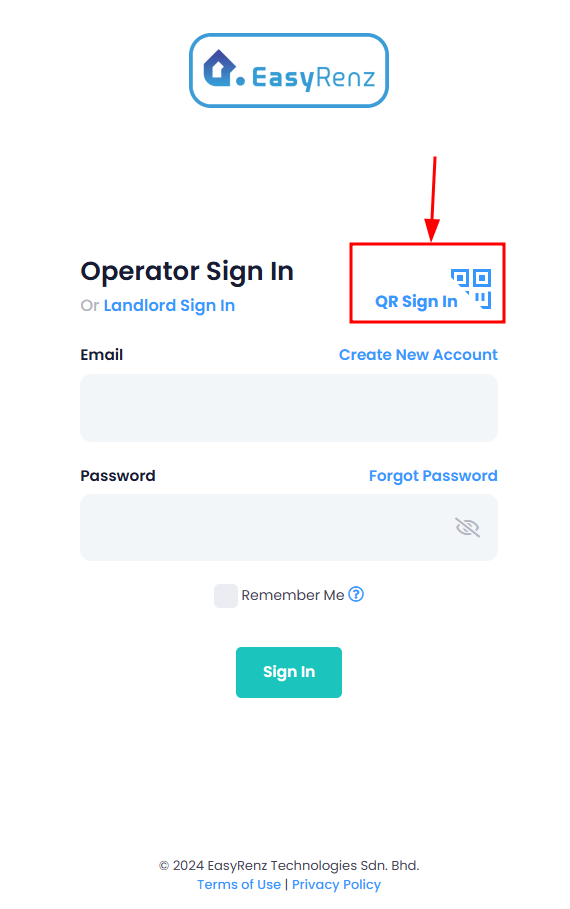
Step 2 : The EasyRenz web login will display a QR code on the screen.
If you prefer to log in with your password, you may choose to do so by selecting the option to log in with a password on the QR code page.
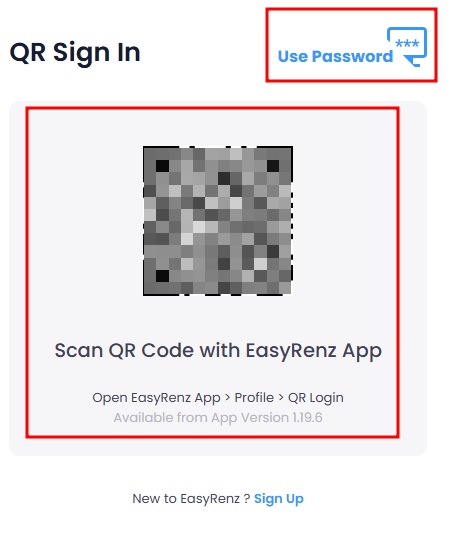
Step 3 : Launch the EasyRenz App on your smartphone.
Step 4 : Go to Setting > Scan QR Login.
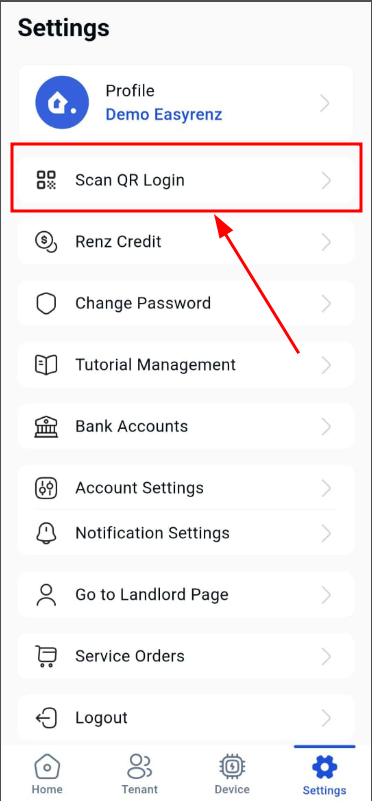
Step 5 : Scan the QR code displayed on your computer screen.
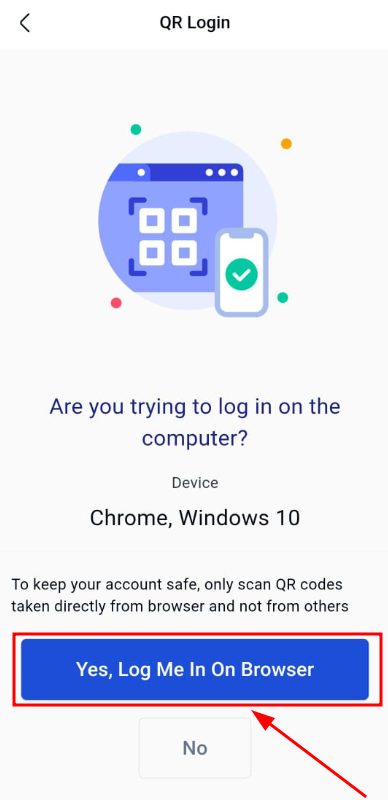
Step 6 : Click on the blue confirmation button to complete the QR login.
Do not scan QR codes from unknown or untrusted sources.
They could lead to security risks, like theft of your EasyRenz account information.
Only scan the QR code and proceed with login if you intend to do so.
You should now logged in to your EasyRenz account on your browser.