
[Web Version Only] Steps to edit check out reason and remark
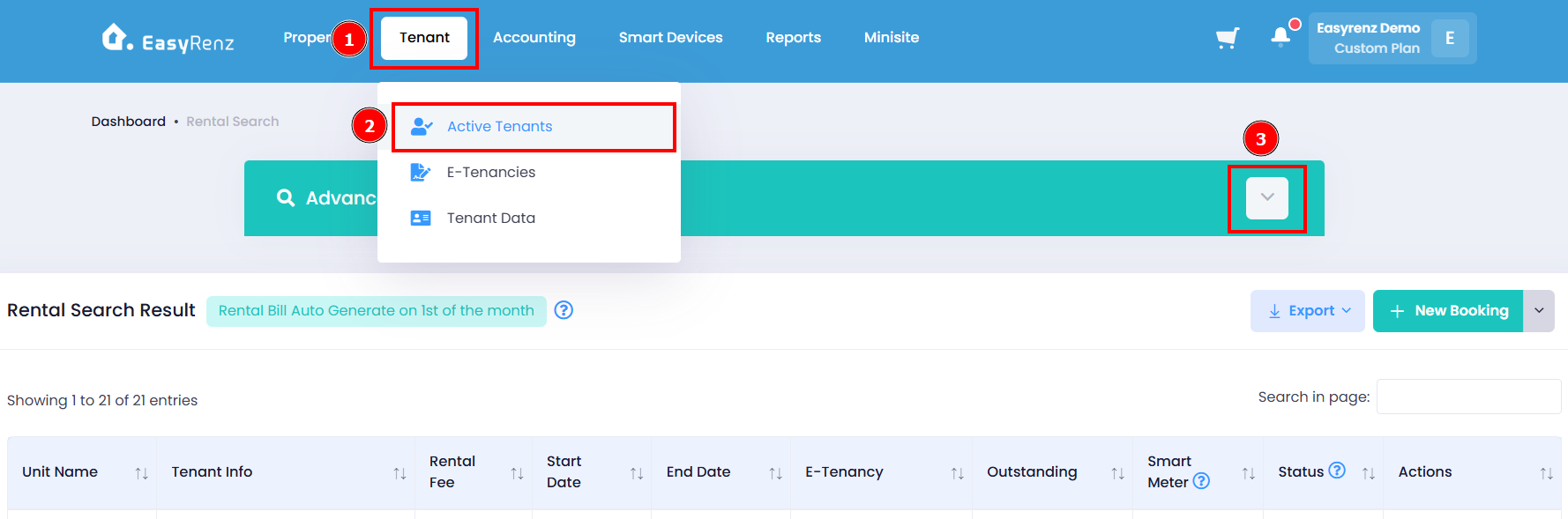
Step 1: Go to Tenant > Active Tenant > Expand Advance Search
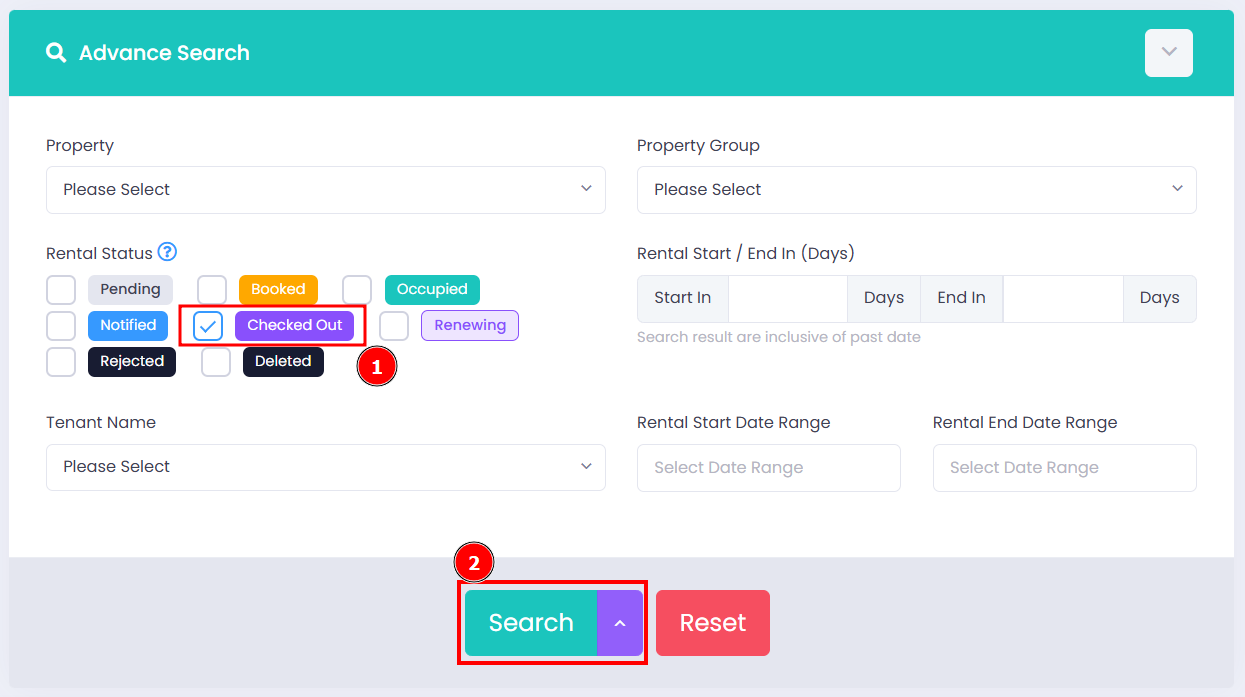
Step 2: Select ONLY "Checked Out" for the rental status > Search button
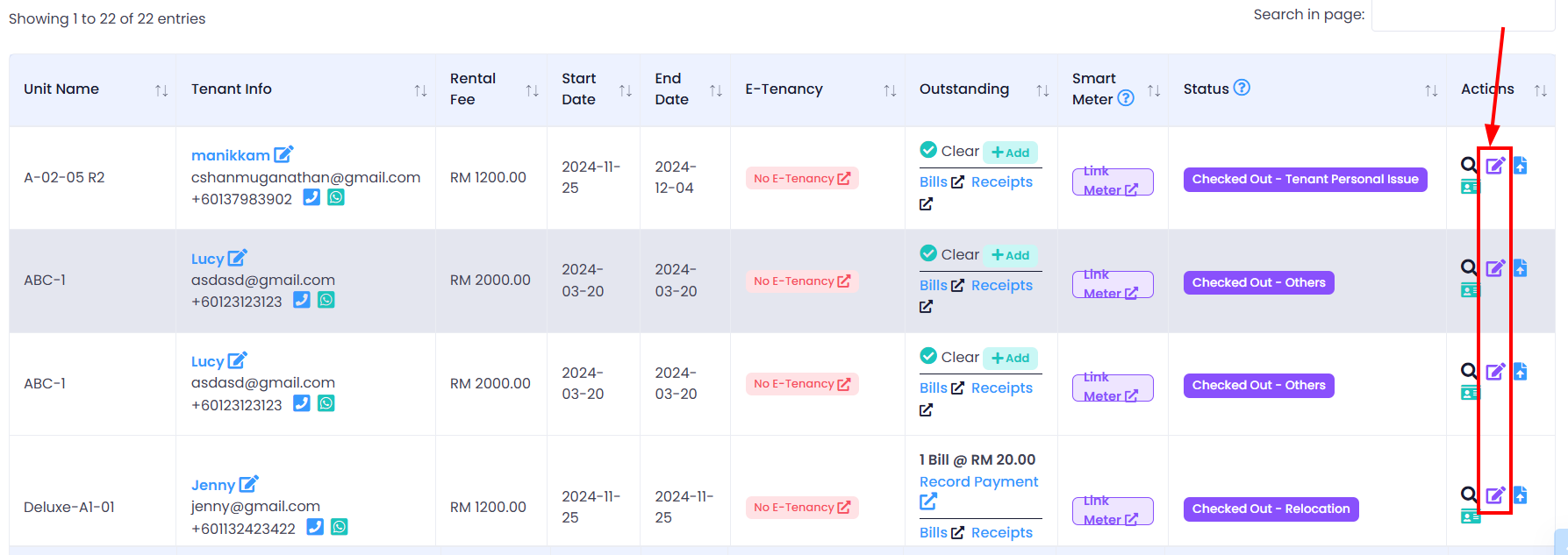
Step 3: Scroll down > Find the tenant you wish to edit > Click on Purple Edit icon
Step 4: Edit check out reason and remark > Edit Check Out Reason button to complete editing
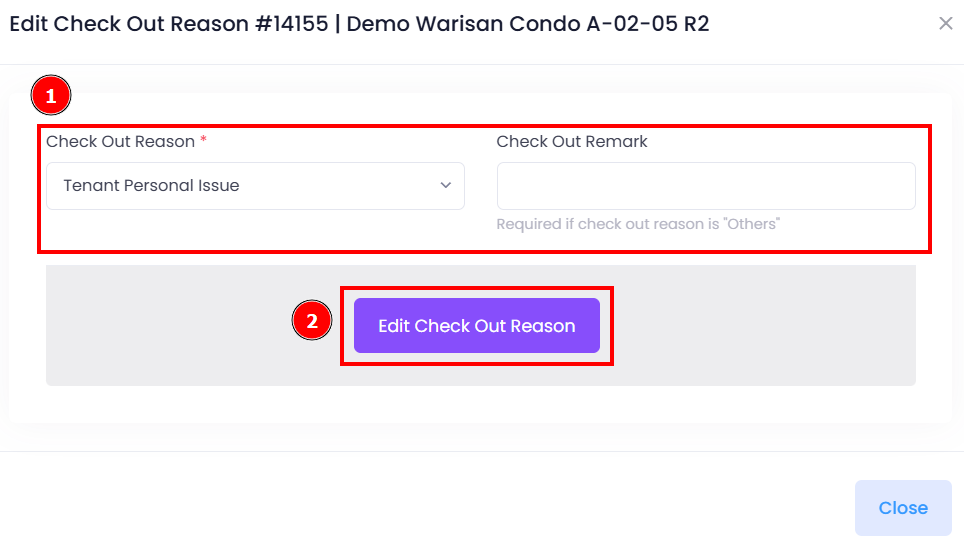
You have successfully edited tenant's check out reason and remark.