
Important:
This is only for Web version
Steps to create property contracts
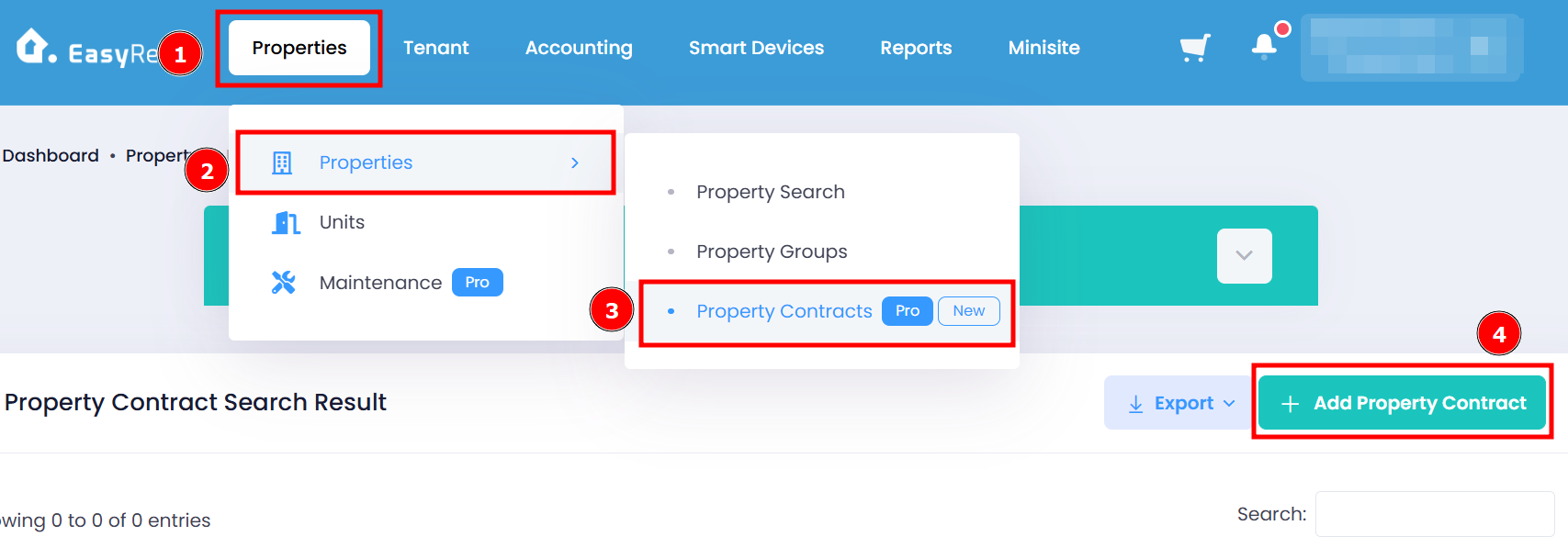
Step 1: Go to Properties > Properties > Property Contracts > Add Property Contract
Step 2: Fill in the required fields > Click Add Property Contract button to complete adding a new property contract.
Important:
User may choose to fill in either Management Fee Percentage (%) and Fixed Management Fee (RM), or both.
If only one field is filled in: The system will use the value provided.
If both fields are filled in: The system will automatically select the higher fee based on the calculation of both options.
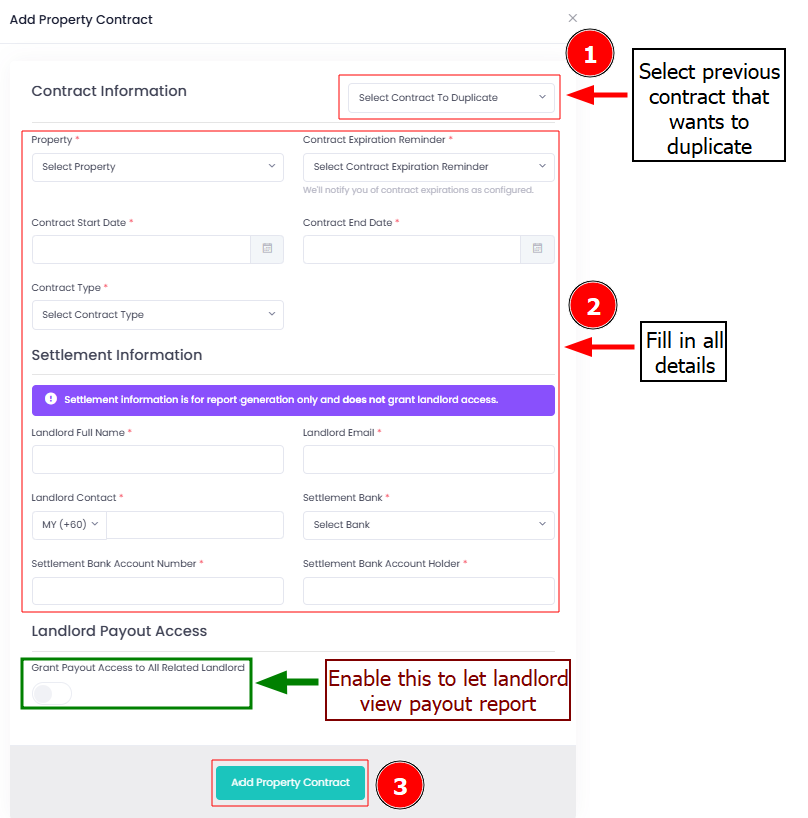
Click "Add Property Contract" once you've done filling in the details.
For more information on Landlord Payout Formula you may visit this link: [Properties & Units] Property Contract Data Exclusion Explained.